 PH
PH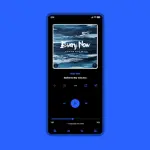
Poweramp 3 Skin: Luminous Black
Overview
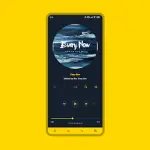
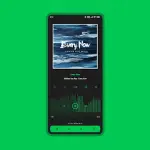
Luminous Black (including the Luminous variant) is a highly customizable material-style skin for Poweramp 3. It supports a wide range of personalization options including accent colors, alternative layouts, album art styles, and Material You dynamic skinning (Android 12+). The interface offers varied options for transparent, dark, and pastel/soft white backgrounds.Technical Specifications
| Requirement / Spec | Details |
|---|---|
| Minimum Android Version | 5.0+ |
| Target Application | Poweramp 3 (Stable version only) |
| Architecture | noarch |
| Supported DPIs | 120dpi, 160dpi, 240dpi, 320dpi, 480dpi, 640dpi |
| Languages | Full Multi-Language support (including English, Indonesian, Chinese Simplified/Traditional, Russian, Japanese, Spanish) |
| Compatibility Note | Not compatible with Huawei devices running Android 7.0 (Android 7.1+ is supported). |
| Package Integrity | Untouched ρáíd APK with original hash signature (MD5: 3c0f960593c8acda710699a1a69e2d60) |
Available Features
Personalization & Layout
- Color Options: 36 accent colors, 17 background colors, and Material You integration.
- Layouts: 3 player UI layouts, adjustable track title alignment, transparent background controls, and opacity adjustment.
- Album Art: Blur background & overlay options, adjustable transition styles, custom transitions, shadow effects, and dynamic corners across the player UI, library, and headers.
Iconography & Typography
- Icon Customization: Configurable icon sets, colors, shapes, corner radii, and sizes for the Library, Navigation, Bottom Buttons, Equalizer, V.T.R.S, and Headers.
- Fonts: 28 distinct font styles with editable colors, sizes, capitalization formatting, and accent title colors.
UI Components
- Library: Editable corner radii and opacity for header and bottom buttons, middle-left track title layout, and customized selection styling (color, margins, and corners).
- Navigation: Selectable navigation styles, background coloring, corner radius, indicator colors, offset navbar option, and transparent or forced black navigation bar toggles.
- Knob & Equalizer: Custom styling for knobs and equalizers, configurable thumb styles, shape corner radii, indicator styles, spectrum analyzers, and volume panel knob options.
- Player Controls: Pro buttons (custom shapes, colors, sizes), wave bars/seekbar styles, and standard seekbar layouts.
Visibility & System Tweaks
- Element Toggling: Option to hide album artist, album art, ratings, lyrics buttons, track menu buttons, V.T.R.S buttons, and elapsed/duration time indicators.
- Other Features: Flat UI mode, transparent status bar, and independent corner radius/opacity adjustments for track titles, ratings, lyrics, and menus.
Version History & Changelog
Update 10.6.1
- Added: 5 new font styles (Courier Prime, Google Sans Code, Oswald, EB Garamond, Fjalla One).
- Improved: Selected track stroke styling.
- Fixed: Resolved an issue causing an incorrect artist icon to display on the Player Screen Buttons.
Configuration & Troubleshooting Tips
Quick Settings Access: Long-press the hamburger/menu button within the Poweramp navigation bar to jump directly to the skin settings.
Recommended Blur Layout Settings
To maintain text and button legibility when using blur layouts, adjust the background intensity manually:- Navigate to:
Poweramp > Settings > Background - Set Background Intensity to 80%
Post-Update Reset Procedure
If graphical anomalies or empty settings menus occur after an application update, apply the following steps:- Launch the skin container application from the device app drawer.
- Select Open Skin Settings.
- Disable the skin.
- Scroll down to locate the empty configuration fields and re-enter your preferences.
- Re-enable the skin.