 PH
PH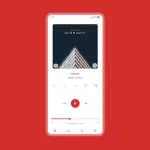
Luminous Skin for Poweramp 3
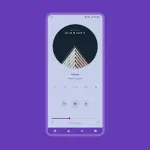
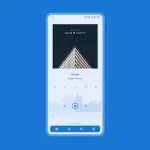
Luminous is a Material-themed white skin designed for Poweramp 3, focusing on a minimalist and transparent aesthetic. It offers extensive customization options, including soft and pastel background variants and native support for Material You (Android 12+).Technical Specifications
| Category | Details |
|---|---|
| Version | 10.5.9 |
| Requirement | Poweramp 3 (Stable Version) |
| Android Version | 5.0+ |
| Architectures | Universal |
| Screen DPI | 120dpi, 160dpi, 240dpi, 320dpi, 480dpi, 640dpi |
| Languages | Chinese (Simplified/Traditional), Czech, English, Indonesian, Japanese, Russian, Spanish, Ukrainian |
| Compatibility | Not compatible with Huawei devices on Android 7.0 (Android 7.1+ supported) |
Key Customization Features
Visual & Interface
- Color Palettes: 36 Accent colors and 17 Background colors (including Light and Pastel Material You options).
- Typography: 40 Font styles with adjustable colors, sizes, and capitalization settings.
- Layouts: 3 Player UI layouts with adjustable track title alignment (including Middle Left).
- Transparency: Adjustable background opacity, transparent status bar, and navigation bar options.
Elements & Controls
| Component | Customization Options |
|---|---|
| Icons | Library, Navigation, Bottom Buttons, Equalizer, V.T.R.S, and Header sets. Adjustable colors, shapes, corner radii, and sizes. |
| Album Art | Transition effects, custom sizes, corner radii (Dynamic/Library/Header), and shadow effects. |
| Knob & EQ | Multiple styles, indicator types, thumb styles, and spectrum visualizations. |
| Player Controls | Pro Buttons (styles, shapes, sizes), Wave Bars, and Wave/Simple Seekbars. |
| Navigation | Background colors, corner radii, indicator colors, and offset navbar. |
Visibility & Library Management
- Toggle Visibility: Option to hide Album Artist, Album Art, Rating, Lyrics, Track Menu, V.T.R.S Buttons, and Elapsed/Duration time.
- Library UI: Header overlay opacity, button corner radii, and selected track margin/color adjustments.
Technical Notes & Troubleshooting
Recommended Configuration for Blur Layouts: To maintain text readability on blur layouts, adjust the Background Intensity in Poweramp Settings.- Path: Poweramp > Settings > Background
- Recommended Value: 80%
- Launch the skin app and select Open Skin Settings.
- Disable the skin.
- Re-configure any empty settings fields.
- Re-enable the skin.
Recent Changes (v10.5.9):
- General performance improvements.
- Pro Button style refinements.