 PH
PH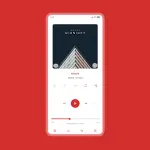
Luminous Poweramp 3 Skin
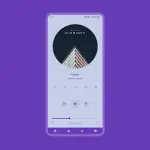
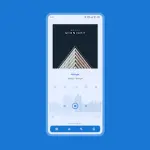
Luminous is a material white skin designed for Poweramp 3, offering a minimalist, transparent aesthetic with an extensive range of customization options. It features soft and pastel white background color choices and fully supports Material You dynamic theming on compatible Android versions.App Specifications
| Property | Details |
|---|---|
| Application | Poweramp 3 (Required) |
| Current Version | 10.6.1 |
| Android Compatibility | Android 5.0+ (Material You requires Android 12+) Note: Incompatible with Huawei devices running Android 7.0 (newer versions supported). |
| Architectures | noarch |
| Screen DPIs | 120dpi, 160dpi, 240dpi, 320dpi, 480dpi, 640dpi |
| Languages | Full Multi-Languages (including Chinese Simplified/Traditional, Czech, English, Indonesian, Japanese, Russian, Spanish, Ukrainian) |
Core Customization Features
Theming & Layouts
- Accent Colors: 36 options
- Background Colors: 17 white, soft, and pastel options
- Material You: Light and pastel options for Android 12+
- Layout Styles: 3 Player UI layouts with track title alignment options
- Transparency: Custom background blur, opacity levels, and overlay settings
Typography & Icons
- Fonts: 40 font styles, font colors, sizes, capitalization, and accent title colors
- Icons: Configurable sets, colors, shapes, corner radii, and sizes for Library, Navigation, Bottom Buttons, Equalizer, V.T.R.S., and Header
Audio Controls & Elements
- Knobs & Equalizers: Multiple knob/EQ styles, highlight options, shape corner radii, thumb styles, and spectrum layouts
- Player Controls: Pro Button styling (shape, color, size), wave bars, wave seekbars, and simple seekbars
- Album Art: Customizable transitions, sizes, dynamic corner adjustments, and background blur/shadow effects
Library & Navigation
- Navigation: Selectable navbar styles, background colors, indicator colors, offset options, and forced black or transparent bars
- Visibility Toggles: Show/hide functionality for album artist, album art, ratings, lyrics button, track menu button, elapsed/duration time, and V.T.R.S buttons
Recent Updates (v10.6.1)
- New Fonts Added: Courier Prime, Google Sans Code, Oswald, EB Garamond, Fjalla One
- Improvements: Enhanced Selected Track Stroke Style
- Bug Fixes: Corrected the artist icon display on the Player Screen Buttons
Usage Troubleshooting
Quick Access Tip: Long-press the hamburger/menu button within the Poweramp navigation bar to open the skin settings instantly.
Layout Readability
When utilizing blur layouts, button or text visibility may drop. To resolve this, adjust the background intensity manually:- Navigate to Poweramp > Settings > Background.
- Set Background Intensity to 80%.
Post-Update Fixes
If you experience black screens or broken features following an update, apply the following steps:- Open the skin app from the device launcher.
- Select Open Skin Settings.
- Disable the skin.
- Scroll down to find the configuration settings that appear empty and re-configure them.
- Re-enable the skin.