 PH
PH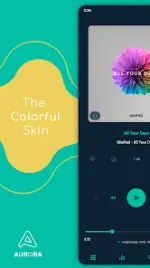
App Overview: Aurora Poweramp 3 Skin
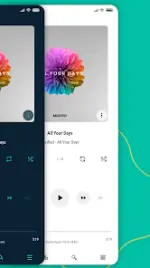
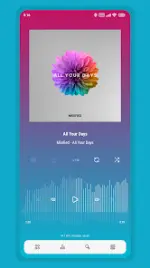
Aurora is a highly customizable, colorful skin designed specifically for Poweramp 3. It supports a variety of design languages, including material, minimalist, and transparent aesthetics, alongside native Day/Night mode switching.Technical Specifications
| Requirement / Attribute | Specification |
|---|---|
| Minimum Android Version | 5.0+ (Huawei devices require Android 8.0+) |
| Base App Requirement | Poweramp 3 (Stable version only; Beta not officially supported) |
| Material You Support | Android 12+ (Dark and Light modes) |
| CPU Architectures | noarch |
| Screen DPI Compatibility | 120dpi, 160dpi, 240dpi, 320dpi, 480dpi, 640dpi |
| File Integrity | Untouched ρáíd APK, Original Hash Signature |
| Certificate MD5 Digest | a093cad5e8570c7bf5d01f4b8c9051db |
Key Features & Customization Options
- Personalization: 35 accent colors, 19 background colors (including solid black/white), custom gradient combinations, transparent backgrounds with opacity controls, and 3 Player UI layouts with track title alignment.
- Icon Customization: Adjust sets, colors, shapes, corner radii, and sizes for the Library, Navigation, Bottom Buttons, Equalizer, V.T.R.S, and Header icons.
- Typography: 28 distinct font styles, custom font sizing, accent title color configurations, navigation/bottom button text colors, and capitalization toggle.
- Library UI: Adjust header/AA button corner radii and opacity, header overlay, middle-left track title placement, and selected track colors/margins.
- Navigation: Features multiple navigation styles, custom background colors, offset navbar, transparent navigation bar options, and indicator color controls.
- Knob & Equalizer: Custom shapes, indicator styles, equalizer spectrum visuals, highlight colors, and an adjustable volume panel knob.
- Album Art: Controls for transition animations, custom sizes/corners for Player UI and Library, dynamic corners, blurring effects, and drop shadows.
- Player Controls: Wave bars/seekbar styles, simple seekbar options, and Pro Button style modifications (shape, color, size).
- Visibility Toggles: Option to hide Album Artist, Album Art, Ratings, Lyrics, Track Menu, V.T.R.S buttons, and Elapsed/Duration time tracking.
- Localization: Supports English, Indonesian, Chinese (Simplified), Chinese (Traditional), Russian, Japanese, Spanish, and Portuguese (Brazilian).
Version History & Changelog
Aurora 10.6.1
- New Fonts Added: Courier Prime, Google Sans Code, Oswald, EB Garamond, Fjalla One.
- Improvements: Enhanced the Selected Track Stroke Style.
- Bug Fixes: Resolved an issue causing an incorrect artist icon to display on the Player Screen Buttons.
Technical Notes & Troubleshooting
Blur Layout Configuration: To prevent text or buttons from becoming unreadable on blur layouts, navigate to Poweramp > Settings > Background and set Background Intensity to 80%.
Configuration Recovery Method (Post-Update Issues)
If features break or the UI fails to render properly after an update, perform the following steps:- Open the Aurora application from the device app launcher.
- Select Open Skin Settings.
- Disable the skin within Poweramp.
- Scroll down to locate the empty configuration fields and re-apply the desired settings.
- Re-enable the skin.