PH
PHronaldsystem
Fanatic
MAGANDANG ARAW MGA KA PH at sa ating mga admin,
Share kulang itong new Update ko na System Version v3.40 (ang dating version ay v.3.33)
di ako sure kong multiple thread ito, may bagung features kasi, pabura nalang po mga minamahal naming admin kung multiple thread po. Salamat.
View attachment RG POS 88 Advertising Videos.mp4
---
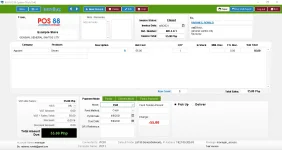
Invoicing
os: windows 7 sp1 and above prefer windows 10 pro.
ram: 4gb and above
processor: i3 and above
download and install the viewer:
You do not have permission to view the full content of this post. Log in or register now.
download and open:
You do not have permission to view the full content of this post. Log in or register now.
for more information / demo / support you can contact me: rabanes.ronald@gmail.com / 09231158644
default credentials
-----
un: manager
pw: blank as in wala as in blanko
-----
un: cashier
pw: blank as in wala as in blanko
-----
un: purchaser
pw: blank as in wala as in blanko
-----
Share kulang itong new Update ko na System Version v3.40 (ang dating version ay v.3.33)
di ako sure kong multiple thread ito, may bagung features kasi, pabura nalang po mga minamahal naming admin kung multiple thread po. Salamat.
View attachment RG POS 88 Advertising Videos.mp4
---
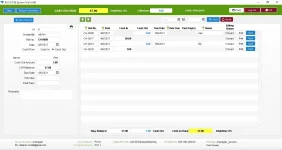
Invoicing
- Works Multiple Cashier 5 clients
- Real time inventory stocks
- Warning notification if stocks is re-order level
- Override function. if negative stocks
- Scan barcode
- Scan product id code
- Search Product / Items
- Category > Product > Description
- See picture of items
- All Discount / Manual Discount
- Change Price , Whole Sale / SRP / Sales Price / Bulk Order Price(A,B,C,D)
- Points System
- Delivery Mode
- Partial Payment (w/ balance remaining and total of ρáíd)
- Cash tender amount
- Unique Invoice Ref. No. inv-mm-dd-series
- Add note/remarks and can upload image
- Can Add Customer Company or Individual type
- End shift reports per cashier
- Void / Edit / Delete Record
- Print Order
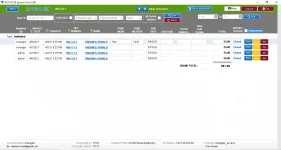
- Show all records and transaction
- Show Unposted Transaction
- Can Sort Invoice Date / Created by / Ref. no /Name /
- Can Search Inv. Ref. No. / Over due / Payment type / mode / all partial balance / date range
- Grand Total
- Can Print
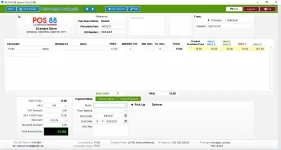
- Real time inventory stocks
- Warning notification if stocks is re-order level
- Scan barcode
- Scan product id code
- Search Product / Items
- Category > Product > Description
- See picture of items
- All Discount / Manual Discount
- Can Adjust Price , Whole Sale / SRP / Sales Price / Bulk Order Price(A,B,C,D)
- Delivery Mode
- Partial Payment (w/ balance remaining and total of ρáíd)
- Unique Invoice Ref. No. ctrl-mm-dd-series
- Add note/remarks and can upload image
- Can Add Customer Company or Individual type
- Auto fill in Due Date
- Void / Edit / Delete Record
- Print Order
- Show all records and transaction
- Show Unposted Transaction
- Can Sort Invoice Date / Created by / Ctrl. no /Name /
- Can Search Inv. Ref. No. / Over due / Payment type / mode / all partial balance / date range
- Grand Total
- Can Print
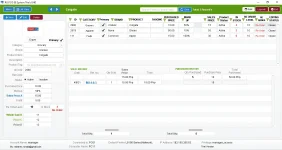
- Add / Edit / Delete Records
- Add Barcode and Id Code
- Price Option Sales Price, SRP, Whole Sale, Bulk Price, ABCD
- Can set Re order level
- Real time stocks remaining
- Can set active inactive, primary, tagging
- Can view sold history and purchase history w/ audit trail
- Notify Reorder products
- Can Print
- Can search products
- Can sort all types or record
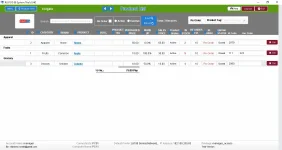
- Show all products records
- Search Products
- Can search reorder products
- Can sort category / brand / product / desc / tag purchase price / sales price.
- Can print
- Add / Edit / Delete Records
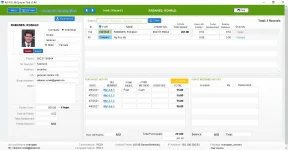
- Can Search customer
- Sort customer individual or company
- Can view purchased history w/ audit trail
- Can view total of purchased
- Can view over all points and points redeemed history
- Can set points conversion GLOBAL
- Can print
- Same with list view
- Add / Edit / Delete Records
- Can set payment terms
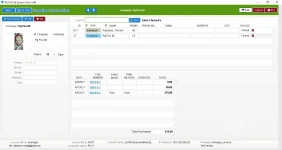
- Can Search supplier
- Sort supplier individual or company
- Can view transaction history w/ audit trail
- Can view total of purchased
- Can print
- Same with list view
- Add / Edit / Delete Records
- Show all records
- Can search back date
- Sync to profit and loss reports
- Can print
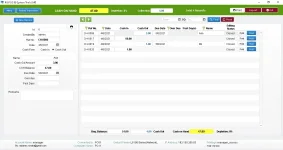
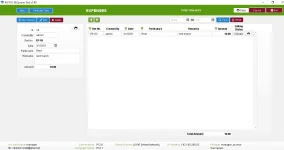
- Add / Edit / Delete Records
- Can post transactions
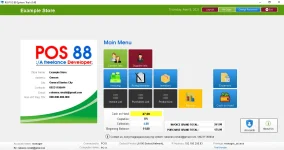
- Show cash on hand in main menu
- Show all records
- Can search back date
- Can print
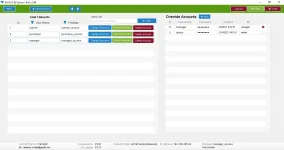
- User Accounts / Override Accounts
- Add / Edit / Delete Records
- Can change password
- Can reset password
- Can set privilege cashier access, purchaser access, manager access
- Show all records
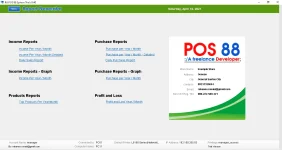
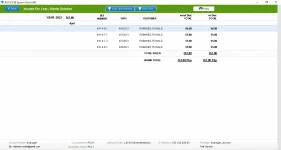
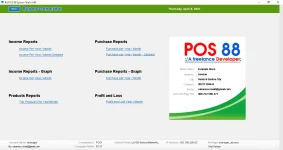
- Income Reports
- Year / Month
- Year / Month Detailed
- Graph reports
- Daily Sales Report
- Purchase Reports
- Year / Month
- Year / Month Detailed
- Graph reports
- Daily Purchased Report
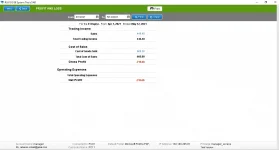
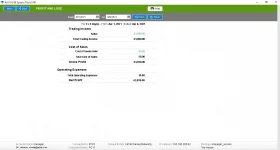
- Profit and Loss
- Year / Month / Day
- TOP Product Sellable Reports
os: windows 7 sp1 and above prefer windows 10 pro.
ram: 4gb and above
processor: i3 and above
download and install the viewer:
You do not have permission to view the full content of this post. Log in or register now.
download and open:
You do not have permission to view the full content of this post. Log in or register now.
for more information / demo / support you can contact me: rabanes.ronald@gmail.com / 09231158644
default credentials
-----
un: manager
pw: blank as in wala as in blanko
-----
un: cashier
pw: blank as in wala as in blanko
-----
un: purchaser
pw: blank as in wala as in blanko
-----