PH
PHPHC - BABYMAXFORD
Eternal Poster
Hi everyone! 
I built a Point-of-Sale (POS) web app for my own small business and I’ve decided to share it for free in case it helps other small shops, sari-sari stores, market stalls, or home businesses.
It runs in the browser (mobile or desktop), needs no ρáíd hosting, and uses Firebase as the backend. You can deploy it to your own Firebase project so you control your own data.
This project is ideal if you:
• sell groceries, vegetables, frozen goods, etc.
• want automatic totals/change/receipts
• don’t want to pay for expensive POS subscriptions
• want something simple but powerful
MAIN FEATURES
POINT OF SALE (SALES)
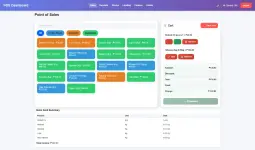
• product selection by category
• add/remove items from cart
• quantity adjust (+ / –)
• supports Kg and pcs
• supports partial Kg amounts (ex. 0.25kg)
• discount per transaction
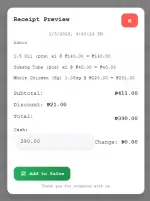
• automatic subtotal, total, and change
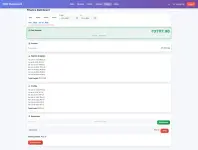
• receipt preview before saving
• receipts saved to database
• peso currency formatting (₱)
PRODUCT / STOCK MANAGEMENT (“Stocks” Page)
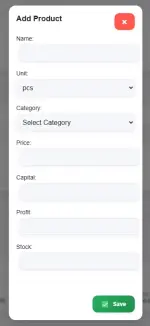
• add new products
• edit:
– name
– price
– capital
– profit per unit
– stock quantity
– category
– unit (Kg / pcs)
• stock auto-deducts when items are sold
• low-stock alerts:
– Kg items ≤ 5kg
– pcs items ≤ 10pcs
• add & manage custom categories
• product cards layout
• product search (Stocks + POS)
USERS, ROLES & LOGIN
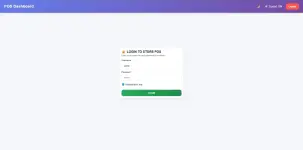
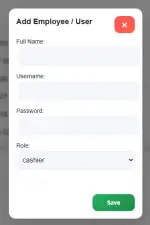
• username + password authentication
• remember me option
• two account roles:
– Admin
– Cashier
Admin can:
– manage products
– manage employees
– view all receipts, shifts, finance
Cashier can:
– use POS
– view own receipts & shifts only
SHIFT SYSTEM
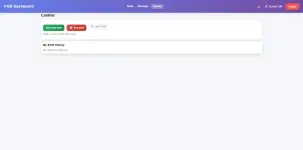
• start shift / end shift
• stores:
– cashier name
– time started
– time ended
– total income
• prevents multiple active shifts for the same user
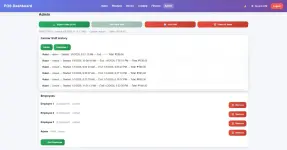
• admin can view shift history per cashier
RECEIPT & SALES HISTORY
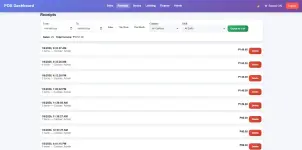
• view all receipts
• filter by date and cashier
• view receipt details
• admin can delete receipts
• export to CSV
FINANCE PAGE (Remits + Profits + Income + Expenses)
• daily / weekly / monthly / yearly switchable views
• total income
• capital / remits
• profit (based on profit field per product)
• expenses tracking with description + amount
• net income = income – expenses
• reset options per section
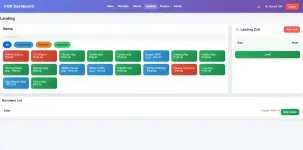
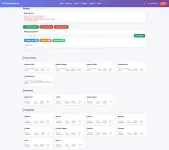
LENDING / CREDIT (UTANG) FEATURE
• add borrowed items to lending cart
• assign borrower name
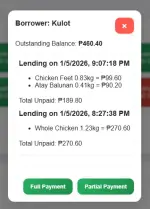
• list of borrowers and balances
• partial payments supported
• full payment supported
• borrowed items deduct stock
• only ρáíd items get added to sales
UI / UX
• works on mobile and desktop
• smooth transitions and animations
• sound effects for actions:
– clicking
– add to cart
– delete
– successful checkout
• light and dark friendly design
TECH STACK
• HTML / CSS / JavaScript
• Firebase Authentication
• Firestore database
• Firebase Hosting (free tier)
• optional PWA offline support
WHAT YOU GET
• full working POS system
• database schema guide
• customizable source code
• no ads or subscription
• your own database
NOTES
• each store should deploy to its own Firebase project
• this keeps data private per business
• feel free to modify or extend it
WHY I’M SHARING
I built this for my own store first and it’s been used daily. It helped track sales, stock, and shifts — so I’m sharing it for free in case it helps others too
Link:
Github:
You do not have permission to view the full content of this post. Log in or register now.
Video Guide:
You do not have permission to view the full content of this post. Log in or register now.
If you have questions or want help setting it up, feel free to comment or message me. I’m happy to help!
See Images below as showcase:
I built a Point-of-Sale (POS) web app for my own small business and I’ve decided to share it for free in case it helps other small shops, sari-sari stores, market stalls, or home businesses.
It runs in the browser (mobile or desktop), needs no ρáíd hosting, and uses Firebase as the backend. You can deploy it to your own Firebase project so you control your own data.
This project is ideal if you:
• sell groceries, vegetables, frozen goods, etc.
• want automatic totals/change/receipts
• don’t want to pay for expensive POS subscriptions
• want something simple but powerful
MAIN FEATURES
POINT OF SALE (SALES)
• product selection by category
• add/remove items from cart
• quantity adjust (+ / –)
• supports Kg and pcs
• supports partial Kg amounts (ex. 0.25kg)
• discount per transaction
• automatic subtotal, total, and change
• receipt preview before saving
• receipts saved to database
• peso currency formatting (₱)
PRODUCT / STOCK MANAGEMENT (“Stocks” Page)
• add new products
• edit:
– name
– price
– capital
– profit per unit
– stock quantity
– category
– unit (Kg / pcs)
• stock auto-deducts when items are sold
• low-stock alerts:
– Kg items ≤ 5kg
– pcs items ≤ 10pcs
• add & manage custom categories
• product cards layout
• product search (Stocks + POS)
USERS, ROLES & LOGIN
• username + password authentication
• remember me option
• two account roles:
– Admin
– Cashier
Admin can:
– manage products
– manage employees
– view all receipts, shifts, finance
Cashier can:
– use POS
– view own receipts & shifts only
SHIFT SYSTEM
• start shift / end shift
• stores:
– cashier name
– time started
– time ended
– total income
• prevents multiple active shifts for the same user
• admin can view shift history per cashier
RECEIPT & SALES HISTORY
• view all receipts
• filter by date and cashier
• view receipt details
• admin can delete receipts
• export to CSV
FINANCE PAGE (Remits + Profits + Income + Expenses)
• daily / weekly / monthly / yearly switchable views
• total income
• capital / remits
• profit (based on profit field per product)
• expenses tracking with description + amount
• net income = income – expenses
• reset options per section
LENDING / CREDIT (UTANG) FEATURE
• add borrowed items to lending cart
• assign borrower name
• list of borrowers and balances
• partial payments supported
• full payment supported
• borrowed items deduct stock
• only ρáíd items get added to sales
UI / UX
• works on mobile and desktop
• smooth transitions and animations
• sound effects for actions:
– clicking
– add to cart
– delete
– successful checkout
• light and dark friendly design
TECH STACK
• HTML / CSS / JavaScript
• Firebase Authentication
• Firestore database
• Firebase Hosting (free tier)
• optional PWA offline support
WHAT YOU GET
• full working POS system
• database schema guide
• customizable source code
• no ads or subscription
• your own database
NOTES
• each store should deploy to its own Firebase project
• this keeps data private per business
• feel free to modify or extend it
WHY I’M SHARING
I built this for my own store first and it’s been used daily. It helped track sales, stock, and shifts — so I’m sharing it for free in case it helps others too
Link:
Github:
You do not have permission to view the full content of this post. Log in or register now.
Video Guide:
You do not have permission to view the full content of this post. Log in or register now.
If you have questions or want help setting it up, feel free to comment or message me. I’m happy to help!
See Images below as showcase: