 PH
PHSimple POS - Made with Tauri! kaya super lite niya lang (20mb only)
Hi everyone! I just updated my POS system app and implemented almost all of the suggestions from my previous build. I also improved some features and added a new UI to make it cleaner and easier to use. Baka makatulong ulit ito sa mga small business owners here. The app is free to use, and walang hidden fees or kung anu-ano pa man.
Feel free to try it out and drop your suggestions or feedback para mas lalo pa nating ma-improve and mas makatulong sa ibang small businesses. Salamat! hehe
Username: admin
Password: admin
Mediafire link: You do not have permission to view the full content of this post. Log in or register now.
First build: https://phcorner.org/threads/2445788/
Second build: https://phcorner.org/threads/2541426/
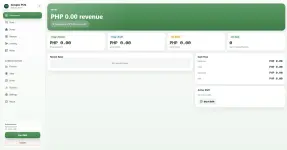
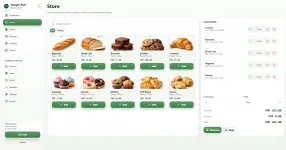
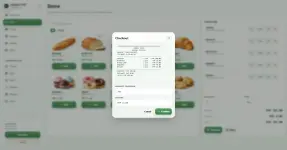
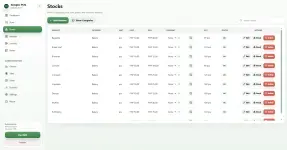
Preview:

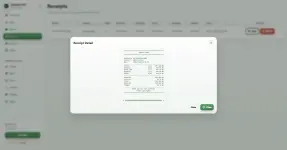
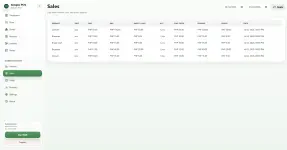
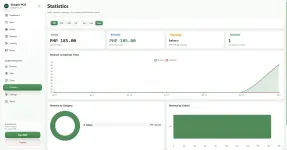
Details and Features:
User Authentication & Account Management- Secure login system
- Admin and Cashier roles
- Password reset support
- Account activation and deactivation
- User profile editing
- Daily and monthly revenue overview
- Transaction count
- Gross profit summary
- Active cashier shift tracking
- Recent sales feed
- Quick low-stock alerts
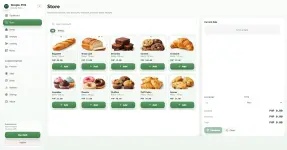
- Dynamic product catalog
- Live product search
- Category filter buttons
- Cart management with real-time quantity updates
- Stock protection to prevent overselling
- Supports sales by piece or weight
- Decimal quantity support for kilogram-based products
- Item-specific discounts
- Cart-wide discounts
- Discounts by fixed amount or percentage
- Checkout screen with change calculator
- Instant receipt generation
- Add, edit, restock, and delete products
- Set product cost price and selling price
- Upload product images
- Assign product categories
- Configure custom low-stock thresholds
- Add custom product categories
- Rename existing categories
- Delete unused categories
- View all past receipts
- Open detailed transaction records
- Void or delete transactions
- Print receipts using standard 80mm thermal printer format
- Record credit sales
- Assign credit sales to borrowers
- Track outstanding balances
- View total sales per borrower
- Record partial or full payments
- View payment history
- Undo payment records when needed
- Monitor total revenue
- Track expenses
- Calculate net profit
- Filter results by custom date range
- Log business expenses
- Delete expense records
- Reset expense data
- Track cashier work shifts
- View active shift status
- Record shift start and end times
- Add shift notes
- Calculate shift duration
- Track cash intake per shift
- Line-level sales log
- Units sold tracking
- Cost price and selling price details
- Total cost and total revenue calculation
- Unit profit tracking
- Overall profit per transaction
- Interactive revenue vs. expenses trend chart
- Supports 30-day, 90-day, and 12-month views
- Bar, line, and area chart options
- Doughnut chart for revenue share by category
- Horizontal bar chart for cashier sales performance
- Text-based business insight summaries
- Shared digital notepad
- Add quick notes
- View existing notes
- Delete notes when no longer needed
- Customize store name
- Add store tagline
- Set store logo or icon
- Customize receipt template
- Toggle cashier name, date, and receipt number display
- Add custom receipt header and footer notes
- Export database backups to JSON
- Import database files
- Restore saved database points
Simple POS brings together sales, inventory, cashier management, credit tracking, reports, analytics, and store customization in one easy-to-use system.



 na hindi pa isa2x yung add item, maraming salamat in advance master, may pa buya akong maliit master pag nagawa mo ito