 PH
PH-
Welcome to PHCorner Forums! Sign up for free to unlock full access and exclusive privileges, including:
- Asking questions about computer and mobile issues
- Discovering internet tips for your mobile network and computer
You are using an out of date browser. It may not display this or other websites correctly.
You should upgrade or use an alternative browser.
You should upgrade or use an alternative browser.
🔒 Closed "BLUESCREEN PROBLEMS" MY PC ALWAYS RESTARTS!
- Thread starter danji
- Start date
-
- Tags
- bluescreen
- Status
- Not open for further replies.

J
Jeanh
>>STEP1>>
When your computer restarts ..as its starting again..press del or f2 in your pcs to enter the bios setting and look for pc health status, use arrow keys to select the option and press enter, it looks like something like this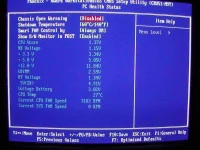
You are looking for 1) CPU TEMPERATURE --- IT SHOULD BE UNDER 55 OR SO (IF NOT OPEN THE PC CASE AND CHECK THAT CPU FAN IS RUNNING PROPERLY AND DUST IN THE HEAT SINK IS NOT PREVENTING THE AIR TO REACH CPU)
2) Voltages - should be approximately(AND NOT EXACT)
3.3 , 5.0 12.0 v (IF NOT CHANGE THE POWER SUPPLY,)
>STEP 2>
OPEN THE CASE UP
I f you have 2 RAMS installed, Take one out, restart pc and check if it restarts...if so then take another one out and place the first back and then check again. (IF IT WORKS WITH EITHER OF THE RAM MEANS THE OTHER RAM IS FAULTY)
If you have just 1 ram installed, take it out clean the contact with an eraser softly, clean the ram slot on motherbaord using a soft brusg and place tha ram back
If it restarts with both rams checkout the motherboard, you're looking for capacitors...they are normally bend inwards and not outwards. Like in below pic the capacitor on left side is swollen and faulty and right side one is how it should be.

You can also inspect cpu fan here if you have not already.
<STEP 3>
go to bios setup (step1) and you are looking for <fail safe mode>, select that option and press f10 to save the setting/
If you still cant solve the problem post back here.
blueray
Hi,
When you got your PC ?
If it is a new one (within 2-3 years) than, overheat may shutdown your PC directly to prevent
damage the main core. ( You can go to the BIOS menu by pressing del or F6 key when computer
bootup to checkout the cpu.)
Before you got a new power supply. Try unplug and re-plug the memorys.
borrow some rams from friends.
If none of this work. You may need to replace the power supply.
Are u really 100% sure this is not due to virus?
bcoz while doing reinstall process you bell using several 3rd party cd's and even you own data backup cd/dvd's.
Follow the stepls below
1. switch on your system
2. press pause before loading windows (before you see the message like "Starting Windows...."
3. wait 30 min. (or waint unto your freqent restart time)
If the computer restarts again confirm this is problem related to h/w. Are if you did get restarted following the steps given below
1. Insert Orginal Windows CD
2. Remove all partitions in existing Hard disk (CAUTION: You will loss all data in your HDD)
3. Create a fresh new partion
4. Install windows in new partion
5. don't insert other softwares including drivers related (printer/scanner/mother board etc.,)
5. restart your computer and wait for 30 min.
If your computer still restarts confirm this is a hardware problem
Try the following steps to solve h/w probem
1. Open computer casing
2. Power on you computer system
3. Watch the cooling fan fixed above processor is working
If Not working Try replace the fan .
When your computer restarts ..as its starting again..press del or f2 in your pcs to enter the bios setting and look for pc health status, use arrow keys to select the option and press enter, it looks like something like this
You are looking for 1) CPU TEMPERATURE --- IT SHOULD BE UNDER 55 OR SO (IF NOT OPEN THE PC CASE AND CHECK THAT CPU FAN IS RUNNING PROPERLY AND DUST IN THE HEAT SINK IS NOT PREVENTING THE AIR TO REACH CPU)
2) Voltages - should be approximately(AND NOT EXACT)
3.3 , 5.0 12.0 v (IF NOT CHANGE THE POWER SUPPLY,)
>STEP 2>
OPEN THE CASE UP
I f you have 2 RAMS installed, Take one out, restart pc and check if it restarts...if so then take another one out and place the first back and then check again. (IF IT WORKS WITH EITHER OF THE RAM MEANS THE OTHER RAM IS FAULTY)
If you have just 1 ram installed, take it out clean the contact with an eraser softly, clean the ram slot on motherbaord using a soft brusg and place tha ram back
If it restarts with both rams checkout the motherboard, you're looking for capacitors...they are normally bend inwards and not outwards. Like in below pic the capacitor on left side is swollen and faulty and right side one is how it should be.
You can also inspect cpu fan here if you have not already.
<STEP 3>
go to bios setup (step1) and you are looking for <fail safe mode>, select that option and press f10 to save the setting/
If you still cant solve the problem post back here.
blueray
Hi,
When you got your PC ?
If it is a new one (within 2-3 years) than, overheat may shutdown your PC directly to prevent
damage the main core. ( You can go to the BIOS menu by pressing del or F6 key when computer
bootup to checkout the cpu.)
Before you got a new power supply. Try unplug and re-plug the memorys.
borrow some rams from friends.
If none of this work. You may need to replace the power supply.
Are u really 100% sure this is not due to virus?
bcoz while doing reinstall process you bell using several 3rd party cd's and even you own data backup cd/dvd's.
Follow the stepls below
1. switch on your system
2. press pause before loading windows (before you see the message like "Starting Windows...."
3. wait 30 min. (or waint unto your freqent restart time)
If the computer restarts again confirm this is problem related to h/w. Are if you did get restarted following the steps given below
1. Insert Orginal Windows CD
2. Remove all partitions in existing Hard disk (CAUTION: You will loss all data in your HDD)
3. Create a fresh new partion
4. Install windows in new partion
5. don't insert other softwares including drivers related (printer/scanner/mother board etc.,)
5. restart your computer and wait for 30 min.
If your computer still restarts confirm this is a hardware problem
Try the following steps to solve h/w probem
1. Open computer casing
2. Power on you computer system
3. Watch the cooling fan fixed above processor is working
If Not working Try replace the fan .
alam mo po ba kung anu magandang gawin sa pc ko without reformatting?anu po ba problema ng pc mo??
thank you po sa tulong ,,,itatry ko po yung post mo...>>STEP1>>
>>STEP1>>
When your computer restarts ..as its starting again..press del or f2 in your pcs to enter the bios setting and look for pc health status, use arrow keys to select the option and press enter, it looks like something like this
You are looking for 1) CPU TEMPERATURE --- IT SHOULD BE UNDER 55 OR SO (IF NOT OPEN THE PC CASE AND CHECK THAT CPU FAN IS RUNNING PROPERLY AND DUST IN THE HEAT SINK IS NOT PREVENTING THE AIR TO REACH CPU)
2) Voltages - should be approximately(AND NOT EXACT)
3.3 , 5.0 12.0 v (IF NOT CHANGE THE POWER SUPPLY,)
>STEP 2>
OPEN THE CASE UP
I f you have 2 RAMS installed, Take one out, restart pc and check if it restarts...if so then take another one out and place the first back and then check again. (IF IT WORKS WITH EITHER OF THE RAM MEANS THE OTHER RAM IS FAULTY)
If you have just 1 ram installed, take it out clean the contact with an eraser softly, clean the ram slot on motherbaord using a soft brusg and place tha ram back
If it restarts with both rams checkout the motherboard, you're looking for capacitors...they are normally bend inwards and not outwards. Like in below pic the capacitor on left side is swollen and faulty and right side one is how it should be.
You can also inspect cpu fan here if you have not already.
<STEP 3>
go to bios setup (step1) and you are looking for <fail safe mode>, select that option and press f10 to save the setting/
If you still cant solve the problem post back here.
blueray
Hi,
When you got your PC ?
If it is a new one (within 2-3 years) than, overheat may shutdown your PC directly to prevent
damage the main core. ( You can go to the BIOS menu by pressing del or F6 key when computer
bootup to checkout the cpu.)
Before you got a new power supply. Try unplug and re-plug the memorys.
borrow some rams from friends.
If none of this work. You may need to replace the power supply.
- Eric
k_s_baskar
Are u really 100% sure this is not due to virus?
bcoz while doing reinstall process you bell using several 3rd party cd's and even you own data backup cd/dvd's.
Follow the stepls below
1. switch on your system
2. press pause before loading windows (before you see the message like "Starting Windows...."
3. wait 30 min. (or waint unto your freqent restart time)
If the computer restarts again confirm this is problem related to h/w. Are if you did get restarted following the steps given below
1. Insert Orginal Windows CD
2. Remove all partitions in existing Hard disk (CAUTION: You will loss all data in your HDD)
3. Create a fresh new partion
4. Install windows in new partion
5. don't insert other softwares including drivers related (printer/scanner/mother board etc.,)
5. restart your computer and wait for 30 min.
If your computer still restarts confirm this is a hardware problem
Try the following steps to solve h/w probem
1. Open computer casing
2. Power on you computer system
3. Watch the cooling fan fixed above processor is working
If Not working Try replace the fan .
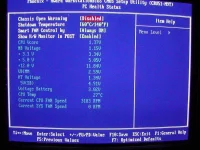
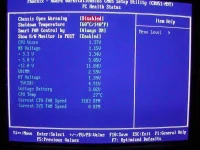
When your computer restarts ..as its starting again..press del or f2 in your pcs to enter the bios setting and look for pc health status, use arrow keys to select the option and press enter, it looks like something like this
You are looking for 1) CPU TEMPERATURE --- IT SHOULD BE UNDER 55 OR SO (IF NOT OPEN THE PC CASE AND CHECK THAT CPU FAN IS RUNNING PROPERLY AND DUST IN THE HEAT SINK IS NOT PREVENTING THE AIR TO REACH CPU)
2) Voltages - should be approximately(AND NOT EXACT)
3.3 , 5.0 12.0 v (IF NOT CHANGE THE POWER SUPPLY,)
>STEP 2>
OPEN THE CASE UP
I f you have 2 RAMS installed, Take one out, restart pc and check if it restarts...if so then take another one out and place the first back and then check again. (IF IT WORKS WITH EITHER OF THE RAM MEANS THE OTHER RAM IS FAULTY)
If you have just 1 ram installed, take it out clean the contact with an eraser softly, clean the ram slot on motherbaord using a soft brusg and place tha ram back
If it restarts with both rams checkout the motherboard, you're looking for capacitors...they are normally bend inwards and not outwards. Like in below pic the capacitor on left side is swollen and faulty and right side one is how it should be.
You can also inspect cpu fan here if you have not already.
<STEP 3>
go to bios setup (step1) and you are looking for <fail safe mode>, select that option and press f10 to save the setting/
If you still cant solve the problem post back here.
blueray
Hi,
When you got your PC ?
If it is a new one (within 2-3 years) than, overheat may shutdown your PC directly to prevent
damage the main core. ( You can go to the BIOS menu by pressing del or F6 key when computer
bootup to checkout the cpu.)
Before you got a new power supply. Try unplug and re-plug the memorys.
borrow some rams from friends.
If none of this work. You may need to replace the power supply.
- Eric
k_s_baskar
Are u really 100% sure this is not due to virus?
bcoz while doing reinstall process you bell using several 3rd party cd's and even you own data backup cd/dvd's.
Follow the stepls below
1. switch on your system
2. press pause before loading windows (before you see the message like "Starting Windows...."
3. wait 30 min. (or waint unto your freqent restart time)
If the computer restarts again confirm this is problem related to h/w. Are if you did get restarted following the steps given below
1. Insert Orginal Windows CD
2. Remove all partitions in existing Hard disk (CAUTION: You will loss all data in your HDD)
3. Create a fresh new partion
4. Install windows in new partion
5. don't insert other softwares including drivers related (printer/scanner/mother board etc.,)
5. restart your computer and wait for 30 min.
If your computer still restarts confirm this is a hardware problem
Try the following steps to solve h/w probem
1. Open computer casing
2. Power on you computer system
3. Watch the cooling fan fixed above processor is working
If Not working Try replace the fan .
pc problems,,,yung biglaang pagrestart nang pc mo tapos bluescreen lang yung makikita mo sa monitor ng pc moanu ang blue screen,,,


titingnan ko muna ung log kasi di ko na matandaan...dami kasing nakaprint ehanu eerror message nalabas,,,sa bluescreen,?
antivirus lang naman yung last install ko...baka may huling na install ka na yun ang dahilan kaya nag BSOD,usually hardware error ang cause ng BSOD
d
di ko po makita yung katulad ng nasa attached image mo boss hnaej sa bios ko...lenovo g580 po laptop ko gamit>>STEP1>>
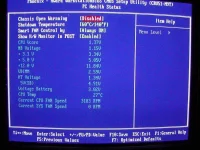
When your computer restarts ..as its starting again..press del or f2 in your pcs to enter the bios setting and look for pc health status, use arrow keys to select the option and press enter, it looks like something like this
You are looking for 1) CPU TEMPERATURE --- IT SHOULD BE UNDER 55 OR SO (IF NOT OPEN THE PC CASE AND CHECK THAT CPU FAN IS RUNNING PROPERLY AND DUST IN THE HEAT SINK IS NOT PREVENTING THE AIR TO REACH CPU)
2) Voltages - should be approximately(AND NOT EXACT)
3.3 , 5.0 12.0 v (IF NOT CHANGE THE POWER SUPPLY,)
>STEP 2>
OPEN THE CASE UP
I f you have 2 RAMS installed, Take one out, restart pc and check if it restarts...if so then take another one out and place the first back and then check again. (IF IT WORKS WITH EITHER OF THE RAM MEANS THE OTHER RAM IS FAULTY)
If you have just 1 ram installed, take it out clean the contact with an eraser softly, clean the ram slot on motherbaord using a soft brusg and place tha ram back
If it restarts with both rams checkout the motherboard, you're looking for capacitors...they are normally bend inwards and not outwards. Like in below pic the capacitor on left side is swollen and faulty and right side one is how it should be.
You can also inspect cpu fan here if you have not already.
<STEP 3>
go to bios setup (step1) and you are looking for <fail safe mode>, select that option and press f10 to save the setting/
If you still cant solve the problem post back here.
blueray
Hi,
When you got your PC ?
If it is a new one (within 2-3 years) than, overheat may shutdown your PC directly to prevent
damage the main core. ( You can go to the BIOS menu by pressing del or F6 key when computer
bootup to checkout the cpu.)
Before you got a new power supply. Try unplug and re-plug the memorys.
borrow some rams from friends.
If none of this work. You may need to replace the power supply.
Are u really 100% sure this is not due to virus?
bcoz while doing reinstall process you bell using several 3rd party cd's and even you own data backup cd/dvd's.
Follow the stepls below
1. switch on your system
2. press pause before loading windows (before you see the message like "Starting Windows...."
3. wait 30 min. (or waint unto your freqent restart time)
If the computer restarts again confirm this is problem related to h/w. Are if you did get restarted following the steps given below
1. Insert Orginal Windows CD
2. Remove all partitions in existing Hard disk (CAUTION: You will loss all data in your HDD)
3. Create a fresh new partion
4. Install windows in new partion
5. don't insert other softwares including drivers related (printer/scanner/mother board etc.,)
5. restart your computer and wait for 30 min.
If your computer still restarts confirm this is a hardware problem
Try the following steps to solve h/w probem
1. Open computer casing
2. Power on you computer system
3. Watch the cooling fan fixed above processor is working
If Not working Try replace the fan .
panu ba ireset yung ram ko boss?baka dun ka nagkaka problema boss,try mo rin reset yung RAm memory mo
- Status
- Not open for further replies.
About this Thread
-
32Replies
-
977Views
-
9Participants
Last reply from:
geeboi
geeboi
New Topics
-
Booting Issue - FA506NFR
- Started by Impossible
- Replies: 0
- ❓ Computer Discussion & Support
-
Acrobat Pro DC ρá†ch. Need Help
- Started by skullkrasher99
- Replies: 3
- ❓ Computer Discussion & Support
-
Enlighten me please with these two
- Started by Jeii
- Replies: 4
- ❓ Computer Discussion & Support
-
Win 10 Home keys
- Started by Ali246
- Replies: 6
- ❓ Computer Discussion & Support
-
Windows 11 26H2
- Started by tholitz
- Replies: 1
- ❓ Computer Discussion & Support
-
Help po !!!! My account got häçked Facebook and steam
- Started by bujoy20
- Replies: 8
- ❓ Computer Discussion & Support
-
Mga bossing patulong po nahäçk account ko due to carelessness
- Started by Jeii
- Replies: 4
- ❓ Computer Discussion & Support
-
Computer parts na cheap
- Started by bjenjay1
- Replies: 4
- ❓ Computer Discussion & Support
-
PC APPS - remote or auto saved type and auto audio
- Started by babyzero
- Replies: 1
- ❓ Computer Discussion & Support
Trending Topics
Online now
- Members online
- 1,231
- Guests online
- 6,131
- Total visitors
- 7,362