 PH
PHronnieverse
Fanatic
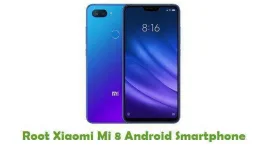
You can be able to root Xiaomi Mi 8 smartphone by using the following rooting tutorial given here and get the ability to install custom ROM firmware’s, custom recoveries, remove pre-installed system applications and do a lot more things.
WARNING: Rooting your Xiaomi Mi 8 smartphone will void your device warranty, and you won’t be able to claim it until you unroot your device. So, think well about it before getting started with the rooting procedure.
Prerequisites:
Step 1: First, take a complete backup of your personal data on your smartphone. This step is for safety purpose.
Step 2: Then, make sure that your device has at least 50% to 60% of battery backup, as the rooting process is always a time-consuming one and if your device gets switched off in the middle of the rooting process due to lack of battery backup, it will get bricked.
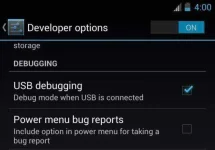
Step 3: Next, enable the USB Debugging Mode in your smartphone by following this path: Settings ->Developer Options -> USB Debugging. If you can’t see the developer options in your device Settings, then enable it by following this path: Settings -> About Phone (tap on the Build Number for 5-7 times to enable it).
Step 4: Now, You do not have permission to view the full content of this post. Log in or register now. and install it on your computer. By doing this, you will be able to connect your smartphone to the computer.
After finishing all these prerequisites, you can move forward to the rooting tutorial given below.
Tutorial To Root LG Optimus LT EAndroid Smartphone:
Step 1: To get started, download You do not have permission to view the full content of this post. Log in or register now. for windows and install it in your computer. Once the installation is completed, launch its window.
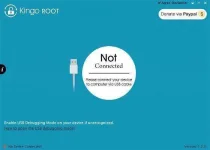
Step 2: Next, connect your smartphone to the computer using the original USB data cable. If you haven’t installed the USB driver of your device in the computer properly, Kingo Root will automatically download the required USB drivers and install it.
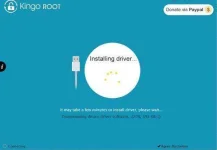
Step 3: After the installation of USB driver, you will get the following message: Xiaomi Mi 8 Normal Mode. Root Status: No. Now, click on the “Root” button to begin the rooting process.
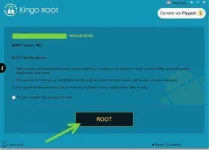
Step 4: It will take one or two minutes for Kingo Root to finish the rooting process and once it is finished, you will get the message “Root Succeeded”.

That’s it. Now you have successfully finished rooting Xiaomi Mi 8 smartphone. For confirmation, install You do not have permission to view the full content of this post. Log in or register now. for Android in your device and confirm your device’s root privileges.
WARNING: Rooting your Xiaomi Mi 8 smartphone will void your device warranty, and you won’t be able to claim it until you unroot your device. So, think well about it before getting started with the rooting procedure.
Prerequisites:
Step 1: First, take a complete backup of your personal data on your smartphone. This step is for safety purpose.
Step 2: Then, make sure that your device has at least 50% to 60% of battery backup, as the rooting process is always a time-consuming one and if your device gets switched off in the middle of the rooting process due to lack of battery backup, it will get bricked.
Step 3: Next, enable the USB Debugging Mode in your smartphone by following this path: Settings ->Developer Options -> USB Debugging. If you can’t see the developer options in your device Settings, then enable it by following this path: Settings -> About Phone (tap on the Build Number for 5-7 times to enable it).
Step 4: Now, You do not have permission to view the full content of this post. Log in or register now. and install it on your computer. By doing this, you will be able to connect your smartphone to the computer.
After finishing all these prerequisites, you can move forward to the rooting tutorial given below.
Tutorial To Root LG Optimus LT EAndroid Smartphone:
Step 1: To get started, download You do not have permission to view the full content of this post. Log in or register now. for windows and install it in your computer. Once the installation is completed, launch its window.
Step 2: Next, connect your smartphone to the computer using the original USB data cable. If you haven’t installed the USB driver of your device in the computer properly, Kingo Root will automatically download the required USB drivers and install it.
Step 3: After the installation of USB driver, you will get the following message: Xiaomi Mi 8 Normal Mode. Root Status: No. Now, click on the “Root” button to begin the rooting process.
Step 4: It will take one or two minutes for Kingo Root to finish the rooting process and once it is finished, you will get the message “Root Succeeded”.
That’s it. Now you have successfully finished rooting Xiaomi Mi 8 smartphone. For confirmation, install You do not have permission to view the full content of this post. Log in or register now. for Android in your device and confirm your device’s root privileges.