 PH
PH-
Welcome to PHCorner Forums! Sign up for free to unlock full access and exclusive privileges, including:
- Asking questions about computer and mobile issues
- Discovering internet tips for your mobile network and computer
You are using an out of date browser. It may not display this or other websites correctly.
You should upgrade or use an alternative browser.
You should upgrade or use an alternative browser.
DIY Piso WIFI - major components: Mikrotik, ESP-12E, Comfast, Coinslot
- Thread starter jcdgreatest
- Start date
jcdgreatest
Fanatic
DAY 3 - TESTING.
1. VIA MIKHMON create a user profile - initially create 1Peso, 5Pesos, 10Pesos, 20Pesos this profile is not limited to coins slot but could also be used for voucher
View attachment 4271849
2. You could also do this manually on Mikrotik.
View attachment 4271855View attachment 4271860
- On login Script
put (",ntfc,1,30m,1,,Enable,"); {:local comment [ /ip hotspot user get [/ip hotspot user find where name="$user"] comment]; :local ucode [pick $comment 0 2]; :if ($ucode = "vc" or $ucode = "up" or $comment = "") do={ :local date [ /system clock get date ];:local year [ pick $date 7 11 ];:local month [ pick $date 0 3 ]; /sys sch add name="$user" disable=no start-date=$date interval="24h"; :delay 5s; :local exp [ /sys sch get [ /sys sch find where name="$user" ] next-run]; :local getxp [len $exp]; :if ($getxp = 15) do={ :local d [pick $exp 0 6]; :local t [pick $exp 7 16]; :local s ("/"); :local exp ("$d$s$year $t"); /ip hotspot user set comment="$exp" [find where name="$user"];}; :if ($getxp = 8) do={ /ip hotspot user set comment="$date $exp" [find where name="$user"];}; :if ($getxp > 15) do={ /ip hotspot user set comment="$exp" [find where name="$user"];};:delay 5s; /sys sch remove [find where name="$user"]; :local mac $"mac-address"; :local time [/system clock get time ]; /system script add name="$date-|-$time-|-$user-|-1-|-$address-|-$mac-|-30m-|-1Peso-|-$comment" owner="$month$year" source="$date" comment="mikhmon"; [:local mac $"mac-address"; /ip hotspot user set mac-address=$mac [find where name=$user]]; /ip hotspot user set [find where name=$user] limit-uptime="30m"}}
This configures the validity of voucher above in red
1. 30m is the duration and uptime value - consumable
2. interval="24h" validity after first login - expiration
3. Change this to what suits you
-On Logout Script -
{:local u $user; :local t [/ip hotspot user get [find where name=$u] uptime]; :local h [:tonum [pick $t 0 2]]; :local m [:tonum [pick $t 3 5]]; :local s [:tonum [pick $t 6 8]]; :local total (($h * 3600) + ($m * 60) + $s); put "$total"; /ip hotspot user set [find where name=$u] email=("$total@used.com");}
During Log-out is updates your uptime and record this to email,( since there are no extra available on mikrotik). This will then be access by ESP-12
Download this updated You do not have permission to view the full content of this post. Log in or register now. then Upload to your Files Folder, then download You do not have permission to view the full content of this post. Log in or register now..
After compilation of the ESP12 ver. 3F, reboot your ESP12, power on also your mikrotik together with your preferred AP.
Your ESP will directly connect to your Mikrotik Router
On your Phone select WIFI SSID " K
K FAST
FAST NET
NET 2G" it will transfer you to LOGIN/LANDING page
This the structure
1. YOUR PHONE > WIFI/AP validates if you have unconsumed/unexpired voucher
2. > ESP-12 will get the requested information - if no Valid Voucher
3. > LOGIN.HTML - you may choose Coin
3. > Mikrotik will look into your User Profiles ensure that the declared user profiles in ESP12v3F are also in Mikrotik - you can customize this
View attachment 4271961View attachment 4271973
With all the above done you are now LOGIN Successfully
View attachment 4261915
Hope you learn something on this. you can send your question that i may assist you.
Thank you for joining this journey. God Bless Everyone
1. VIA MIKHMON create a user profile - initially create 1Peso, 5Pesos, 10Pesos, 20Pesos this profile is not limited to coins slot but could also be used for voucher
View attachment 4271849
2. You could also do this manually on Mikrotik.
View attachment 4271855View attachment 4271860
- On login Script
put (",ntfc,1,30m,1,,Enable,"); {:local comment [ /ip hotspot user get [/ip hotspot user find where name="$user"] comment]; :local ucode [pick $comment 0 2]; :if ($ucode = "vc" or $ucode = "up" or $comment = "") do={ :local date [ /system clock get date ];:local year [ pick $date 7 11 ];:local month [ pick $date 0 3 ]; /sys sch add name="$user" disable=no start-date=$date interval="24h"; :delay 5s; :local exp [ /sys sch get [ /sys sch find where name="$user" ] next-run]; :local getxp [len $exp]; :if ($getxp = 15) do={ :local d [pick $exp 0 6]; :local t [pick $exp 7 16]; :local s ("/"); :local exp ("$d$s$year $t"); /ip hotspot user set comment="$exp" [find where name="$user"];}; :if ($getxp = 8) do={ /ip hotspot user set comment="$date $exp" [find where name="$user"];}; :if ($getxp > 15) do={ /ip hotspot user set comment="$exp" [find where name="$user"];};:delay 5s; /sys sch remove [find where name="$user"]; :local mac $"mac-address"; :local time [/system clock get time ]; /system script add name="$date-|-$time-|-$user-|-1-|-$address-|-$mac-|-30m-|-1Peso-|-$comment" owner="$month$year" source="$date" comment="mikhmon"; [:local mac $"mac-address"; /ip hotspot user set mac-address=$mac [find where name=$user]]; /ip hotspot user set [find where name=$user] limit-uptime="30m"}}
This configures the validity of voucher above in red
1. 30m is the duration and uptime value - consumable
2. interval="24h" validity after first login - expiration
3. Change this to what suits you
-On Logout Script -
{:local u $user; :local t [/ip hotspot user get [find where name=$u] uptime]; :local h [:tonum [pick $t 0 2]]; :local m [:tonum [pick $t 3 5]]; :local s [:tonum [pick $t 6 8]]; :local total (($h * 3600) + ($m * 60) + $s); put "$total"; /ip hotspot user set [find where name=$u] email=("$total@used.com");}
During Log-out is updates your uptime and record this to email,( since there are no extra available on mikrotik). This will then be access by ESP-12
Download this updated You do not have permission to view the full content of this post. Log in or register now. then Upload to your Files Folder, then download You do not have permission to view the full content of this post. Log in or register now..
After compilation of the ESP12 ver. 3F, reboot your ESP12, power on also your mikrotik together with your preferred AP.
Your ESP will directly connect to your Mikrotik Router
On your Phone select WIFI SSID "
KFASTNET2G" it will transfer you to LOGIN/LANDING pageThis the structure
1. YOUR PHONE > WIFI/AP validates if you have unconsumed/unexpired voucher
2. > ESP-12 will get the requested information - if no Valid Voucher
3. > LOGIN.HTML - you may choose Coin
View attachment 4271954View attachment 4271952upon pressing Insert Coin this will activate the power of Coin Slot
after coin insertion > esp12 will read and count the pulse from coin slot and send to Mikrotik
3. > Mikrotik will look into your User Profiles ensure that the declared user profiles in ESP12v3F are also in Mikrotik - you can customize this
View attachment 4271961View attachment 4271973
With all the above done you are now LOGIN Successfully
View attachment 4261915
Hope you learn something on this. you can send your question that i may assist you.
Thank you for joining this journey. God Bless Everyone
jcdgreatest
Fanatic
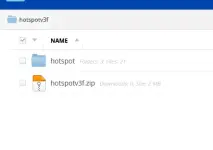
done...sir pwdi po ma zip yung hotspot folder. salamat po
jcdgreatest
Fanatic
thank you, if you do have querries, i would answer gladly.good stuff! your documentation is good as well.
thanks. maybe if i decide to play with it, which i do whenever i find the time.thank you, if you do have querries, i would answer gladly.
there's no business case for my location:
- internet penetration is over 96%
- the most basic mobile plans have decent data allocation (and data packs are readily available
- town centres have free public wifi
jcdgreatest
Fanatic
yup, whenever you need assistance regarding this, I'll be just a chat away. Have a nice day.thanks. maybe if i decide to play with it, which i do whenever i find the time.
there's no business case for my location:
this is actually being taken for granted, because it's just there. it's only the local (albeit national) geek community who notice when things change - latency increases, or much more rarely, certain provider networks being down.
- internet penetration is over 96%
- the most basic mobile plans have decent data allocation (and data packs are readily available
- town centres have free public wifi
Similar threads
-
Arduino - IDE (subtopic from main thread DIY PISO WIFI)
- Started by jcdgreatest
- Replies: 2
About this Thread
-
28Replies
-
615Views
-
8Participants
Last reply from:
jcdgreatest
jcdgreatest
New Topics
-
Tanong about solar
- Started by Ta U Kim
- Replies: 7
- 🛠️ Do It Yourself
-
Mio gear front fender convert to mio i125
- Started by Qwertywiw
- Replies: 0
- 🛠️ Do It Yourself
-
Ano maganda speaker box
- Started by alemdj
- Replies: 0
- 🛠️ Do It Yourself
-
Personal Solar Setup (DIY)
- Started by sollivor
- Replies: 28
- 🛠️ Do It Yourself
-
DUAL HORN WIRING DIAGRAM WITH TOUCH SENSOR SWITCH
- Started by sollivor
- Replies: 2
- 🛠️ Do It Yourself
-
Cable Organizer Using Tissue Rolls | Goodbye Tangled Cables!
- Started by PHC-Zzz
- Replies: 0
- 🛠️ Do It Yourself
-
Homemade Phone Screen Cleaner | Simple and Budget-Friendly!
- Started by PHC-Zzz
- Replies: 0
- 🛠️ Do It Yourself
-
-
Sound proofing room
- Started by craige
- Replies: 0
- 🛠️ Do It Yourself
-
Solar system DIY
- Started by mars_speed
- Replies: 2
- 🛠️ Do It Yourself
Trending Topics
Online now
- Members online
- 1,129
- Guests online
- 12,821
- Total visitors
- 13,950