 PH
PH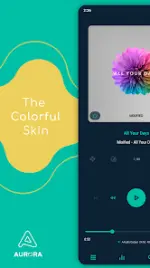
Aurora Skin for Poweramp 3 (v10.5.9)
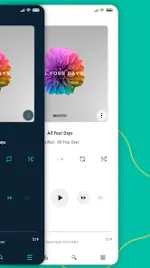
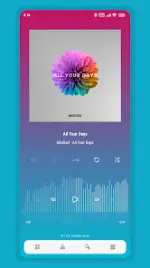
Aurora is a highly customizable skin for Poweramp 3, supporting Material You (Android 12+) and Day/Night modes. It offers a minimalist, transparent, or material aesthetic with extensive control over UI elements.Technical Specifications
| Requirement | Detail |
|---|---|
| Compatibility | Poweramp 3 (Stable Version) |
| Android Version | 5.0+ (Material You requires 12+) |
| Architectures | Universal |
| Screen DPI | 120dpi, 160dpi, 240dpi, 320dpi, 480dpi, 640dpi |
| Language Support | English, Indonesian, Chinese (Simplified/Traditional), Russian, Japanese, Spanish, Portuguese (Brazilian) |
Core Customization Features
Visual Identity & Layout
- Colors: 35 Accent Colors, 19 Background Colors (including Black/White).
- Material Design: Material You Dark and Light support.
- Backgrounds: Gradient combinations, Transparent mode with opacity control, and Album Art Blur.
- Layouts: 3 Player UI layouts with Track Title alignment options.
Interface Components
| Category | Customizable Elements |
|---|---|
| Icons | Library, Navigation, Bottom Buttons, Equalizer, V.T.R.S, and Header icon sets; includes color, shape, radius, and size adjustments. |
| Typography | 28 Font Styles, custom colors/sizes, accent title styles, and navigation text coloring. |
| Navigation | Multiple styles, offset navbar, transparent bar options, and indicator color tuning. |
| Album Art | Transition styles, custom sizes, corner radius (static/dynamic), and shadow effects. |
| Knob & EQ | Various knob/Eq styles, spectrum visualizer, thumb styles, and volume panel customization. |
Controls & Visibility
- Player Controls: Pro Buttons (style/color/size), Wave Bars, Wave Seekbar, and Simple Seekbar styles.
- Visibility Toggles: Option to hide Album Artist, Album Art, Rating, Lyrics, V.T.R.S Buttons, and Elapsed/Duration time.
- UI Details: Flat UI toggle, transparent status bar, and corner radius/opacity for menus and rating buttons.
Version History & Technical Notes
Latest Update (v10.5.9):- Small improvements and optimizations.
- Access Settings: Long press the hamburger/menu button in Poweramp navigation for quick skin settings.
- Blur Layouts: For optimal readability, set Background Intensity to 80% in Poweramp settings.
- Update Issues: If settings appear empty after an update, disable the skin via the app launcher, reconfigure the parameters, and re-enable.
- Device Constraints: Not compatible with Huawei devices running Android 7.0 (Android 7.1+ is supported).
File Integrity
- Package: Untouched ρáíd APK
- MD5 Digest:
a093cad5e8570c7bf5d01f4b8c9051db