PH
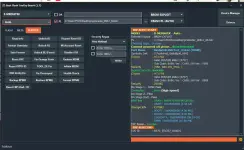
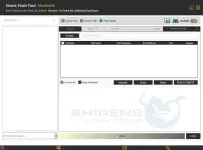
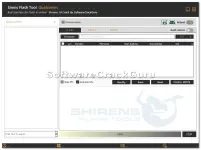
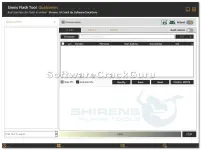
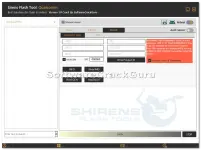
PHSirens Flash Tool V1.0 is a very useful tool for mobile work and working free on your windows computer. It is not just for flashing, you can also use it for repair, FRP reset, unlocking, and many other tasks. The good thing is it downloads the needed files and loaders by itself, so you don’t have to do any extra setup. Credit goes to the original developer who created this tool. In this version, it has been made easier to use, so now people can use it without login or license. It supports many features like flashing, FRP reset, IMEI repair, bootloader unlock, and works with brands like Xiaomi, Vivo, and Oppo.
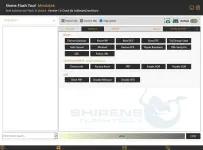
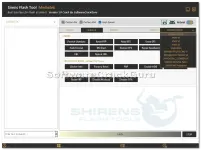
 FEATURES LIST (CATEGORY WISE)
 FLASH
FLASH
Scatter Flash
Firmware Flash
Custom DA
Custom EMI
High Speed Flash
Identify Device
Read / Write
Erase
Format All
Skip Preloader
Android Info
SERVICE (BROM / EDL / META)
Format Userdata
Safe Format
Reset FRP
Read EFS
Erase EFS
Restore EFS
Repair Baseband
Fix Orange State
DM-Verity Fix
MiCloud Reset
ρá†ch MiCloud
Disable MiCloud
UBL Unlock
UBL Relock
META MODE
Device Info
Factory Reset
FRP Reset
Enable ADB
Disable ADB
ADB FUNCTIONS
Reset FRP
Disable MiCloud
Disable OTA
REPAIR (IMEI / CPID)
Write IMEI
ρá†ch Certificate
Unlock Bootloader
Read IMEI
Write Product ID
Write QCN
Read QCN
CPID Generate
Auto Generate CPID
Critical Data Read
Critical Data Write
BROM EXPLOIT / EDL SUPPORT
Vivo V1 / V2 / V3 / 2025
Infinix / Tecno Support
Oppo / Realme Support
Xiaomi MTK Bypass
Samsung Preloader
Siren Flash Tool - Complete Supported Models List (EDL & BROM/PL Modes)
1. Asus (ROG & Zenfone)
Qualcomm (EDL Mode)
ROG Phone (1 to 9 Pro)
Smartphone for Snapdragon Insiders
Zenfone 2 Go
Zenfone 3 / 4 / 5 / 6 / 8 series
Zenfone Max (M1 / M2 / Pro)
Zenfone Live series
Zenfone V
Mediatek (BROM\PL Mode)
Zenfone 3 Max (ZC520TL)
Zenfone 3s Max
Zenfone 4 Max Plus
Zenfone 4 Max (ZB500TL)
Zenfone Max Plus M1
2. Huawei & Honor
Qualcomm (EDL Mode)
Enjoy series
Honor 50 / 60 / 70 / X series
Honor Magic series
Honor Pad series
Mate 50 series
Nova 9 / 10 / 11 series
P50 / P60 series
Y6 / Y7 series
Mediatek (BROM\PL Mode)
Honor 8A (JAT series)
Honor 8S
Y5 2019 / Y5P
Y6 2019 (MRD series) / Y6P / Y6S
3. Infinix
Mediatek (BROM\PL Mode)
Hot 10 / 11 / 12 / 20 / 30 series
Hot 4 / 7 / 8 / 9 series
Note 4 / 5 / 6 / 7 / 8 / 10 / 11 / 30 series
S4 / S5 series
Smart 2 / 3 / 4 / 5 / 6 / 7 series
Zero 5 / 5G / 8 / X
Qualcomm (EDL Mode)
Hot 3 LTE
Hot 6 Pro / Hot 6X
Hot S3x
Zero 6 / Zero 6 Pro
4. Lenovo
Qualcomm (EDL Mode)
A6000 / A6010
K5 series / K10 / K53
Legion series (2 Pro, Y700)
Lemon 3
Moto Tab
Phab series
S5 series / S60
Tab E10 / M10 / P10 / P11 / V7
Yoga Tabs
Z5 / Z6 series
Zuk Z1 / Z2
5. LG
Qualcomm (EDL Mode)
G6 / G7 / G8 ThinQ series
Q6 / Q92
V20 / V30 / V35 / V40 / V50 / V60 ThinQ
Velvet / Wing
6. Meizu
Qualcomm (EDL Mode)
16 series / 17 series / 18 series
M6 Note / Note 8 / X8
Mediatek (BROM\PL Mode)
M1E / M2 Note / M3 Max / M3e
M5 Note / M5c / M5s
M8 / MX5 / MX6
Pro 6 / Pro 7 Plus
U20 / V8
7. Nokia
Qualcomm (EDL Mode)
1.3 / 2 / 2.1 / 3.2 / 4.2
5 / 5.3 / 6 / 6.1 / 6.1 Plus / 6.2
7 / 7.1 Plus / 8 / 8.1 / 800 Tough
9 PureView
Mediatek (BROM\PL Mode)
1 Plus / 1 (TA-1047)
2.3 / 2.4 / 3 / 3.1 / 3.1 Plus
5.1 / 5.1 Plus / G10
8. OnePlus
Qualcomm (EDL Mode)
11 5G / 12R
6 / 6T
7 / 7 Pro
8 / 8 Pro / 8T
9 / 9 Pro / 9R / 9RT
Ace 2 Pro / Ace 3
Nord series (N10, N100, N200, N30)
OnePlus Open
9. Oppo
Qualcomm (EDL Mode)
A11 / A11x / A32 / A33 / A36 / A37fw
A5 / A52 / A53 / A72 / A73 / A74 / A76 / A77
A95 / A96
F17 / F19 / F21 Pro
Find N / X2 / X3 / X5 / X6 series
K7 / K9 / K10 / K11
Reno 4 / 5 / 6 / 7 / 8 / 9 series
Reno 10x Zoom
Mediatek (BROM\PL Mode)
A1k / A11k / A12 / A15 / A16 / A17
A31 / A39 / A5s / A71 / A7n / A7x
A8 / A83 / A9 / A91 / A92s / A93 / A9x
F1 Plus / F1s
F5 / F7 / F9
F11 / F15 / F17 Pro / F19 Pro
Reno 2 / 2F / 3 / 5 Lite / 5 Pro / 6 5G / Z
10. Realme
Qualcomm (EDL Mode)
5 / 5i / 5s
7i / 9 / 9i / 9 5G Speed
12 4G / 12 Lite / 13 4G
C1 / C15 (Qualcomm Edition) / C17
GT 5G / GT Master / GT Explorer
GT Neo 2 / GT Neo 3T / GT 5
Narzo 20A
Q3 Pro / Q3T / Q3s / Q5 Pro
X2 Pro / X3 / X50 series
Mediatek (BROM\PL Mode)
1 / 3 / 3i / 6 / 6i
7 / 7 5G / 8 / 8 5G
C2 / C3 / C11 / C12 / C15 / C20 / C21 / C25
Narzo 10 / Narzo 20 / Narzo 20 Pro
Narzo 30A / Narzo 30 Pro
Q2i / U1 / V5 / X7 Pro 5G
11. Samsung
Mediatek (BROM\PL Mode)
A01 Core (SM-A013F, SM-A013G)
A02 (SM-A022F)
A03s (SM-A037F) / A04 (SM-A045F) / A04e (SM-A042F)
A10s (SM-A107F) / A12 (SM-A125F)
A22 (SM-A225F) / A22 5G (SM-A226B)
A31 (SM-A315F, SM-A315G)
A32 (SM-A325F, SM-A325M)
A41 (SM-A415F)
M01 Core (SM-M013F)
Tab A7 Lite (SM-T225)
Qualcomm (EDL Mode)
A01 / A02s / A05s / A11
A20s / A23 / A23 5G
A42 / A42 5G
A52 / A52 5G / A52s 5G
A60 / A70 / A70s / A71 / A72 / A73 5G / A80
A9 (2018) / A90 / A90 5G
C7 / F23 / J4 Plus / J6 Plus
M02s / M11 / M14 4G / M23 / M40 / M42 5G / M51 / M52 5G / M55 5G
Note 8 / Note 9 / Note 10 series / Note 20 series
S8 Plus / S9 Plus
S10 series / S20 series / S21 series / S22 series / S23 series / S24 series
Tab A / Tab A7 / Tab A8 / Tab A9 Plus / Tab Active4 Pro
Tab S6 Lite / Tab S8 Ultra / Tab S9 series
Z Flip series (1 to 6) / Z Fold series (2 to 6)
12. Tecno
Mediatek (BROM\PL Mode)
A6 / A9
Camon 17 series / 18 series / 19 series / 20 series
Camon CX / i Air / i Sky3
DroiPad 7D / Droidpad 8D / F3
Phantom 8 / 8S / 9 / V Fold / V Yoga
Phantom X / X Pro / X2 5G / X2 Pro
Pop 2 Plus / 3 / 4 series / 5 series / 6 series / 7 Pro
Pova 2 / 3 / 4 / 5 / 5 Pro / LD7
Pova Neo / Neo 2 / Neo 3
R8S / WX3 Pro
Spark 2 / 3 / 4 series / 5 / 6 series / 7 series / 8 series
Spark 9 series / 10 series
Spark Go 2020 / 2022 / 2023
13. Vivo & iQOO
Qualcomm (EDL Mode)
50 Lite
iQOO 3 5G / 5 Pro / 855 / Neo (855) / Pro / U1 / U1x / U3x / Z1x / Z3
Neo 3 5G
Nex 2 / Nex 3 / Nex 3s / Nex a / Nex s
S1 Prime / S1 Pro New / S5 / S7
T1 / U1 / U10 / U1x / U20 / U3 / U3x
V1 / V3 / V5 / V7 / V9 series
V11 / V15 / V17 / V19 / V20 series
X20 / X21 / X23 / X27 series
X5 / X50 / X60 / X7 series
Y11 / Y12 / Y20 / Y31 / Y50 / Y51 / Y53 / Y55 / Y65 / Y66 / Y71 / Y91 / Y93 / Y95 series
Z1 / Z3 / Z5 / Z6 series
Mediatek (BROM\PL Mode)
iQOO Z1 5G
S1
V3 MA / V5 Lite / V5S
V11 / V15 / V21 / V23 5G
Y01 / Y02s / Y1s
Y12 / Y15 / Y16 / Y17 / Y19
Y20 / Y21 / Y22 series
Y3s / Y30 / Y33s / Y53s NFC
Y67 / Y69 / Y81 / Y83 / Y85
Y90 / Y91 / Y93 / Y97 series
14. VSmart
Qualcomm (EDL Mode)
Active 1 / Active 1 Plus
Aris / Bee Lite
Joy 1 / Joy 1 Plus / Joy 2 Plus / Joy 3
Live 4
Star / Star 3
15. Xiaomi / Poco / Redmi / Blackshark
Qualcomm (EDL Mode)
Blackshark 1 / 2 / 2 Pro / 3 / 3 Pro / 4 / Helo
Mi 3 / 4 / 5 / 6 / 8 / 9 / 10 / 11 series
Mi A1 / A2 / A3 series
Mi Max / Mix / Note series
Mi Pad 4 / Xiaomi Pad 6
Poco F2 Pro 5G / F3 / F4 / M2 Pro / X3 NFC / X5 Pro 5G / PocoPhone F1
Redmi 3 / 4 / 5 / 6 / 7 / 8 / 9 / 10 series
Redmi K20 / K30 / K40 series
Redmi Note 3 / 4 / 5A / 6 Pro / 7 / 8 / 9 series
Xiaomi 11 / 12 series / Civi
Mediatek (BROM\PL Mode)
Mi Play
POCO C3 / C50 / C61 / F3 GT
POCO M2 / M3 / M4 / M5S / M6 series
Poco X3 GT
Redmi 6A / 9C / 9T / 10A
Redmi 13 / 13C / 13X
Redmi A1 / A2 / A3
Redmi K30 Ultra
Redmi Note 8 Pro / Note 10S / Note 11SE
Xiaomi 12 Pro
How to Use Siren Flash Tool (Simple Steps)
Step 1:
Download the tool from the link given below and get the RAR file.
Step 2:
Extract the RAR file using WinRAR or any extractor.
Step 3:
Open the extracted folder and run the setup file.
You can right-click and choose Run as Administrator or just double click.
Step 4:
Install the tool by following simple steps:
Click Next → Next → Finish
(You can tick the Desktop Shortcut option if you want)
Step 5:
After installation, go to your desktop and find Siren Flash Tool Loader
Step 6:
Right-click on it and click Run as Administrator
Step 7:
Wait for around 10–15 seconds
(The opening time depends on your system speed)
Step 8:
Once the tool opens, connect your mobile and start using the features like flashing, FRP reset, repair, etc.
 Note (Important)
This tool works with an online server. It downloads loaders and files from the server.
So, it may not work forever.
If the server is changed or files are removed, the tool may stop working.
It may still open, but some features may not work.
You can still try using manual loaders later, but automatic model detection may not work after that.
Password: softwarecrackguru
Download
Password: softwarecrackguru
FEATURES LIST (CATEGORY WISE) FLASHScatter Flash
Firmware Flash
Custom DA
Custom EMI
High Speed Flash
Identify Device
Read / Write
Erase
Format All
Skip Preloader
Android Info
SERVICE (BROM / EDL / META)Format Userdata
Safe Format
Reset FRP
Read EFS
Erase EFS
Restore EFS
Repair Baseband
Fix Orange State
DM-Verity Fix
MiCloud Reset
ρá†ch MiCloud
Disable MiCloud
UBL Unlock
UBL Relock
META MODEDevice Info
Factory Reset
FRP Reset
Enable ADB
Disable ADB
ADB FUNCTIONSReset FRP
Disable MiCloud
Disable OTA
REPAIR (IMEI / CPID)Write IMEI
ρá†ch Certificate
Unlock Bootloader
Read IMEI
Write Product ID
Write QCN
Read QCN
CPID Generate
Auto Generate CPID
Critical Data Read
Critical Data Write
BROM EXPLOIT / EDL SUPPORTVivo V1 / V2 / V3 / 2025
Infinix / Tecno Support
Oppo / Realme Support
Xiaomi MTK Bypass
Samsung Preloader
Siren Flash Tool - Complete Supported Models List (EDL & BROM/PL Modes)
1. Asus (ROG & Zenfone)
Qualcomm (EDL Mode)
ROG Phone (1 to 9 Pro)
Smartphone for Snapdragon Insiders
Zenfone 2 Go
Zenfone 3 / 4 / 5 / 6 / 8 series
Zenfone Max (M1 / M2 / Pro)
Zenfone Live series
Zenfone V
Mediatek (BROM\PL Mode)
Zenfone 3 Max (ZC520TL)
Zenfone 3s Max
Zenfone 4 Max Plus
Zenfone 4 Max (ZB500TL)
Zenfone Max Plus M1
2. Huawei & Honor
Qualcomm (EDL Mode)
Enjoy series
Honor 50 / 60 / 70 / X series
Honor Magic series
Honor Pad series
Mate 50 series
Nova 9 / 10 / 11 series
P50 / P60 series
Y6 / Y7 series
Mediatek (BROM\PL Mode)
Honor 8A (JAT series)
Honor 8S
Y5 2019 / Y5P
Y6 2019 (MRD series) / Y6P / Y6S
3. Infinix
Mediatek (BROM\PL Mode)
Hot 10 / 11 / 12 / 20 / 30 series
Hot 4 / 7 / 8 / 9 series
Note 4 / 5 / 6 / 7 / 8 / 10 / 11 / 30 series
S4 / S5 series
Smart 2 / 3 / 4 / 5 / 6 / 7 series
Zero 5 / 5G / 8 / X
Qualcomm (EDL Mode)
Hot 3 LTE
Hot 6 Pro / Hot 6X
Hot S3x
Zero 6 / Zero 6 Pro
4. Lenovo
Qualcomm (EDL Mode)
A6000 / A6010
K5 series / K10 / K53
Legion series (2 Pro, Y700)
Lemon 3
Moto Tab
Phab series
S5 series / S60
Tab E10 / M10 / P10 / P11 / V7
Yoga Tabs
Z5 / Z6 series
Zuk Z1 / Z2
5. LG
Qualcomm (EDL Mode)
G6 / G7 / G8 ThinQ series
Q6 / Q92
V20 / V30 / V35 / V40 / V50 / V60 ThinQ
Velvet / Wing
6. Meizu
Qualcomm (EDL Mode)
16 series / 17 series / 18 series
M6 Note / Note 8 / X8
Mediatek (BROM\PL Mode)
M1E / M2 Note / M3 Max / M3e
M5 Note / M5c / M5s
M8 / MX5 / MX6
Pro 6 / Pro 7 Plus
U20 / V8
7. Nokia
Qualcomm (EDL Mode)
1.3 / 2 / 2.1 / 3.2 / 4.2
5 / 5.3 / 6 / 6.1 / 6.1 Plus / 6.2
7 / 7.1 Plus / 8 / 8.1 / 800 Tough
9 PureView
Mediatek (BROM\PL Mode)
1 Plus / 1 (TA-1047)
2.3 / 2.4 / 3 / 3.1 / 3.1 Plus
5.1 / 5.1 Plus / G10
8. OnePlus
Qualcomm (EDL Mode)
11 5G / 12R
6 / 6T
7 / 7 Pro
8 / 8 Pro / 8T
9 / 9 Pro / 9R / 9RT
Ace 2 Pro / Ace 3
Nord series (N10, N100, N200, N30)
OnePlus Open
9. Oppo
Qualcomm (EDL Mode)
A11 / A11x / A32 / A33 / A36 / A37fw
A5 / A52 / A53 / A72 / A73 / A74 / A76 / A77
A95 / A96
F17 / F19 / F21 Pro
Find N / X2 / X3 / X5 / X6 series
K7 / K9 / K10 / K11
Reno 4 / 5 / 6 / 7 / 8 / 9 series
Reno 10x Zoom
Mediatek (BROM\PL Mode)
A1k / A11k / A12 / A15 / A16 / A17
A31 / A39 / A5s / A71 / A7n / A7x
A8 / A83 / A9 / A91 / A92s / A93 / A9x
F1 Plus / F1s
F5 / F7 / F9
F11 / F15 / F17 Pro / F19 Pro
Reno 2 / 2F / 3 / 5 Lite / 5 Pro / 6 5G / Z
10. Realme
Qualcomm (EDL Mode)
5 / 5i / 5s
7i / 9 / 9i / 9 5G Speed
12 4G / 12 Lite / 13 4G
C1 / C15 (Qualcomm Edition) / C17
GT 5G / GT Master / GT Explorer
GT Neo 2 / GT Neo 3T / GT 5
Narzo 20A
Q3 Pro / Q3T / Q3s / Q5 Pro
X2 Pro / X3 / X50 series
Mediatek (BROM\PL Mode)
1 / 3 / 3i / 6 / 6i
7 / 7 5G / 8 / 8 5G
C2 / C3 / C11 / C12 / C15 / C20 / C21 / C25
Narzo 10 / Narzo 20 / Narzo 20 Pro
Narzo 30A / Narzo 30 Pro
Q2i / U1 / V5 / X7 Pro 5G
11. Samsung
Mediatek (BROM\PL Mode)
A01 Core (SM-A013F, SM-A013G)
A02 (SM-A022F)
A03s (SM-A037F) / A04 (SM-A045F) / A04e (SM-A042F)
A10s (SM-A107F) / A12 (SM-A125F)
A22 (SM-A225F) / A22 5G (SM-A226B)
A31 (SM-A315F, SM-A315G)
A32 (SM-A325F, SM-A325M)
A41 (SM-A415F)
M01 Core (SM-M013F)
Tab A7 Lite (SM-T225)
Qualcomm (EDL Mode)
A01 / A02s / A05s / A11
A20s / A23 / A23 5G
A42 / A42 5G
A52 / A52 5G / A52s 5G
A60 / A70 / A70s / A71 / A72 / A73 5G / A80
A9 (2018) / A90 / A90 5G
C7 / F23 / J4 Plus / J6 Plus
M02s / M11 / M14 4G / M23 / M40 / M42 5G / M51 / M52 5G / M55 5G
Note 8 / Note 9 / Note 10 series / Note 20 series
S8 Plus / S9 Plus
S10 series / S20 series / S21 series / S22 series / S23 series / S24 series
Tab A / Tab A7 / Tab A8 / Tab A9 Plus / Tab Active4 Pro
Tab S6 Lite / Tab S8 Ultra / Tab S9 series
Z Flip series (1 to 6) / Z Fold series (2 to 6)
12. Tecno
Mediatek (BROM\PL Mode)
A6 / A9
Camon 17 series / 18 series / 19 series / 20 series
Camon CX / i Air / i Sky3
DroiPad 7D / Droidpad 8D / F3
Phantom 8 / 8S / 9 / V Fold / V Yoga
Phantom X / X Pro / X2 5G / X2 Pro
Pop 2 Plus / 3 / 4 series / 5 series / 6 series / 7 Pro
Pova 2 / 3 / 4 / 5 / 5 Pro / LD7
Pova Neo / Neo 2 / Neo 3
R8S / WX3 Pro
Spark 2 / 3 / 4 series / 5 / 6 series / 7 series / 8 series
Spark 9 series / 10 series
Spark Go 2020 / 2022 / 2023
13. Vivo & iQOO
Qualcomm (EDL Mode)
50 Lite
iQOO 3 5G / 5 Pro / 855 / Neo (855) / Pro / U1 / U1x / U3x / Z1x / Z3
Neo 3 5G
Nex 2 / Nex 3 / Nex 3s / Nex a / Nex s
S1 Prime / S1 Pro New / S5 / S7
T1 / U1 / U10 / U1x / U20 / U3 / U3x
V1 / V3 / V5 / V7 / V9 series
V11 / V15 / V17 / V19 / V20 series
X20 / X21 / X23 / X27 series
X5 / X50 / X60 / X7 series
Y11 / Y12 / Y20 / Y31 / Y50 / Y51 / Y53 / Y55 / Y65 / Y66 / Y71 / Y91 / Y93 / Y95 series
Z1 / Z3 / Z5 / Z6 series
Mediatek (BROM\PL Mode)
iQOO Z1 5G
S1
V3 MA / V5 Lite / V5S
V11 / V15 / V21 / V23 5G
Y01 / Y02s / Y1s
Y12 / Y15 / Y16 / Y17 / Y19
Y20 / Y21 / Y22 series
Y3s / Y30 / Y33s / Y53s NFC
Y67 / Y69 / Y81 / Y83 / Y85
Y90 / Y91 / Y93 / Y97 series
14. VSmart
Qualcomm (EDL Mode)
Active 1 / Active 1 Plus
Aris / Bee Lite
Joy 1 / Joy 1 Plus / Joy 2 Plus / Joy 3
Live 4
Star / Star 3
15. Xiaomi / Poco / Redmi / Blackshark
Qualcomm (EDL Mode)
Blackshark 1 / 2 / 2 Pro / 3 / 3 Pro / 4 / Helo
Mi 3 / 4 / 5 / 6 / 8 / 9 / 10 / 11 series
Mi A1 / A2 / A3 series
Mi Max / Mix / Note series
Mi Pad 4 / Xiaomi Pad 6
Poco F2 Pro 5G / F3 / F4 / M2 Pro / X3 NFC / X5 Pro 5G / PocoPhone F1
Redmi 3 / 4 / 5 / 6 / 7 / 8 / 9 / 10 series
Redmi K20 / K30 / K40 series
Redmi Note 3 / 4 / 5A / 6 Pro / 7 / 8 / 9 series
Xiaomi 11 / 12 series / Civi
Mediatek (BROM\PL Mode)
Mi Play
POCO C3 / C50 / C61 / F3 GT
POCO M2 / M3 / M4 / M5S / M6 series
Poco X3 GT
Redmi 6A / 9C / 9T / 10A
Redmi 13 / 13C / 13X
Redmi A1 / A2 / A3
Redmi K30 Ultra
Redmi Note 8 Pro / Note 10S / Note 11SE
Xiaomi 12 Pro
How to Use Siren Flash Tool (Simple Steps)Step 1:
Download the tool from the link given below and get the RAR file.
Step 2:
Extract the RAR file using WinRAR or any extractor.
Step 3:
Open the extracted folder and run the setup file.
You can right-click and choose Run as Administrator or just double click.
Step 4:
Install the tool by following simple steps:
Click Next → Next → Finish
(You can tick the Desktop Shortcut option if you want)
Step 5:
After installation, go to your desktop and find Siren Flash Tool Loader
Step 6:
Right-click on it and click Run as Administrator
Step 7:
Wait for around 10–15 seconds
(The opening time depends on your system speed)
Step 8:
Once the tool opens, connect your mobile and start using the features like flashing, FRP reset, repair, etc.
Note (Important)This tool works with an online server. It downloads loaders and files from the server.
So, it may not work forever.
If the server is changed or files are removed, the tool may stop working.
It may still open, but some features may not work.
You can still try using manual loaders later, but automatic model detection may not work after that.
Password: softwarecrackguru
Download
Password: softwarecrackguru
 wow. . .