PH
PHDarsUnlocker V5.4 (Unlocktool) Latest Update Oct. 17, 2026 Free Log In
Before installing Loader V5.4, uninstall older versions first.
- Free login for UNLOCKTOOL without ρáíd account
- Runs a local server to answer login and license requests
- Patches UNLOCKTOOL in memory to bypass checks
- Works offline after first online check
- Supports Xiaomi, Redmi, and POCO devices
- Supports Samsung FRP removal via MTP, Knox, Testpoint, and EDL
- Supports Vivo V-Account bypass and demo mode removal
- Supports OPPO and Realme ID bypass and OFP flashing
- Supports Huawei and Honor ID removal and firmware flashing
- Supports Apple iCloud bypass and Ramdisk flashing
- Supports MediaTek auth bypass without a box
- Supports Qualcomm EDL flashing with Firehose programmer
- Supports Unisoc and Spreadtrum PAC file flashing
- Supports Tecno, Infinix, Motorola, Nokia, LG, and ZTE operations
Setup Steps
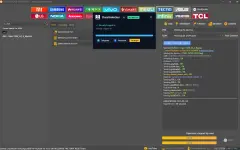
Step 1: Open DarsUnlocker-installer-V5.exe
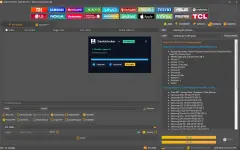
Step 2: Check all checkboxes
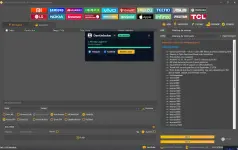
Step 3: Wait for the loader to fully load
Step 4: Do not perform any action; just wait for UnlockTool to open
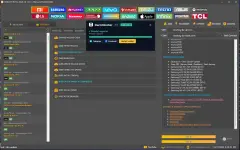
Step 5: Once UnlockTool appears and the login button becomes clickable,
Username: aminebazouka Password: any password and click "Login". That’s all.
Reminder: Do not manually open UnlockTool. Our loader will handle everything; you don't need to do anything except click the login button once it becomes clickable. It will also automatically input the username and password, so your only task is to click the login button when it is ready.
Step 1: Open DarsUnlocker-installer-V5.exe
Step 2: Check all checkboxes
Step 3: Wait for the loader to fully load
Step 4: Do not perform any action; just wait for UnlockTool to open
Step 5: Once UnlockTool appears and the login button becomes clickable,
Username: aminebazouka Password: any password and click "Login". That’s all.
Reminder: Do not manually open UnlockTool. Our loader will handle everything; you don't need to do anything except click the login button once it becomes clickable. It will also automatically input the username and password, so your only task is to click the login button when it is ready.
Aways run as administrator
UnlockTool Loader Installation Guide
Important Note: Antivirus software often flags hardware-servicing tools and loaders as "false positives" because of how they interact with system files. Follow these steps carefully to ensure the setup completes without issues.Step 1: Temporarily Disable Antivirus & Real-Time Protection
Open Windows Security (or your third-party antivirus program).
Go to Virus & threat protection > Manage settings.
Toggle Real-time protection to OFF.
Step 2: Create a Dedicated Folder & Add an Exclusion
Create a new folder on your computer specifically for the loader (for example: C:\UnlockTool_Loader).
Go back to Windows Security > Virus & threat protection > Manage settings.
Scroll down to Exclusions and click Add or remove exclusions.
Click Add an exclusion, choose Folder, and select the folder you created in step 1.
This prevents Windows from automatically deleting or blocking the loader files later.
Step 3: Download & Extract the Loader
Download the loader file using the link provided below directly into your excluded folder.
Version Warning: Do NOT update to or download the latest version if prompted. Stick specifically to the exact loader version provided in the link.
Extract the downloaded zip/archive file directly into that same excluded folder.
Step 4: Run the Application
Right-click the loader executable (.exe) file inside your excluded folder.
Select Run as administrator.
Proceed with the loader menu as instructed.
You do not have permission to view the full content of this post. Log in or register now.