PH
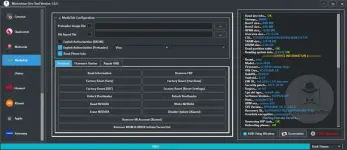
PHMysterious-Dev Tool V1.1.3 Free SIM Unlock, Flash Firmware, Partition Manager, Flashing & Repair IMEI & MEID Supports Samsung, Xiaomi, Huawei, & Motorola Works With Qualcomm, MediaTek, & Unisoc Phones
General & Drivers:
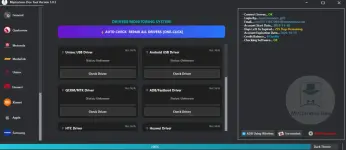
Driver Monitoring System:
- Auto Check & Repair All Drivers (One-Click)
- Manual Check for Unisoc, Android, QCOM/MTK, ADB/Fastboot, HTC, and Huawei Drivers
Account Information:
- Server Connection Status
- Account Expiration & Credit Balance Display
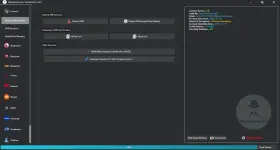
ADB & Application Manager:
ADB Services:
- Check Connected Device
- Execute Custom ADB Shell Commands
- Wireless ADB Support
Application Manager:
- List All, Disabled, System, 3rd Party, and Installed Apps
- Backup APK
- Clear App Data
- Uninstall, Disable, or Enable Apps
Unlock & SIM Services:
SIM Unlock:
- Universal Unlock SIM
- Unlock SIM Google Pixel [New]
Samsung Services:
- Write & Read Certificate
- Change Serial Number [BETA]
- Change CSC Code (Change Carrier)
Qualcomm (EDL, Diag, Flash):
Flash Firmware:
- Supports XML, ρá†ch, and MultiRaw Files
- Single & Multi Firmware Flashing
Partition Manager:
- Read, Write, Erase, and Restore Backup Partitions
EDL Services:
- Read Device Info & XML Firmware
- FRP & Factory Reset Services
- Accounts Protection & Security Data Services
Diag Services:
- Xiaomi Network Repair (e.g., Redmi K60)
- QCN Backup & Restore
- IMEI & MEID Repair
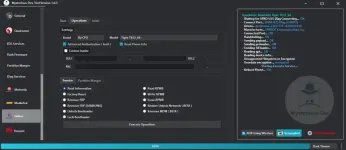
MediaTek Services:
Configuration:
- Custom Preloader & DA Agent File Support
- Exploit Authorization (BROM/Preloader)
Operations:
- Read Info, Remove FRP, Unlock/Relock Bootloader
- Factory Reset (Safe, UserData, EXT, Reset Settings)
- Read/Write/Erase NVDATA
- Remove Mi Account [Xiaomi] & Disable Update
- Remove MDM & KNOX (Infinix/Tecno/Itel)
Flashing & Repair:
- Scatter Firmware Flashing
- IMEI Repair (Flash Mode & Meta Mode)
- ρá†ch Cert & Enable Meta Repair
Unisoc Services:
Operations:
- Brand/Model Selection by CPU
- Custom Loader Support (FDL1, FDL2, PAC)
- Factory Reset, Remove FRP (Generic & Samsung)
- Unlock/Lock Bootloader
- Read/Write/Erase RPMB
- Realme Unlock Network (BETA) & Remove MDM (BETA)
Flash & Diag:
- PAC Firmware Flashing with Repartition/Full Erase options
- Diag Mode IMEI Repair & Switch Diag
Huawei Services:
Operations:
- Kirin Chip or Model Detection
- Unlock Bootloader [Temporary]
- Remove FRP, Remove Demo, Remove Huawei ID (Direct/2nd Method)
- Repair, Backup, Write, & Erase Oeminfo
Flashing:
- Update.app/Firmware Flashing
Motorola Services:
Flashing:
- Firmware Flashing with options to Disable AVB & Ignore MD5
General & SIM Services:
Unlock SIM Services:
- Unlock SIM Google Pixel (Supports all Android versions & latest security patches).
- Auto Disable OTA to prevent relocking.
- Universal SIM Unlock
Samsung Certificate Services:
- Read & Write Certificate (Broad model support including S7 Edge, S8, Note 8, J-Series, etc.).
Unit Services:
- Samsung Change Serial Number [BETA].
- Samsung Change CSC Code (Carrier Change).
Supported Model Lists:
 Google Pixel:
Google Pixel
Pixel 3 to Pixel 9 Pro XL
Fold, and Tablet
Pixel 3 to Pixel 9 Pro XL
Fold, and Tablet
Samsung JDM:
Samsung JDM
S215DL
M-Series (M115, M025)
A-Series (A215U
A115
A047
A037
A025
A015
S215DL
M-Series (M115, M025)
A-Series (A215U
A115
A047
A037
A025
A015
LG:
LG
K-Series (K300, K400, K500)
Q-Series (Q730, Q630)
X-Series (X420, X520)
K-Series (K300, K400, K500)
Q-Series (Q730, Q630)
X-Series (X420, X520)
ADB & Application Manager:
Application Manager:
- List all device apps.
- Backup APK, Clear App Data.
- Uninstall, Disable, and Enable Apps.
ADB Services:
- Comprehensive ADB command support.
Qualcomm Services:
[B]Flash & Partition:[/B]
- Flash Firmware.
- Partition Manager: Read, Erase, Write, and Restore Backup (GPT).
[B][B]EDL Services[/B]:[/B]
- General: Read Device Information.
- FRP: Remove FRP (General & Samsung).
- Factory Reset: Safe Mode, EXT4, and Screen Lock Removal (Vivo, Oppo, Realme, Samsung).
- Account Protection: Remove Mi Account (Methods 1 & 2), Remove Huawei ID.
- Samsung Specific: Remove Lost Mode, Reset/Change KG Status (Broken/Error).
- Security Data: Manage EFS and Oeminfo data.
[B][B][B]Diag Services[/B][/B]:[/B]
- QCN: Backup and Restore.
- IMEI Repair: Write/Repair IMEI 1 & 2, MEID, and RSA Protected IMEI.
- Xiaomi Network Repair: Extensive support for Redmi K-series (K60, K50, K40), POCO (F5, F4, X3), and Mi Series (13 Ultra, 12T, 11).
MediaTek (MTK) Services:
[B][B][B][B]Authorization[/B][/B][/B]:[/B]
- Exploit Authorization for BROM and Preloader.
[B][B][B][B][B]Service Operations[/B][/B][/B][/B]:[/B]
- Read Info, Remove FRP, Unlock/Relock Bootloader.
- Factory Reset: Safe, UserData, EXT, and Reset Settings.
- Security: Read/Write/Erase NVDATA.
- Special: Disable Update (Xiaomi), Remove Mi Account, Remove MDM & KNOX (Infinix/Tecno/Itel).
[B][B][B][B][B]IMEI & Flashing[/B][/B][/B][/B]:[/B]
- Firmware Flasher.
- Repair IMEI: Flash Mode & Meta Mode (Auto switch), ρá†ch Cert (New & Standard), Enable Meta Repair (Xiaomi).
Unisoc / Spreadtrum Services:
[B][B][B][B][B][B]Flash Firmware[/B][/B][/B][/B][/B]:[/B]
- Write .PAC files, Restore Zip, Partition Manager.
[B][B][B][B][B][B][B]Operations[/B][/B][/B][/B][/B][/B]:[/B]
- Read Info, Remove FRP (Generic & Samsung), Factory Reset.
- Unlock/Lock Bootloader.
- Security: Read/Write/Erase RPMB, Remove MDM.
- Network: Realme Unlock Network.
[B][B][B][B][B][B][B][B]Diag Mode[/B][/B][/B][/B][/B][/B][/B]:[/B]
- Switch Diag, Read Info, Factory Reset, Repair IMEI, Reboot Recovery.
Huawei Services:
[B][B][B][B][B][B][B][B][B]Flasher[/B][/B][/B][/B][/B][/B][/B][/B]:[/B]
- Huawei Protocol Support.
[B][B][B][B][B][B][B][B][B][B]Operations[/B][/B][/B][/B][/B][/B][/B][/B][/B]:[/B]
- Read Device Info, Unlock Bootloader (Temp).
- Remove FRP, Remove Demo.
- Huawei ID: Remove ID (Direct & 2nd Method).
- Oeminfo: Repair, Write, Erase, Backup.
Samsung Main Services:
[B][B][B][B][B][B][B][B][B][B][B]ADB / MTP Mode:[/B][/B][/B][/B][/B][/B][/B][/B][/B][/B][/B]
- Reboot to Download/Recovery.
- Factory Reset, Remove FRP (ADB), Restore IMEI (Reset EFS).
- Change CSC (Carrier).
[B][B][B][B][B][B][B][B][B][B][B][B]Download Mode (ODIN Mode):[/B][/B][/B][/B][/B][/B][/B][/B][/B][/B][/B][/B]
- Read PIT, Read Info, Exit Download Mode.
- Direct Functions: MTK FRP (Sec 0/1), Force Erase (Factory Reset), Remove Lost Mode Lock.
Translation & Localization:
[B][B][B][B][B][B][B][B][B][B][B][B]Arabic Language Enabler:[/B][/B][/B][/B][/B][/B][/B][/B][/B][/B][/B][/B]
- Adds Arabic language support to Android versions 5 (Lollipop) through 16.
HOW TO USE ?
- First, you need to download the zip file from the below link.
- Next, you can unzip all files at c: drive (important).
- Ensure you have disabled the antivirus before running the installation.
- Next, open the folder and install the setup file with some basic instruction.
- Run the shortcut from the desktop “SetupMysteriousDev.exe”.
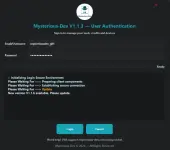
- A login window will pop up.
- No manual login details are required — credentials are pre‑added.
- Simply click the Login button and wait for the tool to open.
- Next, you can install all drivers (included in the tool only need to one-click) if you already installed skip this step.
- Connect the phone and try to do any function.
- Enjoy !!!
Download