 PH
PH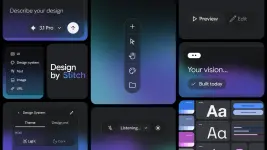
Stitch is Google’s AI‑native software design canvas that turns natural language (and now voice) into high‑fidelity, interactive UI, helping teams move from idea to working design in minutes instead of days.
What “vibe design” means
- Instead of starting from wireframes, you describe business goals, desired user feelings, or product inspirations, and Stitch rapidly generates multiple UI directions.
- This “vibe design” approach emphasizes quick divergence and convergence, so you can explore many concepts and land on stronger solutions faster.
AI‑native canvas and agents
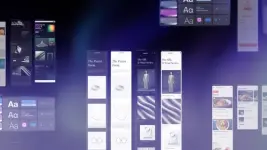
- Stitch now has a redesigned, infinite AI‑native canvas that accepts images, text, and even code as contextual inputs, supporting everything from early sketches to prototypes on a single surface.
- A new design agent can reason over the entire project history, while an Agent manager tracks branches and lets you iterate on multiple ideas in parallel without losing structure.
Design systems and fast iteration
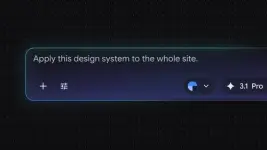
- You can extract a design system from any URL or define one in a new DESIGN.md markdown file, then reuse those rules across Stitch projects and external design/dev tools.
- Static screens can be “Stitched” into interactive prototypes in seconds; with Play, Stitch auto‑generates logical next screens, enabling rapid experimentation and refinement of full user journeys.
Voice collaboration and dev handoff
- New voice capabilities let you talk directly to the canvas: the agent can critique designs, interview you to create a landing page, and apply changes like new menus or color palettes in real time.
- Through the Stitch MCP server, SDK, and skills, teams can integrate Stitch into their broader toolchain and export designs into developer tools like AI Studio and Antigravity, keeping design and implementation tightly aligned.
Stitch ultimately positions AI as a collaborative design partner, aiming to shrink the gap between concept and production‑ready flows so that both professional designers and non‑designers can ship better software, faster.

Stitch is accessible by users 1☍+ who are located in regions where Gemini is available.
You do not have permission to view the full content of this post.
Log in or register now.
Learn more about the platform and the latest updates in the official dev You do not have permission to view the full content of this post.
Log in or register now..Your feedback is highly appreciated

Support my other posts

- Google just KILLED Photoshop!
- 50 Brilliant Ways to Supercharge Creativity with Nano Banana
- Nano Banana Prompt Gallery
- AI Fashion Studio: AI Virtual Try-On Powered By Nano Banana
- Free Image Upscaler up to 16K Quality!
- Travel the World with Nano Banana
- Nano Banana Polaroid Trend
- AI Profile Picture Generator
- AI Snapshot Generator
- ᑕᕼᗩTGᑭT Prompt Packs
- Perplexity at Work
- Free AI Image Editor
- DumPDF: PDF Editor
- LuxPDF: Open Source PDF Tools
- Affinity Studio: Free, Powerful Design Tool
- Gemini Edu ID Card Generator
- CanVâ Education Invite Link 2
- Create UNCENS0RED/NSFW AI Characters
- Student ID Card Prompt
- Introducing Nano Banana Pro
- Nano Banana Pro Image And Prompt Gallery
- Create 4K Nano Banana Pro Images
- Introducing GPT-5.2
- Create Pro-Grade Infographics
- IHatePDF: Toolkit For Everyday Documents
- OpenClaw: An AI Agent That Actually Does Things
- Stunning Nano Banana Prompts Gallery
- Lyria 3: Google's AI Music Studio
- Meet Gemini 3.1 Pro
- Create City Map Posters
- Seedream 5.0 Lite: A Smart, Web-Aware AI Image Model
- Nano Banana 2: ProLevel Image Generation at Flash Speed
- Meet Gemini 3.1 Flash‑Lite: Google’s New High‑Throughput AI Workhorse
- GPT‑5.3 Instant: Smarter, Faster Everyday Chat
- GPT‑5.4: OpenAI’s New Flagship GPT‑5‑Series Model