 PH
PH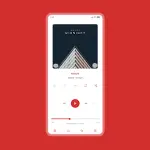
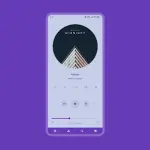
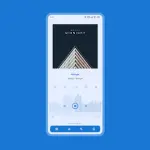
Luminous Skin for Poweramp 3
Luminous is a material white skin designed for Poweramp 3, offering a minimalist and transparent interface with support for Material You (Android 12+).App Specifications
| Category | Details |
| Version | 10.5.8 |
| Minimum OS | Android 5.0+ |
| Architecture | Universal |
| DPI Support | 120dpi, 160dpi, 240dpi, 320dpi, 480dpi, 640dpi |
| Requirements | Poweramp 3 Stable Build |
| Incompatibility | Huawei devices running Android 7.0 |
Core Features
- Color & Background: 36 Accent colors, 17 Background colors, Material You (Light/Pastel), and Transparent Background/Opacity.
- Interface Layouts: 3 Player UI layouts, alternative layouts, and Player UI Track Title Alignment.
- Typography: 40 Font styles (including 28 specific styles), custom colors, sizes, and navigation text options.
- Visual Elements: Album art blur/overlay, header overlays, and dynamic corner adjustments for various UI elements.
- Icons: Customizable sets for Library, Navigation, Bottom Buttons, Equalizer, V.T.R.S, and Header.
Technical Configuration Details
| Section | Customizable Options |
| Library | Header buttons radius/opacity, Middle Left Track Title, Selected track margins/corners. |
| Navigation | Navigation styles, Offset Navbar, Indicator color, Force Black or Transparent Navbar. |
| Knob & Eq | Knob styles, Eq Shape corners/thumb styles, Eq Spectrum, Volume panel knob settings. |
| Album Art | Transition styles (including custom), Shadow, Sizes, and Dynamic Corners. |
| Player Controls | Pro Buttons (Shape, Color, Size), Wave Bars/Seekbar styles, Simple Seekbar. |
| Visibility | Toggle options for Artist, Art, Rating, Lyrics, V.T.R.S Buttons, and Elapsed/Duration time. |
Supported Languages
Chinese (Simplified/Traditional), Czech, English, Indonesian, Japanese, Russian, Spanish, Ukrainian.Technical Tips & Maintenance
Accessing Settings: Long press the hamburger/menu button within Poweramp navigation to quickly enter skin settings.Blur Layout Configuration: To ensure text legibility on blur layouts, navigate to:
Poweramp > Settings > Background > Background Intensity and set to 80%.Troubleshooting Update Issues:
- Open the skin from the app launcher.
- Select Open Skin Settings.
- Disable the skin.
- Locate empty settings fields and re-configure.
- Enable the skin.
Changelog (v10.5.8)
- Fixed overlapping elements in Alternative layout (landscape mode).
- Updated translations.