PH
PHIf you’ve ever worked on Xiaomi phones, you know how tricky some tasks can be—especially when dealing with FRP locks, MiCloud issues, or flashing firmware. That’s where Xiaomi King Tool v3.0 comes in. It’s a small utility that was once promising, but unfortunately, the developer stopped updating it over a year ago. Many users bought it hoping for regular support, but it seems the project was left behind.
Custom login ρá†ch that adds 999 credits to your account automatically. This way, you can still explore the tool’s features—even if the original server is outdated.
rar pass: softwarecrackguru
You do not have permission to view the full content of this post. Log in or register now.
rar pass: softwarecrackguru
You do not have permission to view the full content of this post. Log in or register now.
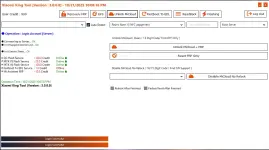
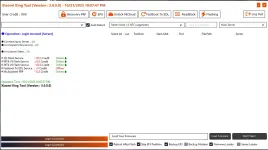
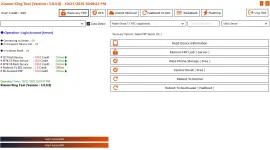
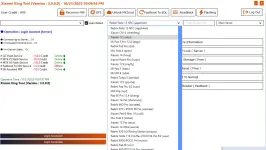
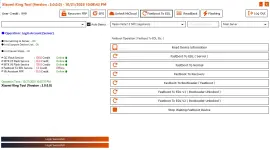
Custom login ρá†ch that adds 999 credits to your account automatically. This way, you can still explore the tool’s features—even if the original server is outdated.
Here’s a simple guide to help you get started:- Download the Tool
- Get the portable EXE file for Xiaomi King Tool v3.0.
- Right-click the file and choose Run as Administrator.
- Apply the Login ρá†ch
- Download and extract the file named Xiaomi King Tool Login.zip.
- Inside the folder, run the ρá†ch file as Administrator.
- Start the ρá†ch
- Click Start in the ρá†ch window.
- You’ll see a pop-up asking you to accept a certificate—click Yes to continue.
- Wait for Confirmation
- When you see “Done!”, it means the ρá†ch has connected to the server.
- Login to the Tool
- Open the main Xiaomi King Tool interface.
- Use the login details below to sign in:
- Username: softwarecrackguru
- Password: 112233
- Check Your Credits
- After logging in, you’ll see 999 credits already added to your account.
- Connect Your Device
- Plug your Xiaomi phone into the computer via USB.
- You can now try out the tool’s functions.
- This tool is not officially supported anymore, so some features might not work.
- Server-based functions like FRP removal or MiCloud unlock may fail due to outdated API access.
- Treat this as an experimental ρá†ch and share your results with other technicians.
Supported Models
Xiaomi King Tool supports a wide range of devices. Some models require Auth login, while others work Auth-Free. Here’s a quick breakdown:

| 
|
|---|---|
| Mix Fold 3 (babylon) | Pocophone F1 (beryllium) |
| POCO F7 Ultra (miro) | Mi Mix 2s (polaris) |
| Xiaomi 15 Ultra (xuanyuan) | Mi Mix 3 (perseus) |
| Redmi Note 14 Pro+ (amethyst) | Mi 8 EE (ursa) |
| Xiaomi Pad 7 Pro (muyu) | Mi 8 (dipper) |
| Redmi K70 Pro (manet) | Mi 8 Pro (equuleus) |
| Xiaomi 13 Ultra (ishtar) | Mi 8 SE (sirius) |
| Redmi K40/POCO F3 (alioth) | Mi 9 SE (grus) |
| Mi 11T Pro (vili) | Mi A2 (jasmine) |
| Redmi Note 12 Pro 4G (sweet_k6a) | Mi A2 Lite (daisy) |
| …and many more | …and many more |
Final Words
If you’re a technician who likes to experiment, this patched version of Xiaomi King Tool might be worth a try. Just remember—it’s not guaranteed to work perfectly.rar pass: softwarecrackguru
You do not have permission to view the full content of this post. Log in or register now.
rar pass: softwarecrackguru
You do not have permission to view the full content of this post. Log in or register now.