PH
PHfor pc or android?Pwd po pa hingi configs
first check which open ports u have with Droidvpn pc ver. => You do not have permission to view the full content of this post. Log in or register now.
for tcp: 80, 8080, 443, 8443
for udp: 53, 67, 137
for pc or android?Pwd po pa hingi configs
I use pc i try this one all port is not workingfor pc or android?
first check which open ports u have with Droidvpn pc ver. => You do not have permission to view the full content of this post. Log in or register now.
for tcp: 80, 8080, 443, 8443
for udp: 53, 67, 137
what msg is showing?
better in Droidvpn select 'HTTP'
settings 'TCP & HTTP', remote tcp port: 80
and show the log, what it says
show image
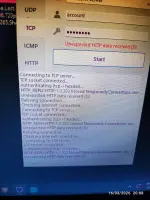
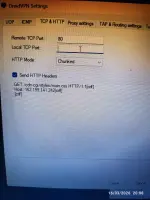
Kindly check sir. The connection is via router draytek as ap router. The gateway is 10.0.0.1what msg is showing?
better in Droidvpn select 'HTTP'
settings 'TCP & HTTP', remote tcp port: 80
and show the log, what it says
show image
if u dont have droidvpn a/c, then check with psiphonWhat do you mean by a/c to test?
forCan i try DPI bypass tool? tcp port 80 is open.
thank you for thisHere is the Windows Dpi Bypass tool
Download:
[Hidden content]
Read the readme.txt file if u need help
But i forgot how to install module in magisk. Do you step by step tutorial@jakehas11
download from here
You do not have permission to view the full content of this post. Log in or register now.
to use droidvpn, u may not needed the mobile to be rooted
if u want to use 'DPI Bypass tool', then u need a rooted mobile, bcoz its a magisk module