 PH
PHThe VG Tool V5.1 is back in 2025 with major improvements and powerful features, now bundled with a free k3ygen for lifetime activation. Whether you're a professional mobile technician or an enthusiast who frequently works with Android devices, this tool is a must-have. It supports a wide range of operations across multiple chipsets, including MediaTek (MTK), Qualcomm, Spreadtrum (SPD), and Fastboot modes. Best of all, it works offline and offers lifetime access.
VG Tool V5.1 is a professional Android servicing utility that allows users to perform multiple tasks on smartphones and tablets. The latest version — VG Tool V5.1 (2025)—introduces a more stable interface, increased chipset compatibility, and new automation options for common functions such as
The 2025 update brings several powerful features that make VG Tool more useful than ever:
Link
You do not have permission to view the full content of this post. Log in or register now.
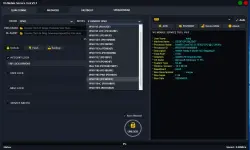
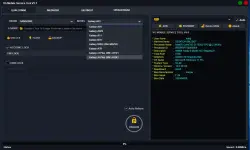
 What Is VG V5.1 Tool?
VG Tool V5.1 is a professional Android servicing utility that allows users to perform multiple tasks on smartphones and tablets. The latest version — VG Tool V5.1 (2025)—introduces a more stable interface, increased chipset compatibility, and new automation options for common functions such as- Pattern lock removal
- Factory reset/format device
- Flash firmware (ROM)
- FRP (Factory Reset Protection) bypass
- Bootloader unlock in Fastboot mode
- SPD device formatting and unlocking
 What’s New in VG Tool V5.1 (2025 Update)
The 2025 update brings several powerful features that make VG Tool more useful than ever: Support for Latest Android 13 & 14 Devices
- Improved SPD and MTK Module Performance
- One-Click Pattern Lock Removal (No Data Loss for MTK)
- Firmware Flashing with Auto Port Detection
- Bug Fixes for Qualcomm EDL Mode Flashing
- New GUI with Fastboot One-Tap Commands
- K3ygen Included for FREE Lifetime Activation
 How to Use VG Tool V5.1—Step by Step
- Connect Your Android Device via USB
- Choose the Appropriate Chipset (MTK, SPD, Qualcomm, or Fastboot)
- Select the Operation (e.g., Format, FRP, Flash)
- Click “Start” and Wait for the Process to Complete
- Device will Reboot Automatically or Show a Success Message
- Make sure you have the correct drivers installed and always back up important data before performing any operation.
Link
You do not have permission to view the full content of this post. Log in or register now.