PH
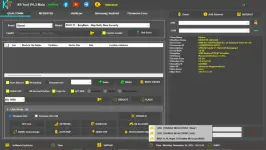
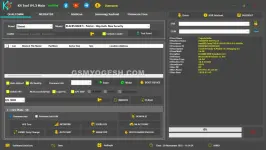
PHKS Tool 4.3 is now fully free and doesn’t require login or credits. The new version works offline and supports the latest 5G devices, including Android 15 and Android 16 builds. Whether you’re repairing Qualcomm, MediaTek, Vivo, Oppo, Realme, or Samsung devices, this tool packs almost everything a technician needs.
No server login. No credit deduction. No activation.
You simply extract the tool, run it, ignore the small .NET pop-up, and start using all features without any limits. If you’re using an older version, uninstall it first because the new build automatically avoids online checks.
Important: Keep your internet OFF while launching the program.
If you open it online, it may auto-update and stop working.
softwarecrackguru
If you use WinRAR or 7-Zip, paste the password carefully.
Right-click KS Tool Online 1.exe → choose Run as Administrator.
This helps the tool detect drivers and EDL/MTK ports correctly.
This is normal — just press Continue.
If you open it online:
You can start flashing, formatting, FRP bypass, NV backup, etc.
If you handle Xiaomi, Vivo, Realme, Oppo, or MTK/QC phones daily, this tool saves time and removes the need for multiple ρáíd utilities.
You do not have permission to view the full content of this post. Log in or register now.
Rar Pass: softwarecrackguru
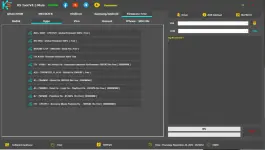
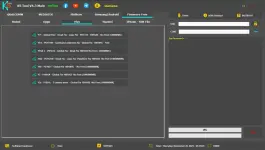
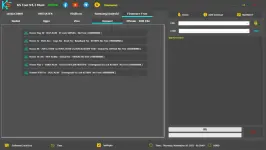
What’s New in KS Tool 4.3?
The biggest change is that the tool now runs completely offline.No server login. No credit deduction. No activation.
You simply extract the tool, run it, ignore the small .NET pop-up, and start using all features without any limits. If you’re using an older version, uninstall it first because the new build automatically avoids online checks.
Important: Keep your internet OFF while launching the program.
If you open it online, it may auto-update and stop working.
Why Technicians Prefer KS Tool 4.
KS Tool has become popular because it gives access to:- Qualcomm EDL operations
- MediaTek flashing, IMEI repair, Auth bypass
- Xiaomi, Oppo, Vivo, Realme-specific fixes
- Samsung MTP functions
- Factory reset, FRP removal, and partition work
- NV backup/restore
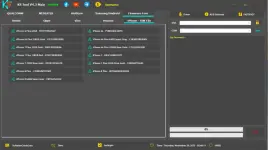
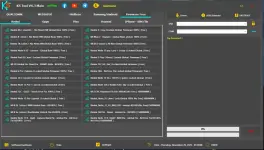
- Firmware download section
- Built-in driver installer
- Fastboot utilities
Full Feature List
Below is a clean breakdown of everything KS Tool 4.3 offers. Qualcomm Module
- FRP removal (EDL + Fastboot)
- Factory reset / Format Userdata
- Bootloader unlock
- Disable Mi Account
- Huawei ID erase
- Flash rawprogram firmware
- Read & write partitions
- NV backup, restore, erase
- Reboot to EDL directly from Fastboot
MediaTek (MTK) Module
- FRP removal
- Format factory reset
- Disable Mi Account
- Bootloader unlock / relock
- Scatter firmware flashing
- Partition read/write/erase
- NV backup & restore
- IMEI repair
- Authentication bypass
- Fix Oppo “Download Not Complete”
Fastboot Tools
- Read complete device info
- Flash firmware via flash_all.bat
- FRP remove
- Factory reset
- Fix “System is Destroyed”
- DM-Verity (DM Fix)
- Reboot to EDL, Recovery, Bootloader
ADB / Sideload Tools
- Device info
- FRP removal
- Factory reset
- Disable Mi Account
- Disable OTA updates
- Enable Diag Mode
Samsung MTP Features
- Read info
- ADB enable (FRP solution)
- Open browser trick
- Factory reset
- Enter download mode (MTP)
Utility Section
- Universal driver installer
- Firmware downloader
- NV tools
- Reboot manager
- Partition tools
Supported Device Brands (Complete List)
KS Tool V4.3 supports:- Xiaomi (Qualcomm + MTK)
- Redmi (all series)
- POCO
- Mi Pad
- BlackShark
- Vivo (Qualcomm + MTK)
- iQOO
- Oppo (Qualcomm + MTK)
- Realme
- Huawei
- Honor
- Samsung (Qualcomm + MTK)
- OnePlus
- Meizu
- Smartisan
- Many more…
How to Install & Use KS Tool 4.3 (Step-by-Step Guide)
This is written in simple human language so even new technicians can follow it easily.Step 1 — Download the RAR File
Scroll down to the download section and grab the KS Tool 4.3 package.Step 2 — Extract Using Password
Extract using:softwarecrackguru
If you use WinRAR or 7-Zip, paste the password carefully.
Step 3 — Open the Tool as Administrato
Go to the extracted folder →Right-click KS Tool Online 1.exe → choose Run as Administrator.
This helps the tool detect drivers and EDL/MTK ports correctly.
Step 4 — Click “Continue” on the .NET Pop-Up
A small Microsoft Framework error appears.This is normal — just press Continue.
Step 5 — Use the Tool Fully Offline
Keep your internet turned off before launching the tool.If you open it online:
- It may auto-update
- Features may stop working
- Loader may deactivate
Step 6 — Start Using All Features (No Login Needed)
Once the UI loads, every feature is unlocked automatically.You can start flashing, formatting, FRP bypass, NV backup, etc.
Final Words
KS Tool 4.3 is easily one of the best free mobile repairing tools in 2025.If you handle Xiaomi, Vivo, Realme, Oppo, or MTK/QC phones daily, this tool saves time and removes the need for multiple ρáíd utilities.
You do not have permission to view the full content of this post. Log in or register now.
Rar Pass: softwarecrackguru