 PH
PHMiracle Box is a widely used flashing and unlocking tool designed for mobile technicians. The V3.40 update, launched in 2025, brings enhanced support for the latest Android smartphones and new functions like Screen Lock + FRP removal, Write Preloader, Relock Bootloader, and more. It supports operations in Meta Mode, making it ideal for non-auth repair scenarios, especially on Vivo, Oppo, and Xiaomi phones.
 New MTK Device Support
Improved Features
Follow these steps to safely use Miracle Box V3.40 Free With K3ygen:
Step 1: Disable Antivirus
Direct Link
You do not have permission to view the full content of this post. Log in or register now.
Mirror Link
You do not have permission to view the full content of this post. Log in or register now.
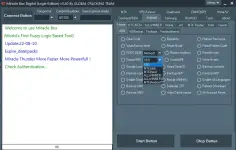
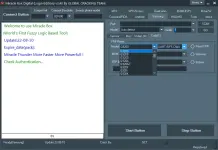
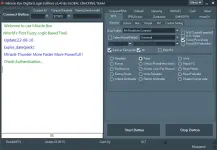
 Support Brands And Models:
New MTK Device Support- HTC: Desire 20 Plus
- Motorola: G10
- OPPO: K7 5G, RENO3, RENO5 5G, A76, F21 Pro, K10, RENO 7
- REALME: X50 5G series, 9, 9i
- VIVO (No Auth): Y20, Y30, Y50T, Y21E
- XIAOMI: Redmi Note 9 Pro, Note 9S, Note 10 Lite
Improved Features- FRP Remove (Meta Mode)
- Unlock Bootloader / Relock Bootloader
- Screen Lock + FRP Combo Operation
- Factory Reset Without Authorization
- Read/Write Preloader Files
- IMEI Repair Support (Where legal)
 How to Use Miracle Box V3.40
Follow these steps to safely use Miracle Box V3.40 Free With K3ygen:Step 1: Disable Antivirus
- Before installation, disable antivirus, as the k3ygen may be falsely flagged.
- Install the required MediaTek, Qualcomm, and ADB drivers from the tool’s folder.
- Download the setup and k3ygen, extract the zip, and install Miracle Box to C:\Miracle.
- Open the k3ygen file and generate the licence. This activates the full version.
- Turn off the device, press volume down/up, and connect via USB to enter Meta or Preloader mode.
- Choose the required function such as Factory Reset, Unlock FRP, Write Preloader, etc.
- Click "Start" and wait for the process to complete. Don’t disconnect the phone during the process.
Direct Link
You do not have permission to view the full content of this post. Log in or register now.
Mirror Link
You do not have permission to view the full content of this post. Log in or register now.