 PH
PHrainych_ran
Contributor
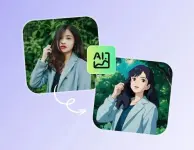
Studio Ghibli | Generate Ghibli-Style Images With ᑕᕼᗩTGᑭT
Studio Ghibli | Generate Ghibli-Style Images With ᑕᕼᗩTGᑭT
Studio Ghibli, founded by Hayao Miyazaki and Isao Takahata, is known for its deeply emotional storytelling and visually enchanting, hand-drawn animation. Films like Spirited Away, My Neighbor Totoro, and Princess Mononoke have captivated audiences worldwide with:* Lush, detailed backgrounds full of nature, old towns, and mystical worlds.
- Soft, painterly colors that bring a warm, nostalgic feel.
- E×ρréššive characters with large eyes and subtle facial details.
- A sense of wonder and fantasy intertwined with everyday life.
Now, you can achieve this look using AI-powered tools like ᑕᕼᗩTGᑭT, which can transform ordinary images into Ghibli-style masterpieces.
How to Use ᑕᕼᗩTGᑭT to Create Ghibli-Style Art for Free?
Step 1: Access ᑕᕼᗩTGᑭT
You can access ᑕᕼᗩTGᑭT by using official website or ᑕᕼᗩTGᑭT for android or ᑕᕼᗩTGᑭT for iOS.Step 2: Upload an Image
- Open ᑕᕼᗩTGᑭT and select the image upload feature.
- Choose your file from your computer or drag and drop it.
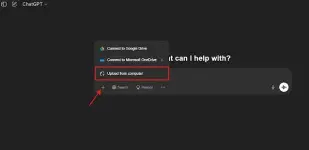
Step 3: Use the Right Prompt
To get the best Ghibli-style results, try using a well-crafted prompt. Here’s an example:
Code:
Convert this image into Studio Ghibli-style art. Maintain the original composition but enhance the lighting, add soft hand-drawn textures, and use warm pastel colors.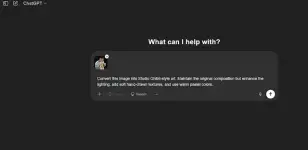
You can also tweak your prompt for specific results:
* Make the scene look like a sunset from Spirited Away.
- Add floating spirits in the sky, like in My Neighbor Totoro.
- Give it a watercolor effect similar to The Tale of the Princess Kaguya.
Step 4: Generate and Review Your Image
Once you submit the prompt, ᑕᕼᗩTGᑭT will process your request and generate a Ghibli-style image based on your input. This may take a few moments, depending on the complexity of the request.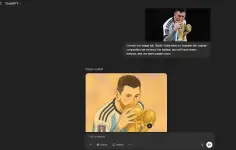
Note: The free version has limited usage for this feature. You may need to wait a few minutes between generations, and if you reach the maximum usage limit, you might have to wait up to 24 hours.
Step 5: Refine the Image
Not satisfied with the first result? Try these:- Adjust colors : Ask ᑕᕼᗩTGᑭT to make it softer, warmer, or brighter.
- Enhance details: Request more depth in shadows or additional texture.
- Modify characters or objects: Change a character’s clothing, hair, or setting.
ENJOY & HAPPY LEARNING! 