 PH
PH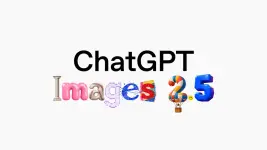
ᑕᕼᗩTGᑭT Images 2.5 is OpenAI’s new image-generation and editing upgrade, aimed less at “one-shot pretty pictures” and more at a faster, controllable creative workflow. The key promise is stronger visual fidelity—especially when you make several edits to the same image—plus new in-chat tools for sketching and reusable layouts.
What changed
- Faster generation: OpenAI says Images 2.5 reduces latency by up to 50% compared with Images 2.0, which matters most when you are iterating through several prompt or edit passes.
- More consistent edits: It is designed to better preserve subjects, composition, and visual details while you alter the setting, style, or individual elements across multiple turns. This directly targets a common image-AI failure: a person, product, or character changing too much after each edit.
- Sharper, more natural output: Reported improvements include sharper details, richer textures, and more natural-looking lighting.
- Improved layout and infographics: OpenAI specifically highlights better infographic accuracy and layout, suggesting a stronger fit for posters, explainers, social graphics, and product-focused visuals where formatting matters.
New creation tools
Tool | What it does | Why it matters |
Sketch | Lets you draw directly in ᑕᕼᗩTGᑭT to guide generation; OpenAI says to invoke it with @ Sketch | Useful when placement, silhouette, framing, or object relationships are hard to communicate in text alone. |
Templates | Provides starting layouts for popular formats such as posters and merchandise | Speeds up repeatable branded assets and helps creators move from concept to usable composition faster. |
Comment-based edits | Lets you specify the exact area or element to change | Better for surgical edits—such as replacing only a headline, logo area, shirt color, or background object—rather than regenerating the whole scene. |
Shared prompts | Adds prompt-sharing as part of the workflow | Helpful for teams, prompt-library creators, and social posts where others can recreate or remix an image idea. |
API versions
OpenAI is also splitting the capability into two developer-facing models:
- GPT-Image-2.5 Flare is the general-purpose option, bringing the quality, speed, and editing improvements for most image-generation products and higher-volume workflows.
- GPT-Image-2.5 Sunburst is for higher-control, detailed creative work—such as polished campaign imagery or product visuals—at the cost of longer generation times.
For an AI-content workflow, the simple choice is: use Flare for rapid batches, concepts, social assets, and experimentation; use Sunburst when small visual details and controlled revisions are worth waiting longer for.
Availability and safety
OpenAI’s announcement says Images 2.5 is rolling out to ᑕᕼᗩTGᑭT, ᑕᕼᗩTGᑭT Work, and Codex users across desktop, mobile, and web, including all tiers. Rollout language usually means the feature may not appear simultaneously for every account.
OpenAI also acknowledges that increased realism raises deepfake risks. Its system card describes prompt checks, input-image screening, output moderation, C2PA provenance metadata, and an invisible SynthID watermarking layer intended to improve identification of AI-generated imagery.
Practical takeaway
For creators, the headline is reliable iteration. Rather than prompting from scratch after every change, you should be able to establish a visual direction, then adjust one layer at a time:
“Keep the model, outfit, pose, and product packaging unchanged. Replace only the background with a rainy neon Cebu street at dusk; maintain the original 4:5 composition and add a small ‘NEW DROP’ headline at the top.”
That is the kind of multi-turn, subject-preserving edit Images 2.5 is intended to handle more consistently.
Read more about this release here:
You do not have permission to view the full content of this post. Log in or register now.
Your feedback is highly appreciated

Support my other posts 
- Google just KILLED Photoshop!
- 50 Brilliant Ways to Supercharge Creativity with Nano Banana
- Nano Banana Prompt Gallery
- AI Fashion Studio: AI Virtual Try-On Powered By Nano Banana
- Free Image Upscaler up to 16K Quality!
- ᑕᕼᗩTGᑭT Prompt Packs
- Perplexity at Work
- DumPDF: PDF Editor
- LuxPDF: Open Source PDF Tools
- Gemini Edu ID Card Generator
- Create UNCENS0RED/NSFW AI Characters
- Student ID Card Prompt
- Nano Banana Pro Image And Prompt Gallery
- Create 4K Nano Banana Pro Images
- Create Pro-Grade Infographics
- IHatePDF: Toolkit For Everyday Documents
- Stunning Nano Banana Prompts Gallery
- Create City Map Posters
- Nano Banana 2: ProLevel Image Generation at Flash Speed
- Microsoft's New MAI Stack
- VEO 3.1 Free on Google Vids
- StreameX: Free Movies, TV Shows and Anime
- 10 Google Gemini Photography Gems
- 12K+ Nano Banana Prompts
- Introducing Google Flow Music
- SplitAnImage Image Splitting Tool
- Introducing ChätGPT Image 2
- 1000+ GPT Image 2 Prompts
- MeiGen Prompts Gallery
- Stream Movies Using The PlayIMDB Trick
- Structured Image Prompting Custom GPT
- GPT 2 Image Prompt Generator
- MovieNova Free Movie Streaming Site
- NextFlicks - A Strealined Streaming Platform
- Meet Gemini Omni
- Google I/O 2026: Everything Announced
- FREE AI Image Watermark Remover
- Ideogram 4.0 Is Here
- Meta Launches Muse Image
- Introducing GPT-Live
- Remove Gemini Watermarks
- Flixdale FREE Movies and TV Shows Streaming
- How to Turn Off Gemini's Visible AI Watermark in Images, Videos, and Music
- FREE 1 Year Google Gemini AI Pro/Plus
- FREE 4 Months ᑕᕼᗩTGᑭT Plus for US Students
- Introducing GPT-6 Astra

