PH
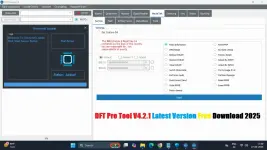
PHChangelog DFT Pro Tool:
Xiaomi Mediatek Enhancements:
- Auth-2024 support with custom DA files.
- Automatic ρá†ch cert improvements.
New Devices:
- Redmi 13 (moon), Redmi A3 (blue), Redmi 13C (gale).
Unisoc/SPD Update:
- Added EROFS support.
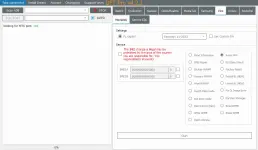
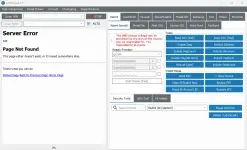
Features DFT Pro:
Xiaomi Special:
- Enable Diag
- Read Info
- Reboot
- TWRP Mode
- Wipe EFS | Backup EFS
- Root Device | Restore EFS
- Reset MI Account ID (New Method)
Repair IMEI:
- Mi Assistant
- Read Info | Wipe EFS
- Wipe Data & Storage
- Reboot System | Unlock Bootloader Temporary
- Wipe EFS & Downgrade Modem
- Bypass MI Account
- Reset FRP (Auto)
- Downgrade Modem ENG
- Wipe EFS New
MediaTek (MTK):
Service:
- Read Information | Fix Null Baseband
- IMEI Repair | Factory Reset
- Reset FRP | Backup/Restore NVRAM
- Unlock & Relock Bootloader (BL) | Wipe NVRAM
- Switch Meta Mode | Exit Brom Mode
- Enable Repair Meta | Store IMEI in NVRAM
- Bypass Mi Account | Disable Update
- Root Device | Read/Write/Erase RPMB
- ρá†ch CERT/vb meta | Remove ρá†ch
Meta Mode:
- Repair | Read Info
- Factory Format
- Boot Mode & Meta Mode
Oppo & Realme:
- Read Info | Reset FRP
- IMEI Repair | Factory Reset
- Backup/Restore NVRAM | Unlock/Relock BL
- Switch Meta Mode | Wipe NVRAM
- Root Device | Partition Manager
- Unlock Bootloader (New Security)
Qualcomm:
- Repair
- Flash EDL
- QCN Tool
- Service EDL
- Read Info | Reset MI Account ID
- FRP Generic | Reset Mi Account
Vivo:
- Erase FRP | Userdata Erase
- Format Manual Address
Huawei:
- Repair Tools
- Read Info | Reset FRP
- IMEI Repair | Factory Reset
- Backup/Restore NVRAM | Unlock/Relock BL
- Switch Meta Mode | Wipe NVRAM
- Root Device | Partition Manager
- Unlock Bootloader (New Security)
- Flash
Samsung:
Main & Tools:
- Reset EFS Default
- Info & Reboot
- Read Info | Reboot
- Phone Call
Security Tools:
Extra:
- Reset Screen Lock (ADB)
- Enable All Languages
- Reset FRP & Screen Lock
- Reset FRP | Screen Lock
- FRP Bypass (YouTube Method)
- Default URL | Custom URL
- Alliance Shield
SPRD (Spreadtrum):
- Reset FRP (Method 1, 2, 3)
- SPD FRP Reset
- Reboot to Normal & Recovery Mode
How to use DFT Pro Tool
- You must first download the zip file using the link below.
- You can then unzip every file on the C: drive (important).
- Make sure that before beginning the installation, the antivirus has been turned off.
- After that, open the folder and follow the simple instructions to install the setup file.
- "DFT Pro Tool" should be run.
- If you have already installed, you can skip this step and install all drivers next.
- Try any function on the phone after connecting it. Have fun.
You do not have permission to view the full content of this post. Log in or register now.
Mirror Link
You do not have permission to view the full content of this post. Log in or register now.
How to Install, and Activate DFT Pro V4.2.1 : You do not have permission to view the full content of this post. Log in or register now.