PH
PHHello peeps! first actual thread ko to please respect post.
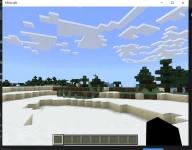
Turuan ko kayo kung pano mag install ng MINECRAFT Bedrock edition sa pc libre pwede rin kayo mag log in sa account nyo and mag cross play from phone to pc at xbox.
First:
Install nyo muna yung Demo ng Minecraft Bedrock sa Microsoft store (Link provided V)
Download
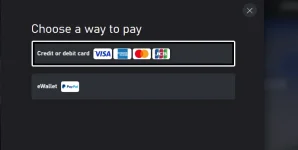
If may maencounter po kayong problem like this, sa Microsoft Store APP po kayo mag install.
Search there:
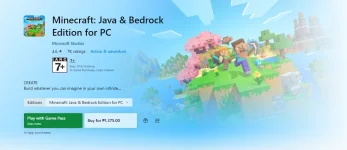
Minecraft java and bedrock for windows > Scroll down until you see "included in this package"
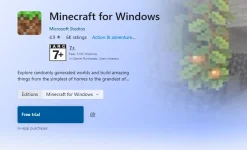
Click Minecraft for windows and you will see install trial.
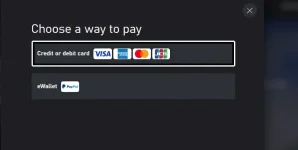
Then pagtapos ng install close nyo yung mc if nag open
After that, download nyo na yung MCenters App (LINK BELOW)
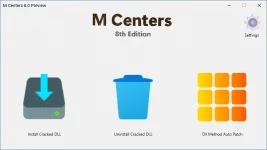
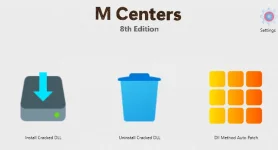
After downloading, Open nyo lang siya and kayo na mag tweak sa preferences nyo, recommend ko I check/try nyo lahat nung methods may mga description naman yung functions niya.
Also check the settings for your preferences!
After Install, it would say finished. you can close the App and open minecraft.
DONE. You will have minecraft bedrock unlocked and be able to login to your microsoft/xbox account.
NOTE:
If di nag dodownload or nag oopen disable your anti virus muna, but i'm pretty sure hindi sya na fa-flag ng windows as a virus
You do not have permission to view the full content of this post. Log in or register now.
You do not have permission to view the full content of this post. Log in or register now.
FURTHER QUESTIONS ARE WELCOME PO <3
FOR x64sys
Download
Turuan ko kayo kung pano mag install ng MINECRAFT Bedrock edition sa pc libre pwede rin kayo mag log in sa account nyo and mag cross play from phone to pc at xbox.
First:
Install nyo muna yung Demo ng Minecraft Bedrock sa Microsoft store
(Link provided V)Download
If may maencounter po kayong problem like this, sa Microsoft Store APP po kayo mag install.
Search there:
Minecraft java and bedrock for windows > Scroll down until you see "included in this package"
Click Minecraft for windows and you will see install trial.
Then pagtapos ng install close nyo yung mc if nag open
After that, download nyo na yung MCenters App (LINK BELOW)
After downloading, Open nyo lang siya and kayo na mag tweak sa preferences nyo, recommend ko I check/try nyo lahat nung methods may mga description naman yung functions niya.
Also check the settings for your preferences!
After Install, it would say finished. you can close the App and open minecraft.
DONE. You will have minecraft bedrock unlocked and be able to login to your microsoft/xbox account.
NOTE:
If di nag dodownload or nag oopen disable your anti virus muna, but i'm pretty sure hindi sya na fa-flag ng windows as a virus
You do not have permission to view the full content of this post. Log in or register now.
You do not have permission to view the full content of this post. Log in or register now.
FURTHER QUESTIONS ARE WELCOME PO <3
FOR x64sys
Download