PH
PHPHC - BABYMAXFORD
Eternal Poster
What you get:
Minecraft for Windows (Unlocked) No Free Trial Time Limit
Auto Updates
Online Multiplayer / Play with Friends
Can join servers
Can join realms
Can use your own Xbox account
Can use addons and mods
Can use custom skins
Requirements:
PC or Laptop (Windows OS)
Internet Connection
You don't need:
No M Centers
No Microsoft Store Crack
Instructions:
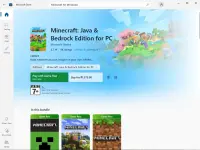
1. Go to Microsoft Store and Search "Minecraft for Windows" or just click this link: You do not have permission to view the full content of this post. Log in or register now.s
2. Get the trial version of Minecraft for Windows, download and install it.
3. Download and extract this ρá†ch: You do not have permission to view the full content of this post. Log in or register now. (This tool is for removing the trial limit and unlock the full version of Minecraft)
4. Launch "KG UP - Mod Installer.exe". If "Windows protected your PC" pops up, just click "More info" and then click "Run anyway". Do not worry it is safe.
5. It will ask for permission, click "Yes"
6. Click on "INSTALL MODS" then click "Ok"
7. Now close everything and open Minecraft. You should now be able to play Minecraft Full Version Unlocked.
Proof:
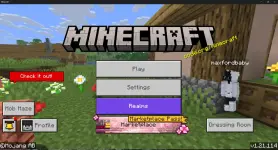
Feedback if working sa inyo.
Minecraft for Windows (Unlocked) No Free Trial Time Limit
Auto Updates
Online Multiplayer / Play with Friends
Can join servers
Can join realms
Can use your own Xbox account
Can use addons and mods
Can use custom skins
Requirements:
PC or Laptop (Windows OS)
Internet Connection
You don't need:
No M Centers
No Microsoft Store Crack
Instructions:
1. Go to Microsoft Store and Search "Minecraft for Windows" or just click this link: You do not have permission to view the full content of this post. Log in or register now.s
2. Get the trial version of Minecraft for Windows, download and install it.
3. Download and extract this ρá†ch: You do not have permission to view the full content of this post. Log in or register now. (This tool is for removing the trial limit and unlock the full version of Minecraft)
4. Launch "KG UP - Mod Installer.exe". If "Windows protected your PC" pops up, just click "More info" and then click "Run anyway". Do not worry it is safe.
5. It will ask for permission, click "Yes"
6. Click on "INSTALL MODS" then click "Ok"
7. Now close everything and open Minecraft. You should now be able to play Minecraft Full Version Unlocked.
Proof:
Feedback if working sa inyo.