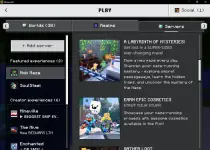
👨‍🏫 Tutorial MINECRAFT BEDROCK EDITION FOR PC/LAPTOP CRACKED WITH MULTIPLAYER 1.21.130.4

ushiwaka

Established
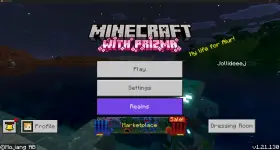
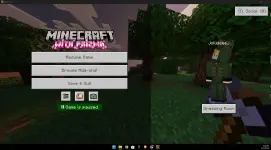
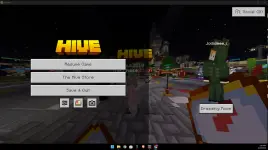
Minecraft bedrock edition for pc crack, eto tutorial pwede mag multiplayer and mag login

Step 1:as usual download and install niyo muna yung minecraft from You do not have permission to view the full content of this post. Log in or register now.

Step 2: You do not have permission to view the full content of this post. Log in or register now.
download niyo yung file dito, need niyo pala mag create ng account before niyo madownload yung file

Step 3: Extract and copy niyo lang yung file sa file directory nung minecraft niyo then tapos na, may minecraft ka na!
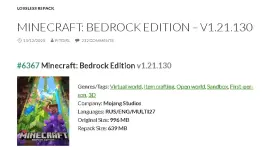
Screenshot 2026-02-22 121513.webp1771735034120.webp
 
TS Sure po ba ito na for repack ver or for official trial ver na "minecraft for windows" sa microsoft store sa Step 1? kasi doon sa isang comment sa post sinabi doon na for trial ver ang gagamitin at hindi po yung repack ver para gumana yung online mode(nasa pinakababang comment ng post).

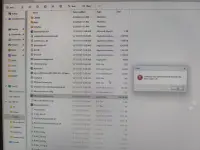
Kasi tinesting ko saakin ayaw gumana, excluded na sa defender yung folder/s na pinaglagyan ko ng installer pati yung main game folder, ang error Failed to load xgameruntime.dll. Error code: 126

Edit: gumana yung step 2 sa trial version
mc1.webp
 
TS Sure po ba ito na for repack ver or for official trial ver na "minecraft for windows" sa microsoft store sa Step 1? kasi doon sa isang comment sa post sinabi doon na for trial ver ang gagamitin at hindi po yung repack ver para gumana yung online mode(nasa pinakababang comment ng post).

Kasi tinesting ko saakin ayaw gumana, excluded na sa defender yung folder/s na pinaglagyan ko ng installer pati yung main game folder, ang error Failed to load xgameruntime.dll. Error code: 126

Edit: gumana yung step 2 sa trial version
View attachment 4088812
trial version galing ms store ginamit mo?
 
trial version galing ms store ginamit mo?
yes. https://www.xbox.com/en-PH/games/store/minecraft-for-windows/9nblggh2jhxj, then proceed lang sa step 2

then better exclude sa defender temporary yung %HOMEPATH%\Downloads at exclude permanently yung "C:\XboxGames\Minecraft for Windows\Content" after malagay yung mga files doon
 

About this Thread

  • 45
    Replies
  • 3K
    Views
  • 19
    Participants
Last reply from:
ninjasmile

Trending Topics

Online now

Members online
373
Guests online
3,202
Total visitors
3,575

Forum statistics

Threads
2,325,267
Posts
29,220,648
Members
1,171,171
Latest member
hhs
Back
Top