 PH
PH-
Welcome to PHCorner Forums! Sign up for free to unlock full access and exclusive privileges, including:
- Asking questions about computer and mobile issues
- Discovering internet tips for your mobile network and computer
You are using an out of date browser. It may not display this or other websites correctly.
You should upgrade or use an alternative browser.
You should upgrade or use an alternative browser.
🤖
🤖
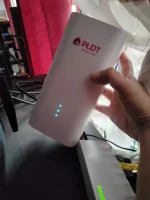
A band setting refers to the frequency band that your WiFi router operates on. Common frequency bands for WiFi routers include 2.4 GHz and 5 GHz. These frequency bands have different characteristics that can affect your WiFi network's speed, range, and reliability.
For PLDT WiFi routers, the band settings can usually be found in the router's administration interface, which you can access by typing the router's IP address into a web browser. Once logged in, you can typically find the band settings under the WiFi or Wireless settings section.
It's important to note that the best band setting for your WiFi network depends on various factors such as the layout of your home, the number of devices connected, and interference from other electronic devices. In general:
You can experiment with different band settings to see which one works best for your specific needs. If you're experiencing connectivity issues or slow speeds, try switching between the 2.4 GHz and 5 GHz bands to see if that improves your WiFi performance.
For PLDT WiFi routers, the band settings can usually be found in the router's administration interface, which you can access by typing the router's IP address into a web browser. Once logged in, you can typically find the band settings under the WiFi or Wireless settings section.
It's important to note that the best band setting for your WiFi network depends on various factors such as the layout of your home, the number of devices connected, and interference from other electronic devices. In general:
- The 2.4 GHz band provides better coverage but slower speeds, making it suitable for connecting devices that are farther away from the router or for devices that don't require high bandwidth.
- The 5 GHz band offers faster speeds but shorter range, making it ideal for devices that are closer to the router and require high-speed connections.
You can experiment with different band settings to see which one works best for your specific needs. If you're experiencing connectivity issues or slow speeds, try switching between the 2.4 GHz and 5 GHz bands to see if that improves your WiFi performance.
Similar threads
About this Thread
-
1Replies
-
1KViews
-
1Participants
Last reply from:
Unknown user
Unknown user
New Topics
-
Anong magandang fiber ISP?
- Started by RaizerRTX
- Replies: 7
- ❓ Internet Questions
-
H153-381 openline ??
- Started by PHC-winwyn
- Replies: 0
- ❓ Internet Questions
-
Mr beast auto send
- Started by mmj1829
- Replies: 6
- ❓ Internet Questions
-
DNS ADGUARD PROBLEM
- Started by peeyhskorn
- Replies: 0
- ❓ Internet Questions
-
Globe HG6145D2 HOW TO MAKE IT AS EXTENDER?
- Started by Aczalliaour
- Replies: 0
- ❓ Internet Questions
-
Pahelp po maopenline Evoluzn Fx-Pr8
- Started by highvolt
- Replies: 0
- ❓ Internet Questions
-
Gcash di maka borrow load?
- Started by BELLATLAT
- Replies: 0
- ❓ Internet Questions
-
ISP - Automation Process
- Started by jamespaul
- Replies: 0
- ❓ Internet Questions
Trending Topics
Online now
- Members online
- 1,069
- Guests online
- 2,630
- Total visitors
- 3,699