PH
PHAndroid TPS Tool V3 Xiaomi Huawei Samsung Unlock Firmware Flasher ADB Fastboot Functional Super Tool & Other PRO Devices
TPS Tool V3 Update: The Ultimate Offline and Lifetime Tool for GSM Services
Download TPS Tool V3 Update
TPS Tool V3 Update supports a wide range of Android devices from different brands, such as Xiaomi, Oppo, Vivo, Huawei, Samsung, and more. It also supports various SOC types, such as Qualcomm, MTK, Hisilicon, and Unisoc. You can perform tasks such as flashing firmware, unlocking screen lock, unlocking FRP, unlocking bootloader, bypassing Mi account, and more.TPS Tool V3 Update is also very easy to use and has a user-friendly interface. You can download and install it on your PC in minutes. It only requires 190 MB of storage space, so you do not have to worry about disk space. It also does not consume much CPU resources, so you can use it on any PC without slowing it down.
TPS Tool V3 Update is also very secure and reliable. It binds to your PC’s processor ID, so you do not have to worry about losing your key or changing your PC. You can use the same key to log in to the tool on your PC, no matter how many times you reinstall Windows. You can also update the tool for free whenever a new version is released.
To use TPS Tool V3 Update, you will need to follow these steps:
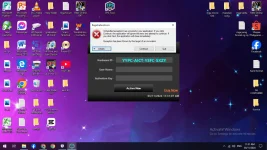
Step 1: Run the TPS Tool V3 Update.exe file as administrator.
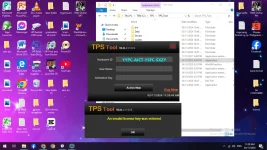
Step 2: Enter your k3y and click on Login.
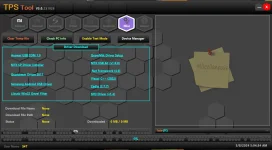
Step 3: Select the operation you want to perform from the main menu. For example, if you want to unlock the screen lock and FRP on Xiaomi devices, select Xiaomi.
Step 4: Connect your Android device to the PC using a USB cable. Make sure you have enabled USB debugging and OEM unlocking on your device. You may also need to boot your device into fastboot or EDL mode depending on the operation.
Step 5: Follow the instructions on the screen to complete the operation. Wait for the process to finish and reboot your device.
If Xiaomi (Qualcomm) unlock Unofficial Bootloader (with any tool), error like logo stopped or Black Screen etc. can happen.
Because he uses the bootloader file of another device that looks like CPU…
Since some models are unlocked, you can write firmware directly from fastboot…
Some models need to do command and unlock again from fastboot…
Redmi Note 8, unlock and fastboot can fail to reboot. So after unlocking fastboot, fastboot to edl and reboot down (if back phone is on, testpoint is on) and write firmware from 9008 mode…
Mi 8 SE (sirius) , Mi 9 SE (grus) need to downgrade before unlocking..
SPD / SPRD / Unisoc Supported Devices List
################################Realme
***************
FRP reset
C11 [2021] (RMX3231)
C21Y (RMX3261)
C21Y (RMX3263)
C25Y (RMX3265)
C25Y (RMX3269)
C31 (RMX3501)
C35 (RMX3511)
Narzo 50A Prime (RMX3516)
Tecno
***************
Pop 4 (BC2C)
Pop 5 Go (BD1)
Pop 5 (BD2)
Pop 5 (BD2P)
Pova Neo (LE6H)
Spark 7 (PR651)
Spark 7 (PR651E)
Spark 7 (PR651H)
Spark 8C (Kg5k)
Gionee
***************
Gionee F10
Gionee Max
Infinix
***************
Hot 10i (PR652B)
Hot 12 Play (X6816C)
Hot 12 Pro (X668)
Smart 5 Pro
Smart 6 (X6511)
Smart 6 (X6511B)
iTel
***************
A17 (W5006X)
A23
A23 Pro (L5006C)
A25 (L5002)
A25 Pro (L5002P)
A26 (A571L)
A27 (A551L)
A33 (W5001P)
A33 Plus (A509W)
A46 (L5503)
A48 (L6006)
A49 (A661L)
A55 (W6003)
A56 (W6004)
A56 Pro (W6004P)
A57 (A611W)
A57 (A611WP)
Vision 1 (L6005)
Vision 1 Plus (L6501)
Vision 1 Pro (L6502)
Vision 2 (L6503)
Vision 2S (P651L)
Vision 3 Plus (P682LP)
You do not have permission to view the full content of this post. Log in or register now.