PH
PHMicrosoft Office 2021 LTSC Version 2108 Build 14332.20481 x86/x64 Pre-Activated
Office 365 ProPlus, the cloud-connected version of Office, delivers the most productive and most secure Office experience-with the lowest total cost of ownership for deployment and management.
However, for customers who aren't ready for the cloud, Office 2016-2019 provides new features and updates to the on-premises apps for both users and IT professionals. Like Windows Long Term Servicing Channel (LTSC) releases, Office 2016-2019 provides a set of valuable enhancements for customers who can't be cloud-connected or receive regular updates.
Included:
Operating System:
Screenshots:
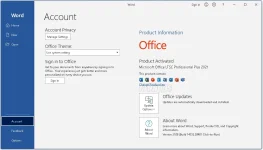
Instructions
1. Keep the folder, where folder and path don't have breaks (like D:\Downloads\Office)
2. Run (just double-click) the appropriate cmd file to install the required package
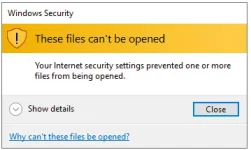
3. Else use Setup to install, but recommended is CMD to avoid such errors.
4. Enjoy, no activation required.
LINKS
You do not have permission to view the full content of this post. Log in or register now.
Office 365 ProPlus, the cloud-connected version of Office, delivers the most productive and most secure Office experience-with the lowest total cost of ownership for deployment and management.
However, for customers who aren't ready for the cloud, Office 2016-2019 provides new features and updates to the on-premises apps for both users and IT professionals. Like Windows Long Term Servicing Channel (LTSC) releases, Office 2016-2019 provides a set of valuable enhancements for customers who can't be cloud-connected or receive regular updates.
Included:
- Microsoft Office 2021 Professional Plus
- Microsoft Office 2021 Professional Plus + Visio Pro 2021 + Project Pro 2021
- Microsoft Standard 2021
- Microsoft Office 2021 Standard + Visio Standard 2021 + Project Standard 2021
- Microsoft Word + Excel + PowerPoint 2021
Operating System:
- x86 or x64 processor with a clock speed of 1 GHz and support for the SSE2 instruction set.
- 2 GB of RAM is recommended for graphics, Outlook Instant Search, and some advanced features.
- 3.0 GB of free hard disk space.
- The screen resolution is 1280 x 800. To use hardware graphics acceleration, you need a graphics card that supports DirectX10.
- Operating system: Windows 10, 11
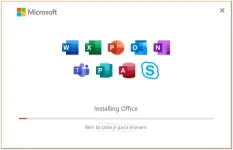
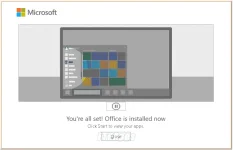
Screenshots:
Instructions
1. Keep the folder, where folder and path don't have breaks (like D:\Downloads\Office)
2. Run (just double-click) the appropriate cmd file to install the required package
3. Else use Setup to install, but recommended is CMD to avoid such errors.
4. Enjoy, no activation required.
LINKS
You do not have permission to view the full content of this post. Log in or register now.