 PH
PremiumCourses
Honorary Poster
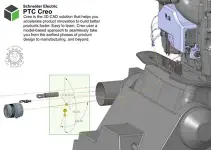
Free Download PTC Creo 2027.2.0.0 with HelpCenter | 9.9 GB
PTC Creo 2027.2.0.0 is a professional parametric 3D CAD solution for product design, engineering, simulation, and manufacturing. It provides an integrated environment for developing complex products through parametric modeling, assembly design, model-based definition (MBD), generative design, and advanced manufacturing tools.
Built around a shared, associative digital model, Creo helps engineering teams manage design changes and maintain consistency across downstream processes. Its capabilities support everything from detailed part modeling and large assemblies to cabling, composite design, surface development, simulation, and CNC machining.
This release introduces improvements across the product development workflow, including AI-assisted model analysis and rendering, enhanced assembly operations, more flexible modeling tools, expanded simulation capabilities, and manufacturing enhancements. Creo 2027 also includes updated user interface workflows and continued improvements to Windchill data management integration.
Software Overview
PTC Creo combines parametric 3D modeling with engineering analysis, design validation, and manufacturing functionality. Its associative modeling approach allows changes made to a design to propagate through related model elements and downstream workflows.
The 2027 release focuses on improving everyday productivity and providing more control over complex engineering tasks. Updates cover assembly performance, predictive component placement, cabling, composite design, sketching, geometric analysis, generative design, GD&T, CNC programming, and simulation.
The software also expands its AI capabilities through Creo Assist and AI-powered rendering. These tools provide model-aware assistance, document-based conversations, and visual concept exploration within the Creo environment.
Key Features
- Parametric 3D CAD: Create and modify detailed parts, assemblies, and engineering models using associative parametric modeling tools.
- Assembly design: Manage complex assemblies with improved regeneration performance, predictive fastener placement, graphics performance reporting, and more efficient component handling.
- AI-assisted engineering: Use Creo Assist to analyze active models, review model structure and parameters, identify potential issues, and receive context-aware guidance.
- AI-powered rendering: Generate visual concept images using natural-language prompts and snapshots of CAD models through the Creo AI Render Agent.
- Part and surface modeling: Work with advanced features for sweeps, patterns, projections, blends, extensions, curves, and complex surface geometry.
- Composite design: Create and manage composite structures with improved flat-pattern export previews and new spatial offset options for splice plies.
- Cabling and harness design: Improve tie wrap and marker placement, import EDA cabling data, manipulate location-point orientation in 3D, and manage connectors across harness assemblies.
- Manufacturing and CNC: Access expanded milling tool support, machine tool simulation, improved 5-axis machining controls, and additional toolpath parameters.
- Generative design: Combine thermal, structural, and modal requirements in multiphysics generative design studies.
- Engineering simulation: Analyze structural, thermal, fluid, and vibration behavior with enhanced simulation tools and expanded result visualization.
- Model-Based Definition: Create and validate product manufacturing information and GD&T annotations with additional ISO GPS support.
- Data management: Work with Windchill-managed models through improved cache recovery, attribute mapping, offline status indicators, and upload behavior.
- ECAD-MCAD collaboration: Import IPC-2581 layer colors and create GD&T annotations for ECAD parts.
- RSS-free integrated workflows: Use updated folder navigation, reusable tree presets, favorite parameters, and improved file searching to manage engineering data more efficiently.
What's New in PTC Creo 2027.2.0.0
This release delivers enhancements across AI assistance, assembly design, cabling, composite design, fundamentals, manufacturing, simulation, MBD, and data management. The following sections summarize the major changes described for Creo 2027.2.0.0.
AI Assistant and Creo Assist
Creo Assist introduces model-aware intelligence directly into the Creo environment. It can examine the active model, session state, runtime environment, and configuration to provide information relevant to the current design.
Key capabilities include:
- Model interrogation, summaries, and reporting.
- Analysis of model structure, features, parameters, materials, and representations.
- Identification of potential model issues and design risks.
- Actionable guidance within existing Creo workflows.
- Support for controlled automation and future design validation and compliance workflows.
AI-powered rendering is also available through the Creo AI Render Agent. Users can submit natural-language prompts, capture a model snapshot, adjust image aspect ratio and quality settings, and generate rendered images using the captured model as a visual reference. Generated images can be downloaded for later use. This functionality requires the Creo AI Assist entitlement, and image generation consumes organizationally allocated AI credits.
Assembly Design
Assembly workflows receive several improvements aimed at reducing repetitive operations and improving performance:
- A new Deactivate command allows users to activate the top-level assembly directly from the ribbon or mini toolbar without navigating through the Model Tree.
- Redundant assembly regeneration is reduced when suppressed features are resumed. Only the local parent of the resumed feature is regenerated.
- The Performance Report includes a Graphics tab that displays graphics triangle counts for parts and assemblies. Structured and flat-list views help identify components contributing to graphics complexity, and the flat list can be exported to CSV.
- Predictive Component Placement for fasteners automatically identifies placement references and creates constraints when components are dragged onto suitable geometry.
- Automatic representations avoid unnecessary upgrades of downstream components when higher-level Model Tree items change.
- Reference Viewer path-finding workflows include a progress indicator when searching for component reference paths.
Cabling and Harness Design
Cabling enhancements provide more flexible control over routing, component placement, and harness data:
- Tie wraps can be placed across multiple collected segments in one feature, with controls for cable inclusion, placement direction, boundaries, and future cables.
- Cabling data can be imported directly from EDA files, extending existing XML-based import workflows.
- Location-point orientation can be adjusted directly in 3D using draggers or geometric references such as surfaces, axes, edges, coordinate systems, and curves.
- Marker placement supports multiple segments, pattern-based distribution, offset increments, and automatic inclusion of future cables.
- Connectors located in different harness assemblies can be referenced and shared within a design.
- Terminators can be placed as actual assembly components using a dedicated command and placement dashboard. They can appear in bills of materials and Windchill data, improving manufacturing documentation.
Composite Design
Composite design introduces improved flat-pattern export control and more flexible splice-ply offsets:
- The Export Flat Pattern dialog box provides file and sheet selectors, playback controls, and previews of the files and sheets that will be generated.
- A dedicated Name Generator dialog box makes it easier to define consistent export naming based on ply properties.
- Counters and sequential previews help users inspect export output before completing the operation.
- A new Spatial offset type for Splice Plies calculates offset distances through space rather than along the layup surface.
- Spatial offsets provide improved handling of convex and concave corners, with rounded or trimmed corner results as appropriate.
- Presets allow frequently used feature-option combinations to be saved and reused.
Creo Toolkit and Automation
Creo Toolkit adds programmatic support for creating datum reference features through the new ProDatumRef.h header file. Applications can use intent objects as feature references, supporting more robust model definitions.
Supported reference contexts include Local references for all datum reference types and In-Context references for intent surface datum references. Intent objects can be named and reused in feature definitions.
Data Management and Windchill Integration
Data management improvements focus on reliability, synchronization, and predictable collaboration:
- Improved handling of local cache data detects inconsistent or invalid cache information and applies safer recovery behavior during synchronization and workspace operations.
- Windchill IBA attributes with explicit CAD mapping names are resolved at runtime by the Client Connector, reducing parameter-name conflicts and retrieval errors.
- Revise and Check Out operations better preserve in-progress design changes, including modifications associated with Private Working Copies.
- Creo now considers the Windchill server-side Upload After Native Save preference when the client-side dm_upload_objects option is not configured.
- File names are validated against all Windchill Commonspace locations during model creation, helping identify naming conflicts earlier.
- Offline Mode status is displayed through an information banner with a one-click Go Online action. Connection status remains visible, and Creo monitors lost connections in the background.
ECAD and Fundamentals
The ECAD workflow can import IPC-2581 color information assigned to context layers during baseline import. Imported colors are available in the ECAD Context Data Explorer and can be reviewed using existing color and transparency controls.
Other fundamental improvements include:
- Modernized Folder Navigator: Provides more consistent folder browsing across local storage and Windchill, including the common space and primary workspace.
- Favorite Parameters: Frequently used model parameters can be marked as favorites and displayed at the top of parameter lists.
- Relations Comment Button: A new toolbar button inserts comment syntax into the Relations dialog box, reducing manual typing and syntax errors.
- Tree Presets: Save and reuse complete Model Tree, Design Tree, and Cabling Tree configurations, including columns, filters, and tree width. Presets can be imported and exported using .ui files.
- New Functionality Highlighting: Visual indicators identify tools and options introduced in supported Creo releases, making new functionality easier to locate.
- Copy Object Names: Copy names of selected objects from supported Creo trees directly to the clipboard.
- Enhanced Selection Highlighting: Selected geometry can be displayed with a transparent shaded overlay and contrasting silhouette outline.
- File Open Filtering: Search across visible columns, including part numbers, common names, and Windchill attributes, with dynamically updated results.
- Pattern Drive by Relation: Relation-driven patterns now accept non-integer values and require only one regeneration after the relations are verified.
- Geometry Search with Mixed Units: Assembly-level geometric searches can handle components using different model unit systems through automatic dimension conversion.
- Expanded Chain Collection Rules: New rules collect inner surface contours, surface or quilt boundaries, and closed loops within features.
- Improved 3D Thickness Analysis: Analyze selected surfaces, display thickness values at the cursor, and define custom minimum and maximum color-scale values.
- Improved Draft Analysis: Review failed surfaces in a structured results table, inspect their areas and angles, zoom to problem regions, and export results to CSV.
Generative Design
Generative Design expands multiphysics support with thermal load cases and design goals. Thermal behavior can now be combined with modal and structural studies, including studies using all three physics types.
Peak temperature is available as a design goal in multiphysics structural or modal studies. More than 40 combinations of multiphysics studies are supported through different design goals and constraints, helping generate geometry that considers multiple engineering requirements together.
Manufacturing and CNC Improvements
The manufacturing updates provide expanded machining options and more control over toolpaths:
- Circular interpolation parameters are available for HSM Finish and HSM Rest Finish steps, including support for CIRCLE statements in CL output.
- Trajectory Milling supports additional Grooving and Chamfering tools, while Curve Trajectory Milling supports Grooving tools and HSM Undercut Machining supports Lollipop tools.
- Machine Tool Simulation provides access to an out-of-the-box machine simulation library powered by ModuleWorks. The installation includes three machine definitions for multi-axis milling simulation.
- Geodesic 5-Axis Finish adds pivot control around a point or axis and supports multiple user-defined guide curves for morph patterns.
- Interactive parameter images are available for additional milling NC steps, including Face Milling, Profile Milling, Roughing, Finishing, Thread Milling, and Manual Cycle.
- Face Milling with the CONTOURED_SPIRAL scan type supports Check Surfaces to protect reference parts and selected surfaces from gouging.
- GOTO Point positioning can be defined directly on a toolpath using a position value between 0 and 1, removing the need for a separate datum point.
- Drilling steps include a Reference Models filter to restrict hole selection to reference models.
- Maximum spindle speed can be defined for individual cutting tools. Creo NC validates spindle-speed parameters against the tool limit before generating the toolpath.
- The Lattice feature interface has been streamlined to display options relevant to the selected lattice definition method.
- Improvements to lattice algorithms provide better support when connecting or overlapping full-geometry lattice representations with solid geometry.
Model Analysis and Tolerance Analysis
EZ Tolerance Analysis includes improvements for identifying and managing stack-up annotations:
- Unique numbered labels identify annotations in the stack-up table, graphics area, and stack-up report.
- A new Link column displays whether an annotation is actively linked, inactive, or not linked to its associated CAD PMI annotation.
- The Re-link PMI dialog box allows users to choose whether to restore the CAD tolerance value or transfer the EZ Tolerance Analysis value back to the Creo annotation.
Model-Based Definition and GD&T
MBD enhancements improve standards compliance and annotation workflows:
- Support for ISO GPS 14405 tolerance modifiers adds upper and lower dimension tolerance modifier fields.
- GD&T Advisor supports situation features for patterns and common datums in accordance with ISO 5459, including PL and SL situation feature definitions.
- An option allows predefined GD&T Advisor notes to be displayed in English even when created using a non-English Creo interface.
- GD&T Advisor supports ECAD parts, enabling guided annotation creation and validation against the selected standard.
Part Modeling and Sketcher
Part modeling receives a range of usability and geometry improvements:
- Corner Blend provides improved pick-point behavior, default tangency directions, automatic handling of crossing curves, and more reliable corner detection.
- Collector controls provide direct access to Surface Sets and Chain dialogs through an inline arrow.
- The Extend feature improves boundary-edge calculations to preserve the original surface shape after extension.
- Sweep feature presets allow users to save and reuse preferred feature settings, sections, relations, and parameters.
- Secondary highlighting performance is improved for tools using multiple collectors, particularly with large and complex selections.
- Curve Pattern automatically uses the selected chain's start point as the alternate origin and updates it when the chain changes.
- Curve Pattern orientation controls for curve direction and surface direction are now independent.
- The Project feature adds an Object Silhouette option for projecting object outlines onto a datum plane, quilt, or surface.
- Sketcher Predictive Constraints dynamically suggests constraints after applicable sketch entities are created. Users can select suggested constraints and adjust prediction settings.
Sheetmetal
The Exported Items Configuration dialog box and new configuration options allow users to define default settings for exporting flat patterns to DXF and DWG, providing a more consistent workflow for manufacturing deliverables.
Simulation and Ansys Integration
The Ansys solver is updated to version 26R1 in Creo Simulation Live and Creo Ansys Simulation. The update provides access to newer Ansys technology and continued security improvements.
Additional simulation enhancements include:
- Preview Element Size: Display a cube in the Graphics Window to visualize the element size used in simulation studies.
- Improved Flow Study Cutout Geometry: Cutout bodies can participate in fluid-solid heat transfer studies, receive loads and boundary conditions, and support volumetric heat loads in conjugate heat transfer mode.
- Thin Feature Capture: Detect and discretize thin regions in fluid studies to improve solution accuracy and GPU memory efficiency.
- Rule-Based Surface Selection: Use rule-based selection methods for loads and boundary conditions across Creo Simulation Live and Creo Ansys Simulation study types.
- PSD Response Probes: Analyze displacement, acceleration, velocity, stress, and strain responses in random vibration studies.
- Expanded Line Charts: Create simulation probe line charts for stress, strain, and deformation results across study types using sketched curves on or inside geometry.
Surfacing and Freestyle
Surface design improvements provide more control over curve constraints and surface continuity:
- Style curves can use tangents normal to non-planar surfaces. Tangent directions update dynamically when curve endpoints move.
- Loft and Gordon N-sided surfaces include additional controls for side curve influence and inner edge tangency across supported continuity conditions.
- Freestyle supports importing and exporting USD, USDA, USDC, and USDZ files. USD workflows preserve defined crease edges, while USDZ support is available for import.
- The Fade-out Edges command allows creases to transition gradually into surrounding surface geometry without modifying the underlying mesh elements.
System and Browser Updates
Microsoft Edge is now the default browser used by Creo and Windchill Workgroup Manager. Users can continue using Chromium by configuring the windows_browser_type option.
The installer also detects multiple CPU-based host IDs when more than one is available, allowing users to select the appropriate ID during installation and helping reduce licensing-related issues.
Welds and Joints: Adhesives
Creo introduces an Adhesives joint type within the Welds and Joints application. The Adhesive Line tool defines adhesive trajectories as lightweight curve-based features.
Adhesive line definitions can store thickness, width, material, process, and mass properties, and can include annotations. The resulting information can be exported in xMCF format for downstream use.
[b]System Requirements[/b][HR]
[list]
[*]Operating System: Windows
[*]Architecture: 64-bit (x64)
[/list]
For detailed hardware requirements, including processor, memory, graphics, and storage specifications, refer to the official PTC documentation for the applicable Creo 2027 configuration.
[b]Home Page[/b][HR]
[code]https://www.ptc.com[/code]
[b]Product Information[/b][HR]
[list]
[*][b]Software Name:[/b] PTC Creo
[*][b]Version:[/b] 2027.2.0.0
[*][b]Release Year:[/b] 2027
[*][b]Platform:[/b] Windows
[*][b]Supported Architecture:[/b] x64
[*][b]Interface Language:[/b] Multilingual
[*][b]Supported Languages:[/b] English, עברית, 日本語, Ελληνικά, Français, Türkçe, Deutsch, Čeština, Русский, Polski, Italiano, Magyar, Español, Slovenščina, 한국어, Português, Traditional Chinese, Simplified Chinese, Brazilian Portuguese, Slovenčina
[*][b]License Type:[/b] Full Version
[*][b]Package:[/b] With HelpCenter
[*][b]File Size:[/b] 9.9 GB
[/list]
[img][URL]https://i129.fastpic.org/big/2026/1107/fc/55605bf7017253a14da1e054b43a32fc.webp[/img][/URL]
[img][URL]https://i.postimg.cc/KjSrkRKb/e679d8bc13b14cf7aab8862c0c9dccf3-8840767327139876592.webp[/img][/URL]
[center]
[/center]
[quote][center]
[b]Download ( Rapidgator )[/b]
[url=[URL]https://rapidgator.net/folder/8977466/PTC_Creo_2027_2_0_0_with_HelpCenter.html]Download[/URL] From Rapidator [/url]
[b]ClicknUpload[/b]
[URL]https://clicknupload.click/2h3qltvidy2c/7ziqc.PTC_Creo_2027_2_0_0_with_HelpCenter.part1.rar[/URL]
[URL]https://clicknupload.click/65senpbgqvbp/7ziqc.PTC_Creo_2027_2_0_0_with_HelpCenter.part2.rar[/URL]
[URL]https://clicknupload.click/h4fjzgtuaata/7ziqc.PTC_Creo_2027_2_0_0_with_HelpCenter.part3.rar[/URL]
[URL]https://clicknupload.click/tyu3iiye2gs2/7ziqc.PTC_Creo_2027_2_0_0_with_HelpCenter.part4.rar[/URL]
[URL]https://clicknupload.click/tm5woruf0qs6/7ziqc.PTC_Creo_2027_2_0_0_with_HelpCenter.part5.rar[/URL]
[b]DDownload[/b]
[url=[URL]https://ddownload.com/udw8b7a5xp7l/7ziqc.PTC_Creo_2027_2_0_0_with_HelpCenter.part1.rar]Download[/URL] From DDownload [/url]
[url=[URL]https://ddownload.com/lh4guc2iarum/7ziqc.PTC_Creo_2027_2_0_0_with_HelpCenter.part2.rar]Download[/URL] From DDownload [/url]
[url=[URL]https://ddownload.com/m4ihp4r5wb9q/7ziqc.PTC_Creo_2027_2_0_0_with_HelpCenter.part3.rar]Download[/URL] From DDownload [/url]
[url=[URL]https://ddownload.com/l1a47ygj7a5l/7ziqc.PTC_Creo_2027_2_0_0_with_HelpCenter.part4.rar]Download[/URL] From DDownload [/url]
[url=[URL]https://ddownload.com/fbb46bw83t8u/7ziqc.PTC_Creo_2027_2_0_0_with_HelpCenter.part5.rar]Download[/URL] From DDownload [/url]
[b]FreeDL[/b]
[URL]https://frdl.io/015du612jbqq/7ziqc.PTC_Creo_2027_2_0_0_with_HelpCenter.part1.rar.html[/URL]
[URL]https://frdl.io/stj8zsapainf/7ziqc.PTC_Creo_2027_2_0_0_with_HelpCenter.part2.rar.html[/URL]
[URL]https://frdl.io/259yl1snl6jd/7ziqc.PTC_Creo_2027_2_0_0_with_HelpCenter.part3.rar.html[/URL]
[URL]https://frdl.io/6bzwc8i9ie24/7ziqc.PTC_Creo_2027_2_0_0_with_HelpCenter.part4.rar.html[/URL]
[URL]https://frdl.io/7aqd987xnbvk/7ziqc.PTC_Creo_2027_2_0_0_with_HelpCenter.part5.rar.html[/URL]
[/center][/quote]