 PH
PremiumCourses
Honorary Poster
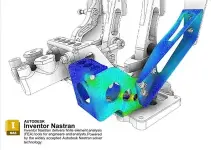
Free Download Autodesk Inventor Nastran 2027.2 with Offline Help | 5.3 GB
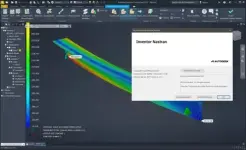
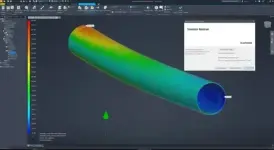
Autodesk Inventor Nastran 2027.2 is a computer-aided engineering (CAE) application that provides finite element analysis (FEA) capabilities within the Autodesk Inventor environment. Powered by the Autodesk Nastran solver, it helps engineers and analysts evaluate product designs through simulations covering structural stress, nonlinear behavior, dynamic response, and heat transfer.
Software Overview
Autodesk Inventor Nastran integrates advanced simulation tools into a CAD-based engineering workflow, allowing users to analyze designs without relying on separate simulation platforms for different analysis tasks. Its range of FEA capabilities supports the investigation of how components and assemblies respond to applied loads, constraints, contact conditions, dynamic effects, and thermal influences.
The software is designed for engineering analysis and product development, helping users assess design behavior and make informed decisions during the design process. Version 2027.2 introduces improvements to visibility controls and reaction result evaluation, providing more flexible ways to inspect simulation models and interpret analysis data.
Key Features
- Finite Element Analysis: Perform engineering simulations using the Autodesk Nastran solver within the Inventor environment.
- Linear Stress Analysis: Evaluate structural responses under linear loading conditions.
- Nonlinear Stress Analysis: Analyze structural behavior involving nonlinear responses.
- Dynamic Simulation: Investigate the dynamic behavior of engineering designs.
- Heat Transfer Analysis: Simulate thermal behavior and heat transfer in product designs.
- CAD-Embedded Workflow: Access simulation capabilities within Autodesk Inventor for a more integrated design and analysis process.
- Visibility Controls: Use consistent Visibility terminology for hiding and displaying bodies and related model items.
- Flexible Reaction References: Define the origin for moment reaction results using the Reference Grid Point, a specified or selected node number, or custom X/Y/Z coordinates.
- Multiple Contact Reactions: Select multiple contacts and generate a combined reaction result for the selected Primary or Secondary side.
- Shared Node Handling: Count shared nodes only once when calculating combined contact reaction results.
Improved Visibility Controls
Visibility terminology replaces the previous Hide and Display wording in menus, creating a more consistent interface for controlling the visibility of bodies and related model elements.
Enhanced Results Reactions
Moment reaction results now offer additional reference options. Users can select the Reference Grid Point as the origin, enter or pick a node number in the model, or specify coordinates along the X, Y, and Z axes.
Contact Reactions also supports multiple selected contacts and produces a combined result for the chosen Primary or Secondary side. Shared nodes are counted once in the calculation.
Why Choose Autodesk Inventor Nastran?
Autodesk Inventor Nastran brings structural, dynamic, and thermal simulation capabilities into an established CAD workflow. Its integration with Inventor and support for multiple FEA analysis types make it a practical tool for engineers who need to evaluate product designs and investigate their performance. The 2027.2 improvements further enhance model visibility and the interpretation of reaction results.
System Requirements
- Operating System: Windows
- Architecture: 64-bit (x64)
Code:
https://www.autodesk.com- Software Name: Autodesk Inventor Nastran
- Version: 2027.2 with Offline Help
- Platform: Windows
- Architecture: 64-bit (x64)
- Interface Language: English, French, German, Italian, Japanese, Korean, Simplified Chinese, Traditional Chinese
- License Type: Full Version
- Package Type: Installer with Offline Help
- File Size: 5.3 GB
Download ( Rapidgator )
You do not have permission to view the full content of this post. Log in or register now.
ClicknUpload
You do not have permission to view the full content of this post. Log in or register now.
You do not have permission to view the full content of this post. Log in or register now.
DDownload
You do not have permission to view the full content of this post. Log in or register now.
You do not have permission to view the full content of this post. Log in or register now.
FreeDL
You do not have permission to view the full content of this post. Log in or register now.
You do not have permission to view the full content of this post. Log in or register now.