PH
PHPreview:
View attachment screencast-192.168.1.1-2022.02.04-17_39_44.webm
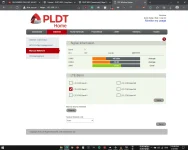
Para sa walang budget na katulad ko at nagsipag mag backread sa PLDT R281 (Bandlocking)
[Note] (Before anything else)
• Dapat enabled na ssh ng router mo at alam mo password nito.
• Back-up mo yung web files ng router mo in case something happens | download mo ung "www" folder
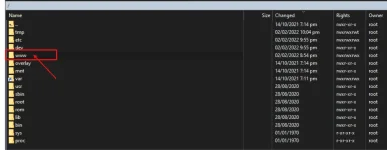
[Steps]
1. Download You do not have permission to view the full content of this post. Log in or register now. *
2. Watch video for steps here
[Update]
* You do not have permission to view the full content of this post. Log in or register now.
02/13/2022
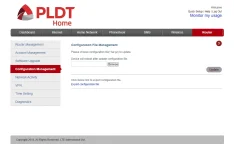
Yung "sysupgrade -r" ay same function ng "Configuration management" .. Heheh
Credits to Masters
H4wk3ye | For the NGINX files used for development and debugging.
zxshiels | For the original files from R281 www.tgz
You do not have permission to view the full content of this post. Log in or register now. | For UI reference
View attachment screencast-192.168.1.1-2022.02.04-17_39_44.webm
Para sa walang budget na katulad ko at nagsipag mag backread sa PLDT R281 (Bandlocking)
[Note] (Before anything else)
• Dapat enabled na ssh ng router mo at alam mo password nito.
• Back-up mo yung web files ng router mo in case something happens | download mo ung "www" folder
[Steps]
1. Download You do not have permission to view the full content of this post. Log in or register now. *
2. Watch video for steps here
[Update]
* You do not have permission to view the full content of this post. Log in or register now.
02/13/2022
Yung "sysupgrade -r" ay same function ng "Configuration management" .. Heheh
Credits to Masters
H4wk3ye | For the NGINX files used for development and debugging.
zxshiels | For the original files from R281 www.tgz
You do not have permission to view the full content of this post. Log in or register now. | For UI reference