PH
PHjcdgreatest
Fanatic
App needed: PUTTY.EXE - You do not have permission to view the full content of this post.
Log in or register now.
1. Use any web browser and Connect to your D2K-FT10 modem; 192.168.1.1
2. Log-in to pldthome using default user and pass
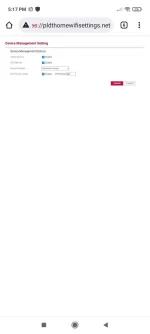
3. Enabling telnet access
a. You do not have permission to view the full content of this post. Log in or register now.
b. enable; telnet service and SSH service then select "Unrestricted Access"
4. How to connect to telnet services
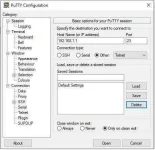
a. open your installed PUTTY
b. input "192.168.1.1" ;
c. Select "other" and choose "Telnet" on the dropdown list
d. port should be "23"
e. click "open" button
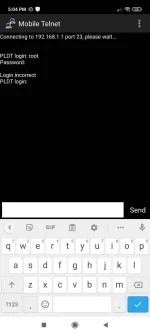
5. After getting connected you will be asked for user and password
a. PLDT user : root
b. Password : root123
6. After Log-in, need to access nvram.cfg
update 11/1/2021
a. type on the console "grep -i "http_passwd" /tmp/nvram.cfg" then press enter; sample below superadmin pass om0mYXQ7
b.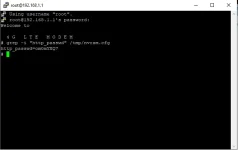
first release: this process is override
a. type on the console "cd var" then press enter
b. type on the console "cd tmp" then press enter
c. type on the console "cat nvram.cfg" then press enter - this will open the file
screen shot. search the below in red
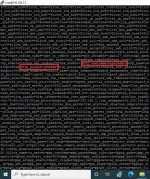
7. now you have the Superadmin password...
please like...
1. Use any web browser and Connect to your D2K-FT10 modem; 192.168.1.1
2. Log-in to pldthome using default user and pass
3. Enabling telnet access
a. You do not have permission to view the full content of this post. Log in or register now.
b. enable; telnet service and SSH service then select "Unrestricted Access"
4. How to connect to telnet services
a. open your installed PUTTY
b. input "192.168.1.1" ;
c. Select "other" and choose "Telnet" on the dropdown list
d. port should be "23"
e. click "open" button
5. After getting connected you will be asked for user and password
a. PLDT user : root
b. Password : root123
6. After Log-in, need to access nvram.cfg
update 11/1/2021
a. type on the console "grep -i "http_passwd" /tmp/nvram.cfg" then press enter; sample below superadmin pass om0mYXQ7
b.
first release: this process is override
a. type on the console "cd var" then press enter
b. type on the console "cd tmp" then press enter
c. type on the console "cat nvram.cfg" then press enter - this will open the file
screen shot. search the below in red
7. now you have the Superadmin password...
please like...