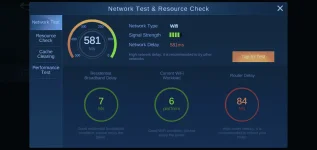
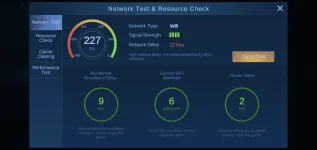
PH
PHAko Idol Mo
Elite
NOTE: RISKY DO IT AT YOUR OWN RISK
 BOOST
BOOST
Step 1: Login to the management page
Open the web browser and type the IP address of the device in the address bar (default is 192.168.1.1/192.168.0.1/192.168.0.254). Press Enter.
Enter the default username and password to log into the device.
Step 2: Configure the DMZ
For Wireless Routers and 3G Routers (Green GUI)
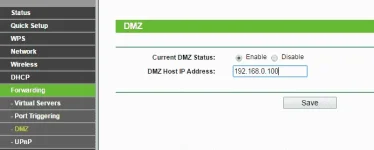
Click: Forwarding > DMZ > Enable/Disable. Input the IP of host device (here takes 192.168.0.100 as example), then click Save.
For Wireless Routers and 3G Routers (Blue GUI)
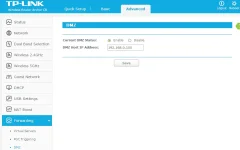
Click Advanced > Forwarding > DMZ > Enable/Disable. Input the IP of the host device (here takes 192.168.0.100 as example), then click Save.
Step 3: Restart your router for the changes to take effect.
BOOSTStep 1: Login to the management page
Open the web browser and type the IP address of the device in the address bar (default is 192.168.1.1/192.168.0.1/192.168.0.254). Press Enter.
Enter the default username and password to log into the device.
Step 2: Configure the DMZ
For Wireless Routers and 3G Routers (Green GUI)
Click: Forwarding > DMZ > Enable/Disable. Input the IP of host device (here takes 192.168.0.100 as example), then click Save.
For Wireless Routers and 3G Routers (Blue GUI)
Click Advanced > Forwarding > DMZ > Enable/Disable. Input the IP of the host device (here takes 192.168.0.100 as example), then click Save.
Step 3: Restart your router for the changes to take effect.