PH
PHData Donkey: The Complete Guide to Earning Money From Your Phone’s Spare Bandwidth (2026)
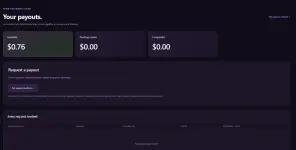
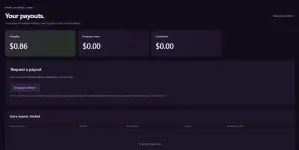
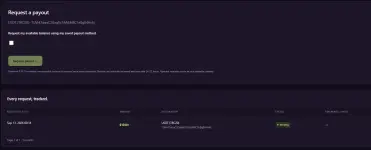
Update (9/14/2026): This seems fraudulent since the payout hasn’t been received yet. Please proceed with caution
- Release Date: September 06, 2026 (So bago lang!)
- Legit ba? we'll see
- Mas mabilis pa kesa EarnApp?! Scroll lang kayo sa baba
- Requirements: Android for now, Windows (coming soon), iOS wala pa, Stable Internet
- Payout: PayPal, USDT (TRC20), Bitcoin
- Super Tip: Have multiple devices for boosted earnings, pero each unique naka connect sa ISP (so like yung android 1 naka connect sa PLDT, android 2, naka connect sa converge, android 3 naka connect sa starlink or sky fiber)
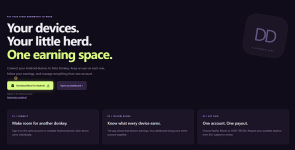
Merong Windows Version pero “Coming Soon!” for now!
If you’ve been scrolling through side-hustle apps lately, you’ve probably noticed a new name popping up: Data Donkey. Launched on September 6, 2026, this Android app (Windows Version rin coming soon!) promises something refreshingly simple — turn your phone’s unused internet bandwidth into real cash, ρáíd out via PayPal, Bitcoin, or USDT.
I spent the last few days setting up my own account, installing the app on my device, and poking around every corner of the dashboard. Here’s everything you need to know, plus a full walkthrough so you can get started in the next five minutes.
Want to skip the search and jump straight in? Sign up here using my referral link: You do not have permission to view the full content of this post. Log in or register now.

What Exactly Is Data Donkey?
Data Donkey’s pitch is right there on the homepage: “A little bandwidth. A growing balance.” The concept is a bandwidth-sharing model — your phone runs a small background service that shares spare internet capacity for public-web data collection, and you get ρáíd based on eligible connected time.The whole experience is branded around a “herd” of donkeys — every device you connect is your own little worker, and your dashboard is described as the place where “your donkey” goes to work while you go about your day.
A few things stood out to me as genuinely different from other “passive income” apps:
- You control when to connect. There’s no forced background mining — you tap Connect when you’re ready.
- Multi-device support. You can sign into the same account on several Android phones, and each one earns individually while rolling up into one combined balance.
- Transparent payout thresholds. $10 minimum, three payout methods, manual review before payment.
- No guaranteed income. Data Donkey is upfront that earnings depend on eligible connected time and regional demand — there’s no “get rich quick” promise here, which honestly builds more trust than most of these apps.
Step 1: Creating Your Account
Signup is straightforward — just an email and a password. During onboarding, the app walks you through three quick screens:- “Meet your new side hustle” — create your account.

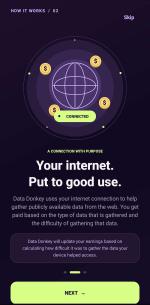
2. “Your internet. Put to good use.” — explains that your connection helps gather publicly available web data, and that pay is calculated based on the type and difficulty of the data collection involved.
3. “Watch it grow. Make it yours.” — a reminder that you can track earnings in the app, but your total account balance and payout requests live on the online dashboard.
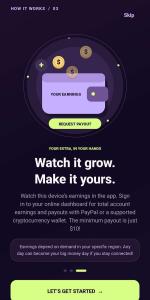
One detail worth flagging: the onboarding screen states you can earn “up to $100 per month,” and later mentions that “any day can become your big money day” depending on regional demand. Treat these as marketing ceilings, not guarantees — your actual results will vary a lot based on your location, your carrier, and how much time you leave the app connected.
Step 2: Installing the App (Android Sideload Walkthrough)
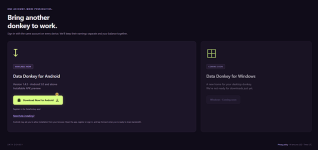
Since Data Donkey isn’t (yet) on the Google Play Store, you install it via a direct APK download from You do not have permission to view the full content of this post. Log in or register now.. Here’s the exact process the in-app guide walks you through:Step 1 — Open the APK. Downloading the file doesn’t install anything by itself. You need to go into your phone’s Downloads folder and tap DataDonkey_app.apk yourself.
Step 2 — Allow the source. Android will likely block the install with a message like “Your phone isn’t allowed to install unknown apps from this source.” Tap Settings on that prompt.
Step 3 — Enable “Allow from this source.” Toggle it on for whichever app opened the download (Chrome, another browser, or Files), then hit back to return to the installer.
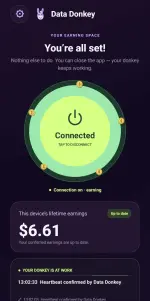
Step 4 — Install, open, and connect. Tap Install, then Open, sign in with the account you just created, and tap Connect whenever you’re ready to start sharing bandwidth.
A nice touch: the guide reminds you that you can toggle “Allow from this source” back off once installation is done, and it’s honest that screen names and menu locations vary by phone model — on older Android versions this setting might be called “Unknown sources” instead.
The current build is Version 1.4.5, requiring Android 5.0 or higher. A Windows version is listed as “coming soon,” so desktop users will have to wait.
Step 3: Understanding the Dashboard
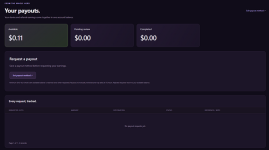
Once you’re connected, everything about your account funnels into a clean overview page with four key stats:- Available for payout — your spendable balance after pending/completed payouts.
- Total earned — lifetime device + referral earnings combined.
- Devices online — a live count (e.g., 1/1) based on the latest reported connection status.
- Referral earnings — the portion of your balance that came from people you invited.
If you want the technical nitty-gritty: the SDK reports device status and public IP every 30 seconds while the connection service is active, and a device keeps earning even if you haven’t opened the app recently — the “recently active” tag in the UI is purely informational, not a requirement to keep earning.
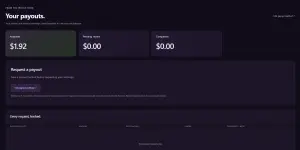
Step 4: Getting ρáíd
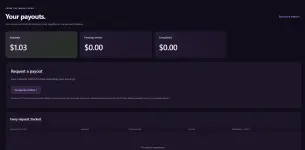
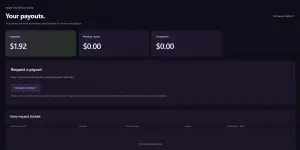
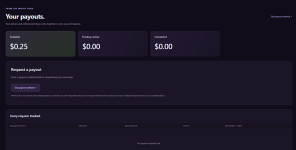
Payouts are handled from the Payouts tab and require hitting a $10 minimum balance, after which you can request a withdrawal via:- PayPal
- Bitcoin
- USDT (TRC20)
Step 5: The Referral Program
This is the section worth paying closest attention to if you want to actually build meaningful income with Data Donkey.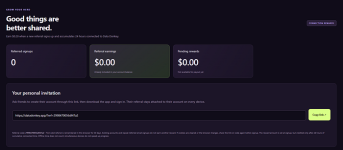
Here’s how it works: you get $0.20 for every new member who signs up through your personal link and accumulates 24 hours of cumulative connected time. A few important rules to know before you start sharing:
- Offline time doesn’t count, and running multiple devices simultaneously doesn’t speed up the 24-hour clock.
- The referral is remembered in the referred person’s browser for 30 days via cookie — so if they clear cookies or switch browsers before signing up, you’ll need to re-share your link or code.
- Existing accounts and repeat signups from the same email don’t earn a second reward — this is a one-time bonus per genuinely new user.
- Referral earnings flow directly into your main account balance and use the same $10 payout minimum as your device earnings — there’s no separate referral cash-out.
If you’d like to try it out, here’s my link again:
 You do not have permission to view the full content of this post.
Log in or register now.
You do not have permission to view the full content of this post.
Log in or register now.What About Privacy?
You do not have permission to view the full content of this post. Log in or register now.Data Donkey is reasonably transparent about what it collects. According to the in-app disclosures:
- The app records your submitted email and validation results for signup diagnostics — but explicitly states it never stores your password, since passwords are hashed server-side.
- Auto-connect on restart is enabled by default, but you can disable it in Settings.
- The “green” connected state simply means the SDK is running and your phone has internet — it does not confirm an active server-side connection.
Is It Worth It?
Press enter or click to view image in full size
Data Donkey isn’t going to replace a job — the app itself only advertises earnings “up to $100 per month,” and real-world results will depend heavily on your region, your carrier, and how consistently you stay connected. But as a genuinely passive background earner — something you set up once and let run on an old phone or spare device — it’s a low-effort way to squeeze a little extra value out of bandwidth you weren’t using anyway.
The multi-device support is a nice touch if you’ve got a couple of old Android phones lying around collecting dust, and the referral program gives you a real incentive to share it if you know others who’d want to try it too.
Ready to build your own herd? Download the app and create your account here:
please support if this helps po thank you!
 You do not have permission to view the full content of this post.
Log in or register now.
You do not have permission to view the full content of this post.
Log in or register now.
Disclaimer: Earnings are not guaranteed and depend on device connectivity, regional demand, and eligible connected time. This thread post is based on hands-on use of the app following its September 6, 2026 release and is intended as an independent guide, not financial advice.