PH
PHMicrosoft Office 2016-2019 (2020.07) RePack x86 (32-bit)

Download:
You do not have permission to view the full content of this post. Log in or register now.
Password:
File size: 2.51 GB (7z file)
Download (by 500 MB parts, kung unstable ang internet mo):
How to unpack split (part) files:
https://phcorner.org/threads/how-to...ndividual-parts-using-winrar-and-7zip.915791/
PART 1/6:
You do not have permission to view the full content of this post. Log in or register now.
PART 2/6:
You do not have permission to view the full content of this post. Log in or register now.
PART 3/6:
You do not have permission to view the full content of this post. Log in or register now.
PART 4/6:
You do not have permission to view the full content of this post. Log in or register now.
PART 5/6:
You do not have permission to view the full content of this post. Log in or register now.
PART 6/6:
You do not have permission to view the full content of this post. Log in or register now.
How to use:
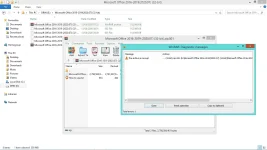
1. Extract the ZIP (or 7z) archive and mount the ISO file

2. In a newly created DVD Drive, open AUTORUN.exe

3. Select an Office version, Select the programs you want to install, Select the language "en-US", and then click Start installation
View attachment 2087566_video.mp4
Microsoft Office should automatically install pre-activated. If it's not activated, simply open AUTORUN.EXE again and click "Activate Office"
Alternatively, you can use KMS VL AIO to activate:
https://phcorner.org/posts/15896831/
64 bit version:
https://phcorner.org/threads/micros...essional-plus-2016-2020.902429/#post-15875926
Download:
You do not have permission to view the full content of this post. Log in or register now.
Password:
suchFile size: 2.51 GB (7z file)
Download (by 500 MB parts, kung unstable ang internet mo):
How to unpack split (part) files:
https://phcorner.org/threads/how-to...ndividual-parts-using-winrar-and-7zip.915791/
PART 1/6:
You do not have permission to view the full content of this post. Log in or register now.
PART 2/6:
You do not have permission to view the full content of this post. Log in or register now.
PART 3/6:
You do not have permission to view the full content of this post. Log in or register now.
PART 4/6:
You do not have permission to view the full content of this post. Log in or register now.
PART 5/6:
You do not have permission to view the full content of this post. Log in or register now.
PART 6/6:
You do not have permission to view the full content of this post. Log in or register now.
How to use:
1. Extract the ZIP (or 7z) archive and mount the ISO file
2. In a newly created DVD Drive, open AUTORUN.exe
3. Select an Office version, Select the programs you want to install, Select the language "en-US", and then click Start installation
View attachment 2087566_video.mp4
Microsoft Office should automatically install pre-activated. If it's not activated, simply open AUTORUN.EXE again and click "Activate Office"
Alternatively, you can use KMS VL AIO to activate:
https://phcorner.org/posts/15896831/
64 bit version:
https://phcorner.org/threads/micros...essional-plus-2016-2020.902429/#post-15875926