🔒 Closed Remoted dv235t tuts & tools [remoted ka?pasok!] *updated as of 9/19/14

Status
Not open for further replies.
sir anu po yong gagawin ko sa modem ko d na po xa nag power after kong sundin mga instruction nyo...after po xang mag reboot d na po xa nag on ulit
tpos may error po na lumabas Unhandled exception has occurred in your application. If you click Continue, the application will close immediately.
Value of '61' is not valid for "Value". "Value' should be between "minimum" and "maximum".
Details Continue Quit

naka encounter na po ba kau ng ganyan? nabuhay pa po ba ulit ung modem nyo?
 
ganito po lumalabas sakin boss lift
 

Attachments

  • dv235t.webp
    dv235t.webp
    34.6 KB · Views: 22
pa help sa dv235t ko biglang nag-reset tapos ngayon hindi na maaccess gui, telnet, https at http pero okay naman ip nya 192.168.15.1 paano po ito ayusin.
 
1 week ko na sinusubukan ayusin db ko d ko ma flush frimware, wifi led lng umiilaw, baka my iba pa paraan liban sa mediatek at winspreader thanks ts
 
inuulit ko po, pag 169 ip,reflash reflash reflash hanggang kumapit si firmware, same problem sakin 169 ip nahirapan ako bago kumagat si firmware, pag kumagat si firmware tsaka natin gamitin si mediatek para irepair nya ang gui,telnet,at para di na mag 169 ip, then proceed na kay mybrokentool ;)
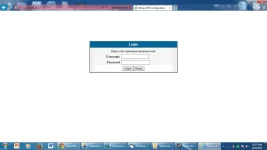
panu po ba reflash c ox230
 
Status
Not open for further replies.

About this Thread

  • 158
    Replies
  • 34K
    Views
  • 77
    Participants
Last reply from:
BlazerX22

Online now

Members online
1,064
Guests online
1,333
Total visitors
2,397

Forum statistics

Threads
2,269,064
Posts
28,926,187
Members
1,242,230
Latest member
lhorrany
Back
Top