 PH
PHPara to sa mga taong may gustong kunin na files sa prof,bf/gf,kabit,kaaway,kapatid,comp shop,etc. 
#1 Copy/s†éál files using USBCopy. Full Version worth $39.95. Screenshots mga friends :
:
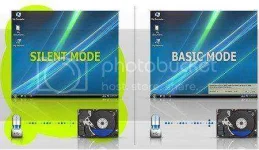
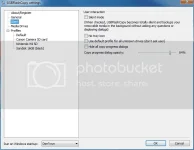
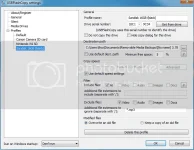
siguro naman understood niyo na kung papano iset-up to.ayan o kita na sa mga pics. Dahil mahal ko kayo eto Full Version para sa inyo! :excited:
May keygen na nasa loob ng rar file kaya no need asking Google.
INFO:
USBFlashCopy
USBFlashCopy is a small Windows utility to back up your flash drives and storage cards on the fly. It runs in the background and copies files from inserted media to a safe location on your hard drive.
Silent s†éálth Mode
For experienced users USBFlashCopy can run completely invisible. No icons, no progress bars, no prompts, it just does the job. This feature requires
USBFlashCopy is a small Windows utility to back up your flash drives and storage cards on the fly. It runs in the background and copies files from inserted media to a safe location on your hard drive.
Nothing to install
Simply download and run. No installation, no registry entries.
Small
USBFlashCopy is a really small utility taking no more than 300KB of space, it doesn't require additional libraries, frameworks or anything else to download and install.
Portable
Run USBFlashCopy from any folder or drive.
Simple and clever
USBFlashCopy automatically detects when you insert a media and copies its content to a safe location. By default, it creates a sub-folder for each removable media in "My Documents\Removable Media Backups".
Supports Profiles
Create profiles with separate settings for different flash sticks or storage cards. You can change default settings for new or rarely used medias.
Copies newer files only
USBFlashCopy copies only newer or updated files, you can optionally keep old versions of the files.
Move your settings
USBFlashCopy keeps its settings in an INI file, automatically created in the folder it is running from. Copy USBFlashCopy.ini along with executable to keep your settings.
OS : Microsoft Windows 2000/XP/Vista/7
Language : English
#2 Copy/s†éál files using MRT Hidden Copy. Screenshots mga friends:
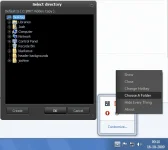
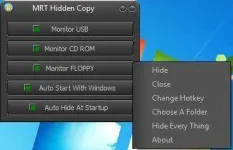
MRT Hidden Copy
MRT Hidden Copy is a very small yet effective utility which helps its users to copy data from removable media, at the same time remaining in the s†éálth mode. This means that files and other documents can be automatically copied from a variety of removable media, such as Floppy disks, CD- ROMs, DVD ROMs, USB flash drives, etc. without anyone noticing.
Try niyo po dalawang software na yan..advance thanks sa pagvisit ng thread at pagcomment! Enjoy guys! :salute:
#1 Copy/s†éál files using USBCopy. Full Version worth $39.95. Screenshots mga friends
:siguro naman understood niyo na kung papano iset-up to.ayan o kita na sa mga pics. Dahil mahal ko kayo eto Full Version para sa inyo! :excited:
May keygen na nasa loob ng rar file kaya no need asking Google.
INFO:
USBFlashCopy
USBFlashCopy is a small Windows utility to back up your flash drives and storage cards on the fly. It runs in the background and copies files from inserted media to a safe location on your hard drive.
Silent s†éálth Mode
For experienced users USBFlashCopy can run completely invisible. No icons, no progress bars, no prompts, it just does the job. This feature requires
USBFlashCopy is a small Windows utility to back up your flash drives and storage cards on the fly. It runs in the background and copies files from inserted media to a safe location on your hard drive.
Nothing to install
Simply download and run. No installation, no registry entries.
Small
USBFlashCopy is a really small utility taking no more than 300KB of space, it doesn't require additional libraries, frameworks or anything else to download and install.
Portable
Run USBFlashCopy from any folder or drive.
Simple and clever
USBFlashCopy automatically detects when you insert a media and copies its content to a safe location. By default, it creates a sub-folder for each removable media in "My Documents\Removable Media Backups".
Supports Profiles
Create profiles with separate settings for different flash sticks or storage cards. You can change default settings for new or rarely used medias.
Copies newer files only
USBFlashCopy copies only newer or updated files, you can optionally keep old versions of the files.
Move your settings
USBFlashCopy keeps its settings in an INI file, automatically created in the folder it is running from. Copy USBFlashCopy.ini along with executable to keep your settings.
OS : Microsoft Windows 2000/XP/Vista/7
Language : English
#2 Copy/s†éál files using MRT Hidden Copy. Screenshots mga friends:
MRT Hidden Copy
MRT Hidden Copy is a very small yet effective utility which helps its users to copy data from removable media, at the same time remaining in the s†éálth mode. This means that files and other documents can be automatically copied from a variety of removable media, such as Floppy disks, CD- ROMs, DVD ROMs, USB flash drives, etc. without anyone noticing.
Try niyo po dalawang software na yan..advance thanks sa pagvisit ng thread at pagcomment! Enjoy guys! :salute:
DIRECT DOWNLOAD LINK:
You do not have permission to view the full content of this post. Log in or register now.
You do not have permission to view the full content of this post. Log in or register now.
PASSWORD: googledotcom
You do not have permission to view the full content of this post. Log in or register now.
You do not have permission to view the full content of this post. Log in or register now.
PASSWORD: googledotcom
