 PH
PHJoshuaMoralesJOM
Enthusiast
Iactivate ang Professional in just a few Seconds. 
Download niyo muna ang CCleaner at ang naka Attached na Ac†ïvâ†ør
CCLEANER: You do not have permission to view the full content of this post. Log in or register now.
Pwede mo narin iupdate ang iyong CCLEANER just Click Check for Update and Use the Ac†ïvâ†ør Ulet ! Pwede sa Kahit anong Version yan mapaLUMA man o mapaBAGO ang Version.
Download niyo muna ang CCleaner at ang naka Attached na Ac†ïvâ†ør
CCLEANER: You do not have permission to view the full content of this post. Log in or register now.
INSTRUCTION
Iinstall Muna ang CCleaner. after na mainstall na
wag niyo muna ito iRun/iLaunch,
CCleaner is the number-one tool for cleaning your Windows PC. It protects your privacy online and makes your computer faster and more secure. Easy to use and a small, fast download.
at buksan ang CCleaner Professional Ac†ïvâ†ør.exe
at click NEXT and NEXT and START. then Open the CCLEANER makikita niyo Professional na
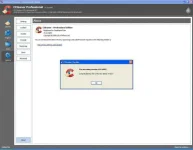

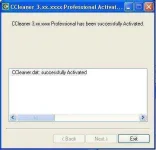
Pwede mo narin iupdate ang iyong CCLEANER just Click Check for Update and Use the Ac†ïvâ†ør Ulet
! Pwede sa Kahit anong Version yan mapaLUMA man o mapaBAGO ang Version.