PH
PHPHC-Kenneth Dave
Forum Veteran
Example PC Game:
Warcraft or Dota 1
USE OF THIS METHOD IN BATTLE.NET WILL CAUSE DISCONNECT
Requirements
You do not have permission to view the full content of this post. Log in or register now.
Warcraft III
Your Favorite Map
A Brain
Tutorial
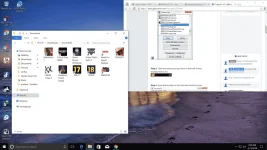
Step 1. Open up Cheat Engine. (Exit out of the tutorial that pops up if this is your first time running Cheat Engine.)
Step 2. Click on this icon and double click war3.exe from the list.
 -->
--> 
Step 3. Take how much gold you have in Warcraft III and multiply that by 10.

Step 4. Enter that number in this field and click first scan.

Step 5. You should get a bunch of results. So you have to do something in game to change the amount of gold you have. Such as buying or selling something. My amount of gold won't change because I'm too lazy to take more screenshots.

Step 6. Multiply your new amount of gold by 10 and enter it into the same field as before. Click NEXT scan.
Step 7. Keep repeating this process until you have one or two values left.

Step 8. Double click both of these values to bring them down to the bottom section.

Step 9. Double click in the value field of each value your brought down. Enter a high number like 999999.

Enjoy häçking!
Step 10. Finally, check the box that says "Frozen" next to your values and your are good to go!
Warcraft or Dota 1
USE OF THIS METHOD IN BATTLE.NET WILL CAUSE DISCONNECT
Requirements
You do not have permission to view the full content of this post. Log in or register now.
Warcraft III
Your Favorite Map
A Brain
Tutorial
Step 1. Open up Cheat Engine. (Exit out of the tutorial that pops up if this is your first time running Cheat Engine.)
Step 2. Click on this icon and double click war3.exe from the list.
--> Step 3. Take how much gold you have in Warcraft III and multiply that by 10.
Step 4. Enter that number in this field and click first scan.
Step 5. You should get a bunch of results. So you have to do something in game to change the amount of gold you have. Such as buying or selling something. My amount of gold won't change because I'm too lazy to take more screenshots.
Step 6. Multiply your new amount of gold by 10 and enter it into the same field as before. Click NEXT scan.
Step 7. Keep repeating this process until you have one or two values left.
Step 8. Double click both of these values to bring them down to the bottom section.
Step 9. Double click in the value field of each value your brought down. Enter a high number like 999999.
Enjoy häçking!
Step 10. Finally, check the box that says "Frozen" next to your values and your are good to go!