PH
PHChristianzgaming
Elite
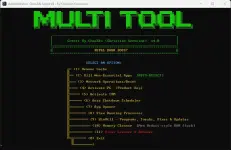
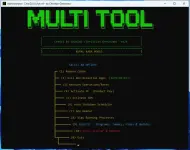
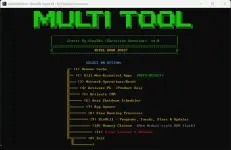
ChanZAi Script v4
By Christian Geronimo (christianzgaming)
 DISCLAIMER – USE AT YOUR OWN RISK
This utility performs advanced Windows maintenance and troubleshooting tasks. Some features modify system settings, terminate running applications, reset network configurations, and launch third-party activation scripts.Please make sure you understand what each option does before using it.
The author is not responsible for any system damage, data loss, or issues caused by improper use.
 What Does ChanZAi Script v4 Do?
ChanZAi Script v4 is an all-in-one Windows utility designed to simplify maintenance, troubleshooting, and system management.Included Features
 Cache Cleaner Smart Application Killer Network Repair & Reset Windows Activation Suite IDM Activation Shutdown / Restart Scheduler Windows Tools Launcher Running Process Viewer Windows Defender Virus Scanner
🛠 Before You Start
✔ Run as Administrator
Right-click ChanZAiScriptV4.exeSelect:
Run as administrator
Administrator privileges are required for most system operations.
✔ Internet Connection
Required for:- Windows Online Activation (MAS)
- HWID Activation
- IDM Activation
 Feature Overview
(1) Remove Cache
Cleans unnecessary files including:- Windows Temp
- User Temp
- Prefetch
- Thumbnail Cache
- Browser Cache
- Windows Update Cache
- Recycle Bin
 (2) Kill Non-Essential Applications
Automatically detects and closes non-critical running applications.Safe Windows processes remain untouched.
Useful before:
- Gaming
- Benchmarking
- Troubleshooting
⚠ Save your work first before using this option.
 (3) Network Operations / Reset
Performs a complete network repair including:- Flush DNS
- Reset Winsock
- Reset TCP/IP
- Clear ARP Cache
- Renew IP Address
- Reset IPv4 & IPv6
🖥 (4) Windows Activation
Includes multiple activation methods:- KMS Offline
- KMS Online
- Microsoft Activation Scripts (MAS)
- Manual Product Key
- Permanent HWID Activation
⬇ (5) IDM Activation
Activates Internet Download Manager using the official ChanZAi activation script.Requires an internet connection.
⏱ (6) Shutdown Scheduler
Available options:- Schedule Shutdown
- Schedule Restart
- Cancel Existing Timer
 (7) Windows App Launcher
Quick access to tools such as:- Task Manager
- Device Manager
- Disk Management
- Registry Editor
- Group Policy
- Event Viewer
- Resource Monitor
- Windows Update
- Control Panel
 (8) Running Process Viewer
Displays:- Process Name
- PID
- CPU Usage
- Memory Usage
🛡 (9) Virus Scanner
Runs a Windows Defender Quick Scan.Automatically attempts to remove detected threats using the built-in Microsoft Defender engine.
No third-party antivirus required.
🛡 Antivirus Detection Notice
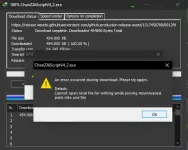
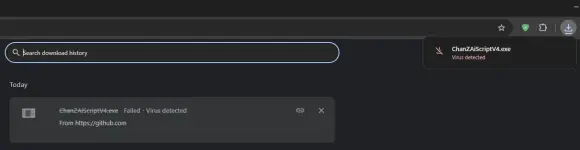
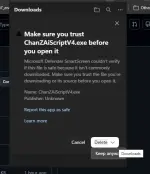
Some antivirus programs may flag this utility as:- häçkTool
- AutoKMS
- PUA
- WinAc†ïvâ†ør
- Trojan-like Behavior
- Process management
- Network repair
- Registry modifications
- System cleanup
- Activation-related functions
Always download the tool from the official source and verify it yourself if needed.
 Tips
Tips
- ✔ Always run as Administrator.
- ✔ Save your work before using Kill Applications.
- ✔ Restart your PC after performing a Network Reset.
- ✔ Some activation methods require an internet connection.
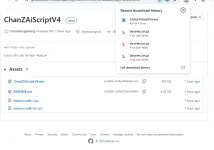
- ✔ Download only from the official release page.
VirusTotal
Some antivirus engines may report false positives because of the system-level operations performed by this tool. Please review the VirusTotal results yourself before running the application. (NORMAL SA MGA GANITONG TOOLS!!)
You do not have permission to view the full content of this post. Log in or register now.
Download
 Author
AuthorChristian Geronimo (ChanZAi)
Version:
ChanZAi Script v4.0
Version:
ChanZAi Script v4.0