PH
PHRequirements:
Windows XP 64 / Vista 64 / Windows 7 64 / Windows 8 64 / Windows 10 64
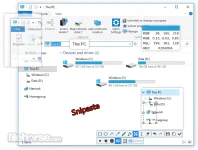
Snipaste 64-bit is a simple but powerful snipping tool for Windows PC, and also allows you to pin the screenshot back onto the screen. Download and start the application, press F1 to start snipping, then press F3 to paste it as a floating window. That's it,Snipaste provides you with a robust snipping tool that includes capture editing.
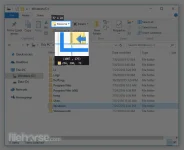
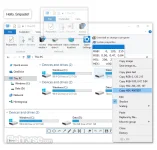
You can also convert text or color info in the clipboard into a floating image window. Such windows can be zoomed, rotated, flipped, made translucent, and even made click-through! If you are a programmer, a designer or whoever works much time before the computer, you will be surprised how it can help you get your work done more efficiently! Snipaste 64-bit is easy and intuitive to use, but there are also many hidden features that can make your life even more efficient.
Snipaste Features:
download link:You do not have permission to view the full content of this post. Log in or register now.
~Professora Hakimi Kazumi
Asianism
Windows XP 64 / Vista 64 / Windows 7 64 / Windows 8 64 / Windows 10 64
Snipaste 64-bit is a simple but powerful snipping tool for Windows PC, and also allows you to pin the screenshot back onto the screen. Download and start the application, press F1 to start snipping, then press F3 to paste it as a floating window. That's it,Snipaste provides you with a robust snipping tool that includes capture editing.
You can also convert text or color info in the clipboard into a floating image window. Such windows can be zoomed, rotated, flipped, made translucent, and even made click-through! If you are a programmer, a designer or whoever works much time before the computer, you will be surprised how it can help you get your work done more efficiently! Snipaste 64-bit is easy and intuitive to use, but there are also many hidden features that can make your life even more efficient.
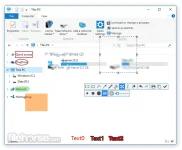
Snipaste Features:
- Auto detect UI elements
- Pixel-level control
- Color picker (try F1, c, F2)
- History play back ()
- Multi-screen support
- HiDPI (retina display) support
- Zoom (mouse scroll or +/-) or set speed for GIF
- Rotate (1/2) or jump to previous/next frame for GIF
- Set transparency (Ctrl+mouse scroll or Ctrl++/-)
- Made click-through (F3)
- Image editing (space)
- Hide (double click)
- Destroy (in the context menu)
- Color picker (Alt)
- Drag & drop
- Grouping
- Auto backup & restore
- Rectangle
- Ellipse
- Line strip
- Pencil
- Marker pen
- Text
- Mosai
- Gaussian blur
- Eraser
- Theme color, interface font, tray icon, and more
- Hot keys
- Detailed functionality options
download link:You do not have permission to view the full content of this post. Log in or register now.
~Professora Hakimi Kazumi
Asianism