PH
PHladyjhamel
Elite
Version 2.4 - with Skin Studio AppBundle
Skin Template:
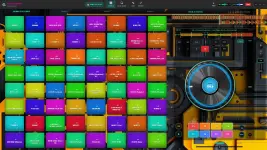
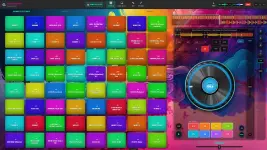
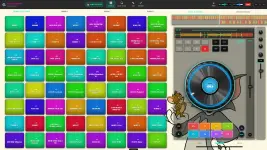
Skin Studio App
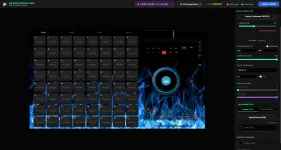
Ak Sampler Apps
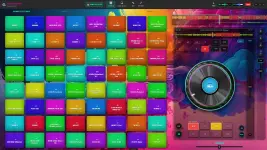
Link:
You do not have permission to view the full content of this post. Log in or register now.
You no longer have to rely solely on your laptop keyboard! V2.0 introduces a brand new, parallel Web MIDI engine.
We know many of you use standard 16-pad hardware.
What happens if you are using the new 16-pad layout, but you drop a massive 64-sample .zip or .bnk file into the app?
Workflow speed is everything in a dark club.
Managing your sets just got safer.
Fee free to feedback or suggestions.
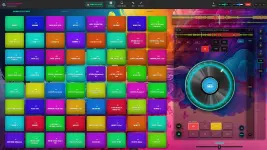
Skin Template:
Skin Studio App
Ak Sampler Apps
Link:
You do not have permission to view the full content of this post. Log in or register now.
 1. Native MIDI Hardware Engine & "Learn Mode"
You no longer have to rely solely on your laptop keyboard! V2.0 introduces a brand new, parallel Web MIDI engine.- Plug & Play: Go to Preferences > MIDI to see a live scan of your connected USB controllers (Akai MPD, Pioneer DDJ, Novation, etc.).
- Smart MIDI Learn: Mapping is now effortless. Click "Enable Learn Mode," click any pad on your screen with your mouse, and then physically strike the rubber pad on your DJ controller to permanently bind them together! (BETA TEST)
 2. Dynamic 16-Pad Hardware UI & Aspect Ratio Lock
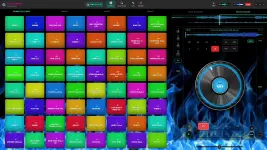
We know many of you use standard 16-pad hardware.- UI Morphing: In Preferences, you can now toggle the interface from the massive 64-pad (8x8) grid down to a focused 16-pad (4x4) layout.
- Lock Perfect Square: Widescreen laptop monitors used to stretch the pads into rectangles. Turning on "Lock Perfect Square" forces the engine to calculate your screen size and lock the interface into a perfect 1:1 hardware aspect ratio.
 3. Smart ZIP/BNK Overflow Engine
What happens if you are using the new 16-pad layout, but you drop a massive 64-sample .zip or .bnk file into the app?- The engine will now instantly intercept the file, pause the loading sequence, and ask you how you want to handle it.
- You can choose to "Load First 16 Only" to keep your current tab clean, OR choose "Distribute Across All Tabs", which intelligently slices the 64 samples perfectly across Banks A, B, C, and D for you!
 4. Global Drag & Drop "Welcome Glow"
Workflow speed is everything in a dark club.- We have expanded the drop zones. Dragging a massive .zip or .bnk file anywhere over the application window now triggers a global neon "Welcome Glow" and a massive drop target.
- Note: Dragging a single .wav or .mp3 will still highlight specific, individual pads for micro-editing!
 5. Safe Library Management & Auto-Memory Wipe
Managing your sets just got safer.- You can now right-click any kit in the Bank History panel to delete it.
- Non-Destructive: This only removes it from the software interface (your master .bnk files remain perfectly safe on your hard drive).
- Smart Wipe: If you delete a bank that is currently loaded in Tab A, B, C, or D, the engine instantly purges the audio buffers from active memory and resets the pads so you never accidentally trigger a "ghost" sample.
Fee free to feedback or suggestions.