 PH
PHStep 1: Download You do not have permission to view the full content of this post.
Log in or register now. (Download 32bit installer on 32bit Windows)
You do not have permission to view the full content of this post. Log in or register now.
Step 2: Install and launch OpenVPN client (Important: Run OpenVPN client as Administrator)
Step 3: Download one of the VPNBook OpenVPN certificate bundles
Username : vpnbook
Password : 5f39ntx
You do not have permission to view the full content of this post. Log in or register now.
Step 2: Install and launch OpenVPN client (Important: Run OpenVPN client as Administrator)
Step 3: Download one of the VPNBook OpenVPN certificate bundles
- Step 4: Unzip the bundle and copy OpenVPN profiles to C:\Program Files\OpenVPN\config
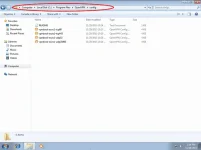
- Step 5: Right-click on the OpenVPN client icon, select one of the profiles, and click Connect
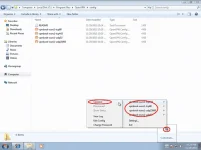
- Step 6: Enter username/password from You do not have permission to view the full content of this post.
Log in or register now.
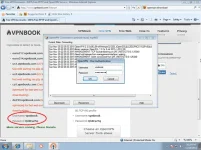
- Step 7: OpenVPN client successfully connects to VPNBook server. Your public IP address is now changed to VPNBook server IP address

- You do not have permission to view the full content of this post. Log in or register now.
- You do not have permission to view the full content of this post.
Log in or register now.
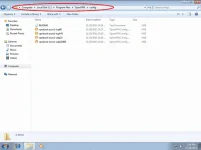
- Step 5: Right-click on the OpenVPN client icon, select one of the profiles, and click Connect
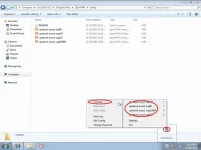
- Step 6: Enter username/password from You do not have permission to view the full content of this post.
Log in or register now.
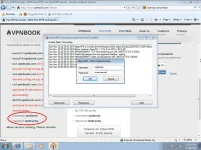
- Step 7: OpenVPN client successfully connects to VPNBook server. Your public IP address is now changed to VPNBook server IP address

- You do not have permission to view the full content of this post. Log in or register now.
- You do not have permission to view the full content of this post.
Log in or register now.
Username : vpnbook
Password : 5f39ntx
 thank you Ts