❓ Help Pa openline po

Status
Not open for further replies.
The unlocking tutorial of Huawei E173 so go ahead and unlock your modem.
http://www.phc.onl/#forbidden#.com/attachment.php?attachmentid=611169&stc=1&d=1343882019
1. First get You do not have permission to view the full content of this post. Log in or register now.

2. DownloadYou do not have permission to view the full content of this post. Log in or register now.. Enter your 15 Digit IMEI number as shown in the below screen and generate your Unlock Code and Flash Code.

Example: From IMEI number (353474024585481), I have generated unlock code (60684032) and flash code (58346543).
Universal Master Code Generator Will give you Unlock code and Flash Code

3.Plug-in your data card with your laptop or desktop (No need to remove sim card from the modem).


4. Once your data card is detected in your just double click on E173Update_11.126.85.00.114_B427.exe file and it will find the data card and start processing.
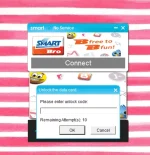
5. After above screen it will ask you for the unlock code, at this time you need to give FLASH CODE as your password or unlock code and then your data card software upgrade will be done successfully.

6. Now Download and install You do not have permission to view the full content of this post. Log in or register now., it will work on Windows XP, Windows Vista and Windows 7 as well.

7. Now Open the Huawei Mobile Partner from the desktop, and if asked use your unlock code you have generated in the step 2.

8.Create new profile for you network provider (Using APN and User name and password), try to connect to the internet now.

Hope you will be able to unlock your Huawei E173 Unlock 3G USB Modem.
 
The unlocking tutorial of Huawei E173 so go ahead and unlock your modem.

1. First get You do not have permission to view the full content of this post. Log in or register now.

2. DownloadYou do not have permission to view the full content of this post. Log in or register now.. Enter your 15 Digit IMEI number as shown in the below screen and generate your Unlock Code and Flash Code.

Example: From IMEI number (353474024585481), I have generated unlock code (60684032) and flash code (58346543).
Universal Master Code Generator Will give you Unlock code and Flash Code

3.Plug-in your data card with your laptop or desktop (No need to remove sim card from the modem).


4. Once your data card is detected in your just double click on E173Update_11.126.85.00.114_B427.exe file and it will find the data card and start processing.
5. After above screen it will ask you for the unlock code, at this time you need to give FLASH CODE as your password or unlock code and then your data card software upgrade will be done successfully.

6. Now Download and install You do not have permission to view the full content of this post. Log in or register now., it will work on Windows XP, Windows Vista and Windows 7 as well.

7. Now Open the Huawei Mobile Partner from the desktop, and if asked use your unlock code you have generated in the step 2.

8.Create new profile for you network provider (Using APN and User name and password), try to connect to the internet now.

Hope you will be able to unlock your Huawei E173 Unlock 3G USB Modem.
Thank you po ng marami. :)
 
IMEI 860941000823983
Flash code =39475143
v1 code =57292524
v2 code =86307094
v201 code = 50478379


try first this code (50478379)


Insert other SIM to your huawei
Go to 192.168.1.1 on your browser and the device will prompt for the unlock code, simply insert the 8 digit unlock code provided by the me
 
Status
Not open for further replies.

About this Thread

  • 5
    Replies
  • 587
    Views
  • 3
    Participants
Last reply from:
samePHAUL

Trending Topics

Online now

Members online
1,088
Guests online
1,011
Total visitors
2,099

Forum statistics

Threads
2,274,853
Posts
28,958,844
Members
1,233,461
Latest member
Kdgwapo
Back
Top