 PH
PHPHC-scarlet
Elite
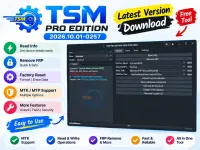
What follows is my honest walkthrough. I installed it, launched it, clicked around the interface, and ran one task. Here is how it went.
What TSM PRO Edition Is
TSM PRO Edition is a Windows tool for phone technicians and advanced users. It talks to phones over Mediatek BROM, Qualcomm EDL, Samsung Download mode, ADB, Fastboot, and a few other chipset bases.The version I tested is 2026.10.01-0257. It is not a one-click magic button. It expects you to know which mode your phone needs and which base you are working with.
Software Details
| Software Name | TSM PRO Edition |
|---|---|
| Version | 2026.10.01-0257 |
| License | Not stated in my testing notes |
| Supported OS | Windows (I ran it on Windows) |
| Supported Devices | Mediatek, Qualcomm, Samsung, ASR, Exynos, Kirin, Unisoc |
| Language | Not stated in my testing notes |
| Last Updated | Version build dated 2026.10.01 |
How I Installed It
The first thing I noticed is that the tool does not come as a single installer. The setup is split across a few files. Here is the exact order I followed on my machine.- I extracted the RAR file named “TSM Pro Edition Setup 2026.10.01.rar”.
- I right-clicked “TSM Pro Edition Setup 2026.10.01.exe” and chose “Run as administrator”.
- Windows Defender popped up a “Windows protected your PC” warning. I clicked “More info” and then “Run anyway” to continue.
- I followed the installer prompts until it finished.
- Next, I extracted a separate file named “TSM.rar”.
- Inside that, I found “TSM.exe”. I copied it.
- I opened the install folder (on my PC it was C:\Program Files (x86)\TSM PRO Edition) and pasted “TSM.exe” there, overwriting the existing file.
- I ran the copied “TSM.exe”.
- In the small loader window, I clicked “Run As Old”. The main TSM PRO EDITION window opened right after.
You do not have permission to view the full content of this post. Log in or register now.