 PH
PH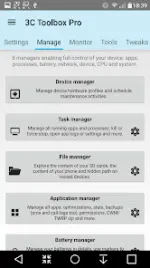
3C All-in-One Toolbox v3.1.9b (Build 200673)
3C All-in-One Toolbox is a comprehensive system utility package that combines monitoring, control, and fine-tuning tools into a single interface for Android devices.Application Specifications
| Attribute | Details |
|---|---|
| Version | v3.1.9b (Build 200673) |
| Requirements | Android 6.0+ |
| Architecture | arm64-v8a, armeabi-v7a |
| Screen DPI | 160dpi, 240dpi, 320dpi, 480dpi, 640dpi |
| Languages | Multi-language support |
| Mod Status | Pro Activated / Premium (Debug info removed) |
| Dependencies | Certain features require root access, kernel support, or the 3C Companion PC app (Android 6.0+) |
Core Component Modules
- Device Manager: Profiles, task scheduling, and device watchdog functionality for performance optimization and battery saving.
- File Explorer: Root-capable explorer with sorting options, media streaming, and permission/ownership/security context management. Supports local storage and Samba network shares.
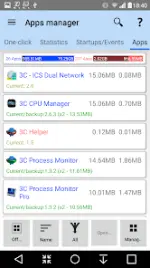
- Application Manager: Tools to secure, tune, back up, and optimize installed applications.
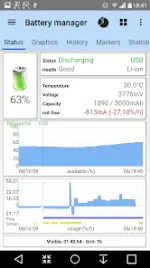
- Battery Manager: Analytics to identify battery-draining applications, generate comparison statistics, and track consumption over extended periods. Includes specialized support for dual-battery devices, LG Quick Circle, and Samsung Edge notifications.
- Network Manager: Configures Wi-Fi access point priority, Android firewall, TCP Congestion, and DNS settings.
- Task Manager: Interface for sorting applications by usage metrics and terminating background processes.
- CPU Manager: Controls single to octa-core CPUs, thermal configurations, multi-core settings, and custom kernel parameters.
- System Manager: Low-level configuration covering SD card performance, memory boosting, and editing for
build.propandsysctl. - Monitoring & Recording: Tracks application activities, battery consumption, and hardware component states (connections, localization, telephony). Supports status bar notifications with graphics and Xposed framework integration for battery icon replacement.
- Advanced Debugging Tools: Includes a Terminal Emulator & Script Editor (with boot script execution) and a System Logcat and Kernel Reader with advanced filtering and search.
User Interface & Customization Features
- UI Customization: Configurable layout allowing tabs and menu items to be hidden, and main screen buttons organized up to a 4x6 grid.
- Widgets: Resizable options ranging from simple gauges to complex data displays, component toggles, and historical graphics.
- System Component Switches: Supports manual or automated switching of over 20 device components (e.g., Wi-Fi, Bluetooth) via the app, widgets, or profiles.
Pro / Mod Unlocked Features
- Multi/auto-selection and sorting of apps.
- Auto-backup functionality and new app notifications.
- Advanced recording items and options.
- Creation of multiple schedules, watchers, and profiles.
- Automatic battery markers and management for multiple batteries.
- Notification shortcuts to access features directly from the status bar.
- Access to extra widget options.
Changelog (v3.1.9b)
- Fixed app settings export functionality when utilizing the 3C Companion app.
- Added terminal support for special hardware keys (Volume Up / Volume Down).
- Added low battery temperature alerts to the device watcher component.
- Added direct access to the watcher from the monitoring tab on the standard main screen.

.webp "(ditto) :(ditto):")
