 PH
PH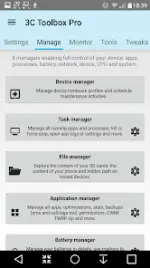
3C All-in-One Toolbox Pro | Technical Overview & Mod Features
3C All-in-One Toolbox is a comprehensive utility suite designed for monitoring, controlling, and fine-tuning Android devices running version 6.0 and higher. The application integrates an extensive collection of system tools into a single interface, facilitating advanced device management through automated profiles and manual configurations. While core functionalities are accessible on standard devices, full hardware control and specific system modifications require root access or the 3C Companion desktop application.Technical Specifications
| Category | Details |
| Version | v3.1.6d (Build 200663) |
| Architecture | arm64-v8a, armeabi-v7a |
| Screen Density | 160dpi - 640dpi |
| Android OS | 6.0 and higher |
| Core Modules | Terminal Emulator, Script Editor, Kernel Log Reader |
Key Management Modules
- Device Manager: Implements task scheduling and a watchdog system for performance optimization.
- File Explorer: Supports Samba network shares and root-level permission management.
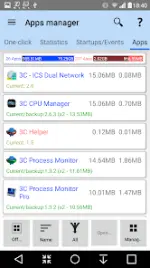
- Application Manager: Facilitates automated backups, data security, and optimization.
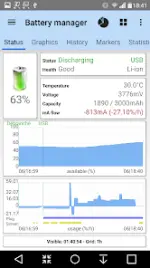
- Battery Manager: Provides detailed consumption statistics and support for dual-battery configurations.
- Network Manager: Enables WiFi prioritization, firewall configuration, and DNS adjustment.
- CPU and System Manager: Governs kernel settings, thermal controls, and sysctl/build.prop editing.
- Monitoring: Features real-time recording of application activities and system component states.
What's New
- Improved firewall user experience and temporary disablement options.
- Enhanced installation failure reporting.
- Fixed display of multiple tags over two-line layouts.
- Resolved wakelock information issues on Android 11 and below.
- Fixed progress percentage accuracy when copying large files (22GB+).
Pro & Mod Features
The Pro version unlocks advanced automation and optimization capabilities:- Advanced Automation: Create multiple schedules, watchers, and profiles for device states.
- System Optimization: Secure, tune, and optimize all installed applications with granular control.
- Hardware Control: Toggle over 20+ device components (WiFi, Bluetooth, etc.) manually or via automated profiles.
- Enhanced Performance: Dedicated profiles to control CPU, I/O, and battery savings from any interface.
- Premium Unlocked: All Pro features activated; in-app purchases unlocked.
- Clean Build: Debug information removed for better performance and smaller footprint.
Download