 PH
PH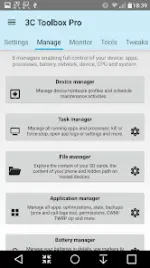
3C All-in-One Toolbox v3.1.8 (Pro)
3C All-in-One Toolbox integrates a comprehensive suite of utilities into a single interface to monitor, control, and fine-tune Android devices.Technical Specifications
| Category | Details |
| Version | v3.1.8 (Build 200668) |
| Android OS | 6.0+ |
| Architecture | arm64-v8a, armeabi-v7a |
| DPI Support | 160dpi, 240dpi, 320dpi, 480dpi, 640dpi |
| Mod Status | Pro Activated, Debug info removed |
Core Management Modules
| Module | Description |
| Device Manager | Profiles, task scheduling, and device watchdog for performance and battery optimization. |
| File Explorer | Root-aware explorer with Samba support, media streaming, and permission/security context editing. |
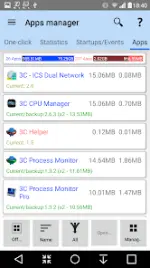
| Application Manager | Security tuning, optimization, and automated backup/data management. |
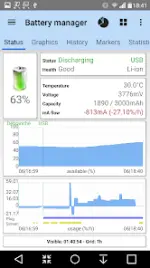
| Battery Manager | Drain analysis, comparison statistics, and support for dual-battery and specialty hardware (LG Quick Circle/Samsung Edge). |
| Network Manager | WiFi priority configuration, Android firewall, TCP Congestion, and DNS settings. |
| Task Manager | App sorting by usage metrics and process termination. |
| CPU Manager | Control for single to octa-core processors, thermal management, and custom kernel parameters. |
| System Manager | SD card performance, memory boosting, and build.prop/sysctl editors. |
Advanced Tools & Features
- Monitoring & Recording: Logs application activities, battery consumption, and hardware states. Includes Xposed framework support for status bar customizations.
- Toolbox Integration: Unified profiles to control CPU, I/O, and device states globally.
- UI/UX Customization: Fully configurable interface and resizable widgets (gauges, data displays, and historical graphs).
- Component Switches: Manual or automated toggles for 20+ hardware components (WiFi, Bluetooth, etc.).
- Debugging Tools: Terminal Emulator, Script Editor (with boot script support), Logcat reader, and Kernel reader with advanced filtering.
Pro Unlocked Features
- UI Customization: Hide tabs/menu items and edit main screen grid (up to 4x6).
- Automation: Multi/auto-select app sorting, auto-backup, and new app notifications.
- Power User Tools: Multiple schedules, watchers, profiles, and automatic battery markers.
- Access: Notification shortcuts for all features and additional widget sets.
Change Log (v3.1.8)
- Fixed export app settings functionality when utilizing 3C Companion.
Download